

Transcora

Overview
Transcribe and summarize online meetings with AI. Currently supports Google Meet and Zoom in the browser.
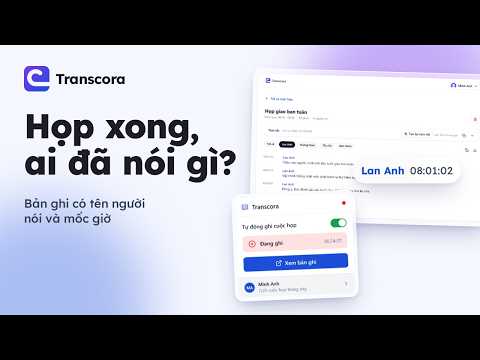
Transcribe and summarize online meetings with AI. Transcora records the captions shown in meetings as a transcript with speaker names and timestamps, and saves it to your Transcora account so you can review, search and download it. Currently supports Google Meet and Zoom in the browser. Supported platforms - Google Meet (meet.google.com). - Zoom when you join from your browser (Join from your browser). The Zoom desktop app is not supported. - On Zoom, the extension runs only after you allow it: the first time you open a Zoom meeting, click the Transcora icon, choose Allow and confirm Chrome's permission prompt. How it works - Sign in with your Google account in the extension popup. - When you join a Google Meet or Zoom meeting with Auto record turned on, the extension turns on the meeting platform's captions and starts recording. On Zoom, if the meeting has no captions button, the extension shows how to use Request Captions to ask the host to enable them. The extension icon shows a REC badge while recording. - When recording starts, the extension posts a notice to the meeting chat, on both Google Meet and Zoom, so participants are informed: in Vietnamese when the browser language is Vietnamese, in English otherwise, with the link https://transcora.taquoc.com/en#participants (English). - The extension records caption lines and chat messages of the meeting and uploads them to the Transcora server in batches about every 30 seconds; the local copy is deleted once the server confirms receipt. - On the Transcora website: browse transcripts by speaker and timestamp, search, download, delete; generate an AI summary when you click Summarize. Plans - The Free plan includes a monthly quota of meetings and AI summaries. - The paid Pro plan raises the quota; payment happens on the Transcora website, and Transcora, not Google, is the seller. Privacy - The extension only runs on meet.google.com and, once you allow it, on Zoom web client pages; it only sends data to the Transcora server. - You can revoke Zoom access at any time in Chrome's extension settings. - We do not sell data or use it for advertising. - Privacy policy: https://transcora.taquoc.com/privacy Transcora is not affiliated with Google or Zoom. Google Meet is a trademark of Google LLC. Zoom is a trademark of Zoom Communications, Inc.
0 out of 5No ratings
Details
- Version0.3.1
- UpdatedOctober 26, 2026
- Offered byTAQUOC LABS
- Size262KiB
- Languages2 languages
- DeveloperTăng Ái Quốc
106/3, Kp3, Phường 2, Thị xã Cai Lậy Tiền Giang, Tiền Giang 84000 VNEmail
support@taquoc.comPhone
+84 706 784 942 - TraderThis developer has identified itself as a trader per the definition from the European Union and committed to only offer products or services that comply with EU laws.
Privacy

Transcora has disclosed the following information regarding the collection and usage of your data. More detailed information can be found in the developer's privacy policy.
Transcora handles the following:
This developer declares that your data is
- Not being sold to third parties, outside of the approved use cases
- Not being used or transferred for purposes that are unrelated to the item's core functionality
- Not being used or transferred to determine creditworthiness or for lending purposes
Support
For help with questions, suggestions, or problems, visit the developer's support site