


Overview
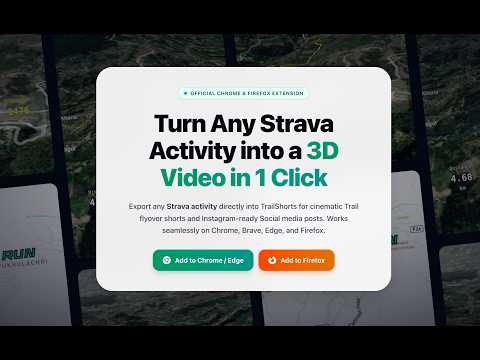
Create cinematic Trail flyover shorts and aesthetic Social media posts directly from any Strava activity in one click.
🚀 Turn Any Strava Activity into 3D Trail Flyovers & Aesthetic Social Media Posts in 1 Click! TrailShorts adds a clean, 1-click action banner directly above your Strava activity map, allowing you to instantly export your GPX track and turn it into viral video shorts or high-resolution graphic posts. No manual GPX file downloading. No paid subscriptions. 100% free and processed locally in your browser. ✨ TWO CREATIVE MODES: 🌲 1. Trail flyover shorts • Cinematic 60 FPS 3D terrain flyovers with realistic elevation relief. • Vertical 9:16 aspect ratio tailored for Instagram Reels, TikTok, and YouTube Shorts. • High-contrast satellite, dark cyberpunk, and outdoor topographic map styles. • Dynamic camera pitch, smooth route tracking, and speed multipliers. • Live on-screen metrics overlay: speed, elevation gain, heart rate, and elapsed time. • Direct MP4 video download. 🔥 2. Social media posts • Minimalist graphic posters showcasing your pure route silhouette and elevation profile. • Customizable typography and metric badges (Distance, Pace, Elevation Gain, Moving Time). • Drag-and-resize layout with custom trail photo backdrop support. • High-resolution PNG image download & 1-click clipboard copy for Instagram Stories, Strava media attachments, and race recaps. ⚡ HOW IT WORKS: 1. Open any of your activities on strava.com/activities/[id] 2. Click "Trail flyover shorts" or "Social media posts" directly above the map. 3. TrailShorts opens instantly in a new tab with your route data loaded. 4. Customize your style, camera angles, or typography, and export! 🔒 100% PRIVACY-FIRST ARCHITECTURE: • Zero Server Storage: Your GPX telemetry is parsed and rendered entirely inside your browser using WebGL and HTML5 Canvas. • In-Memory Processing: Your activity coordinates and Strava session data are never uploaded to, stored on, or logged by external servers. • No ads, tracking pixels, or third-party telemetry scripts. 🛠 COMPATIBILITY: Works seamlessly with any GPX track recorded on: • Strava • Support for more platforms is coming soon... 🌐 Web app: https://trailshorts.xyz 💬 Feedback & Support: https://trailshorts.xyz/contact
0 out of 5No ratings
Details
- Version1.0.0
- UpdatedAugust 24, 2026
- Size26.1KiB
- LanguagesEnglish (United States)
- DeveloperWebsite
Email
bibhutipd@gmail.com - Non-traderThis developer has not identified itself as a trader. For consumers in the European Union, please note that consumer rights do not apply to contracts between you and this developer.
Privacy

TrailShorts - 3D Shorts & Posts for Strava has disclosed the following information regarding the collection and usage of your data. More detailed information can be found in the developer's privacy policy.
TrailShorts - 3D Shorts & Posts for Strava handles the following:
This developer declares that your data is
- Not being sold to third parties, outside of the approved use cases
- Not being used or transferred for purposes that are unrelated to the item's core functionality
- Not being used or transferred to determine creditworthiness or for lending purposes
Support
For help with questions, suggestions, or problems, please open this page on your desktop browser