


Overview
Use Video Translator for Coursera to hear lectures in your language: real-time AI dubbing and voice to voice translation.
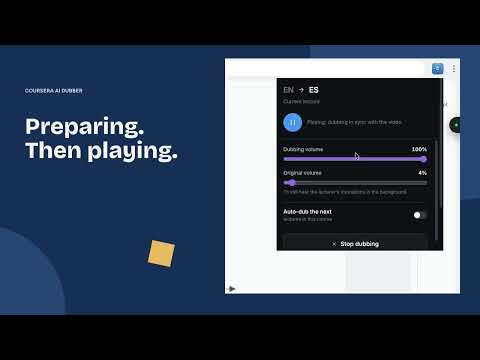
🎧 Video Translator for Coursera dubs captioned Coursera lectures into your language with an AI voice. You listen to the professor in a language you think in and keep your eyes on the slides. The professor writes code on screen and explains it out loud. The captions sit at the bottom. Look down and you miss the code, look up and you miss the sentence. Video Translator for Coursera removes that choice: the explanation arrives through your ears while you watch. 🚀 Get started with Video Translator for Coursera 1. Add the extension to Chrome and open a Coursera lecture with captions. 2. Sign in, or activate your PRO license. 3. Pick your language and an available voice in the extension. 4. Start dubbing, wait for the ready indicator, then press play. 6 reasons students keep Video Translator for Coursera 1️⃣ Real voice dubbing rather than a second row of captions. 2️⃣ Voices are generated on servers in real time, a segment at a time. 3️⃣ Your remaining dubbing time is always shown in the extension. 4️⃣ It works inside the Coursera player you already use. 5️⃣ PRO can save translated subtitles in your browser for later study. 6️⃣ Built for study, so you can replay the same 30 seconds until you get it. 🎙️ How this voice to voice translator handles a lecture ➤ It reads the lecture captions, runs AI video translation on them and speaks the result out loud. ➤ Speech is generated on servers and synchronized with the video as you watch. ➤ You watch the whiteboard while the voice carries the words. ➤ A plain Coursera subtitle translator leaves you reading while the professor draws. ➤ Voice choices vary by language and plan. ⚡ Real-time video translation - Choose a supported language and the dubbing starts while the lecture plays. - There is no local voice model to download. - A stable internet connection is required. Initial buffering and server load affect when audio is ready. 🔓 Plans and dubbing time Free Online accounts get 30 minutes per 24-hour window and 120 minutes per 7-day window. Both limits apply, and each window starts on first use. The extension shows your remaining time. Paid PRO access removes these caps. PRO adds • Additional server-generated voices, depending on your language • Built-in AI subtitle translation without an API key • AI Lecture Chat for questions, summaries, notes and quizzes • Local caching of translated subtitles • Monthly, yearly and lifetime options, with current terms shown at checkout Who uses Video Translator for Coursera ▸ Students who follow English lectures with effort and want to translate video to English or out of it. ▸ Professionals taking certificates who need a Spanish video translator this month and another language pair after that. ▸ Non-native speakers who are tired of reading Coursera captions instead of watching the demo. ▸ Anyone who wants an AI video translator for a whole Coursera course, not a single clip. ❓ Frequently asked questions ❓ How does Video Translator for Coursera work? 💡 It pulls captions from the lecture, translates them, generates speech on servers in real time and plays that AI dubbing over the video. ❓ How much dubbing time do I get? 💡 Free Online accounts have a 30-minute/24-hour window and a 120-minute/7-day window. Check the extension for your remaining time. ❓ Does my data leave the browser? 💡 Caption text is processed by translation and speech services. Account, license and error-diagnostic data also reach our services. Read the privacy policy for details. ❓ Which languages does it cover? 💡 Choose from the supported languages in the voice picker, for example Spanish to English, English to Spanish or Chinese to English. Voice availability varies by language. ❓ Can I still read the text? 💡 Yes. Translated captions remain available, so Video Translator for Coursera also works as a subtitle translator. ❓ What is BYOK? 💡 Bring your own key. PRO users can connect a supported AI provider, such as OpenAI or Gemini, for AI Lecture Chat. Translation uses Google Translate or built-in AI translation, depending on your plan. ❓ Can I save the dubbed audio? 💡 No. Real-time audio uses a temporary buffer, and the extension does not export a dubbed video or a full audio track. 🎉 Install Video Translator for Coursera, open a captioned lecture, pick a language and let the dubbing run.
4.6 out of 534 ratings
Details
- Version4.2.1
- UpdatedNovember 16, 2026
- FeaturesOffers in-app purchases
- Size52.0MiB
- Languages52 languages
- DeveloperWebsite
Email
oleg.pharo@gmail.com - Non-traderThis developer has not identified itself as a trader. For consumers in the European Union, please note that consumer rights do not apply to contracts between you and this developer.
Privacy

This developer declares that your data is
- Not being sold to third parties, outside of the approved use cases
- Not being used or transferred for purposes that are unrelated to the item's core functionality
- Not being used or transferred to determine creditworthiness or for lending purposes