


Overview
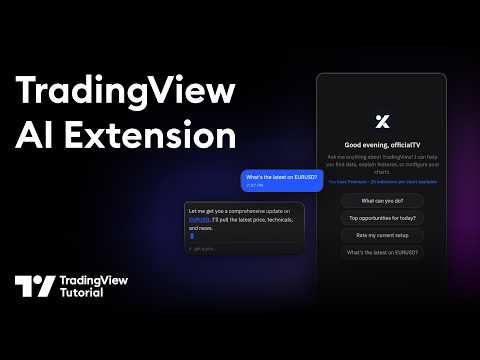
AI-powered chatbot interface for TradingView
Your official AI-powered chart copilot for TradingView. Analyze markets, automate your charts, manage alerts, paper trade, and get actionable insights — all through natural conversation. TradingView Remix lives in your browser's side panel and works directly with your TradingView charts. Just ask, and it does the rest. What can it do? Market Analysis & Research: Ask about any stock, crypto, forex pair, or commodity and get instant analysis powered by TradingView's real-time data. Get live quotes, fundamental metrics (P/E, EPS, revenue, margins), technical ratings (RSI, MACD, moving averages), earnings calendars, economic event schedules, and the latest news — all synthesized into actionable insights, not raw data dumps. Chart Automation: Stop clicking through menus. Tell the AI to switch symbols, change timeframes, add or remove indicators, set up multi-chart layouts, overlay comparisons, change chart types (candles, Heikin Ashi, Volume Footprint, Market Profile, and more), and navigate to specific dates. It reads your current chart state and works with what you already have set up. Smart Drawings: The AI draws directly on your chart to illustrate analysis — support/resistance levels, trend lines, Fibonacci retracements, price zones, entry/exit signals, and text annotations. It positions drawings accurately using your chart's visible range and current prices. Alert Management: Create, list, pause, restart, and delete price alerts through conversation. Set alerts with specific conditions (cross, cross up, cross down, above, below) and delivery preferences (push, email, popup, webhook). No more navigating alert dialogs. Paper Trading: Practice trading without risk. Place market, limit, and stop orders with optional take-profit and stop-loss brackets. Manage positions, review trade history, and track P&L — all through chat. The AI always shows you the trade plan and asks for confirmation before executing. Portfolio Tracking: Manage your TradingView investment portfolios through conversation. View all your portfolios, check holdings with live valuations, and review performance metrics — total gains, unrealized/realized P&L, annualized yield, and period returns (YTD, 1M, 3M, 6M, 1Y, all-time). Get risk analysis with Sharpe ratio, Sortino ratio, and beta vs. benchmark. Record buy/sell transactions, log cash deposits and withdrawals, and create or reorganize portfolios — all without leaving the chat. Stock Screener: Find trading opportunities using TradingView's powerful screener. Filter by price, volume, market cap, P/E ratio, technical signals, sector, and more across US stocks, crypto, forex, and international markets. Watchlist Integration: Scan your TradingView watchlists for setups. The AI reads your active watchlist, pulls batch quotes and technicals, and ranks symbols by how actionable they look. Pine Script Assistant: Write, edit, and deploy custom Pine Script indicators directly from the chat. The AI opens the editor, writes the code, compiles it, and adds it to your chart — handling errors automatically. MCP Server Integration: Connect your own external tools and data sources using the Model Context Protocol (MCP). Add any MCP-compatible server — private APIs, databases, proprietary analytics — and the AI can discover and call those tools during your conversation. Supports OAuth and API key authentication. All requests are proxied through your browser, so your credentials never leave your machine. Persistent Notes: Save analysis, trade rationale, and key findings to TradingView's built-in text notes. The AI uses these as long-term memory to recall past analysis across sessions. Works across all markets — stocks, crypto, forex, commodities, futures, and indices. The AI automatically adapts its analysis style to the asset class you're viewing. How it works: - Open any chart on TradingView - Click the TradingView Remix icon to open the side panel - Sign in with Google - Start chatting Pricing: Free during Public Beta. Every user gets a weekly usage limit that scales with their TradingView plan: Free 0.25x, Essential 1x, Plus 2x, Premium 5x, Ultimate 20x. Free-tier users have all analysis features but the Pine code authoring assistant is reserved for Essential and above. Insiders are unlimited. No credit card required — see the pie indicator in the side panel header for live usage and the upgrade link. Privacy: Your TradingView session data stays in your browser. The AI processes your questions server-side but never stores your trading data or chart history.
4.3 out of 5145 ratings
Details
- Version0.18.8
- UpdatedSeptember 21, 2026
- Size1.41MiB
- Languages12 languages
- DeveloperWebsite
Email
w0rse.t@gmail.com - Non-traderThis developer has not identified itself as a trader. For consumers in the European Union, please note that consumer rights do not apply to contracts between you and this developer.
Privacy

TradingView Remix: AI Chart Copilot has disclosed the following information regarding the collection and usage of your data. More detailed information can be found in the developer's privacy policy.
TradingView Remix: AI Chart Copilot handles the following:
This developer declares that your data is
- Not being sold to third parties, outside of the approved use cases
- Not being used or transferred for purposes that are unrelated to the item's core functionality
- Not being used or transferred to determine creditworthiness or for lending purposes