


Overview
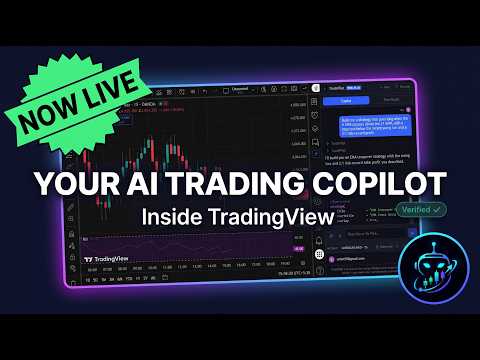
AI copilot inside TradingView: analyze charts, draw levels, get market data, scan watchlists, and build Pine Script that runs.
Your AI copilot for TradingView. Analyze markets, control your charts, backtest and optimize strategies, set alerts, and build Pine Script that runs, all through natural conversation. TradePilot lives inside TradingView and works directly with your charts. Just ask, and it does the rest. What can it do? Full Chart Analysis: Ask it to analyze any symbol and it reads the chart, runs multi-timeframe analysis, checks structure and momentum, draws the key levels, and hands you a clear verdict and trade plan, not a raw data dump. Chart Control: Stop clicking through menus. Tell the AI to switch symbols, change timeframes, and add or remove indicators. It reads your current chart state and works with what you already have set up. Smart Drawings: The AI draws directly on your chart to illustrate analysis, including support and resistance, trend lines, Fibonacci retracements, and price zones, positioned accurately using your chart's visible range and live prices. Pine Script That Runs: Describe a strategy or indicator in plain English and the AI writes the Pine Script v6, loads it into your editor, and runs it on your chart, handling errors as it goes. Edit and fix your scripts just by asking. This is what we are known for. Backtest From Chat: Ask it to backtest a strategy and it pulls net profit, win rate, and drawdown from TradingView's own Strategy Tester straight into the conversation, so you can compare and tune without digging through tabs. Optimize Your Strategy: Tell it to find the best settings and it sweeps your strategy's inputs through the backtester and reports the combination with the best return. No more testing parameters by hand. Alerts From Chat: Create and manage TradingView alerts in plain English. Set the condition, symbol, and message just by asking, no dialog boxes. Live Market Data: News, fundamentals, technical ratings, and quotes for any symbol, pulled straight into the chat without leaving your chart. Watchlist Scanning: Scan your TradingView watchlists for setups. The AI reads your active watchlist, pulls quotes and technicals, and ranks symbols by how actionable they look. Copilot Memory: It remembers your preferences and past analysis across sessions, so it gets more useful the more you use it. Works across all markets: stocks, crypto, forex, commodities, futures, and indices. The AI adapts its analysis to the asset class you are viewing. How it works: Open any chart on TradingView Click the TradePilot icon to open the panel Sign in Start chatting Privacy: Your TradingView session stays in your browser. The AI processes your questions server-side but never stores your trading data or chart history, and your conversations are never used to train models. TradePilot. The AI copilot for TradingView.
0 out of 5No ratings
Details
- Version0.5.5.4
- UpdatedAugust 14, 2026
- FeaturesOffers in-app purchases
- Size558KiB
- LanguagesEnglish
- DeveloperWebsite
Email
itsvishnups@gmail.com - Non-traderThis developer has not identified itself as a trader. For consumers in the European Union, please note that consumer rights do not apply to contracts between you and this developer.
Privacy

TradePilot: AI Copilot & Pine Script AI has disclosed the following information regarding the collection and usage of your data. More detailed information can be found in the developer's privacy policy.
TradePilot: AI Copilot & Pine Script AI handles the following:
This developer declares that your data is
- Not being sold to third parties, outside of the approved use cases
- Not being used or transferred for purposes that are unrelated to the item's core functionality
- Not being used or transferred to determine creditworthiness or for lending purposes
Support
For help with questions, suggestions, or problems, visit the developer's support site