

TradeCut for Chrome

Overview
Records the trading tab you choose and uploads clips around your trades to your TradeCut account.
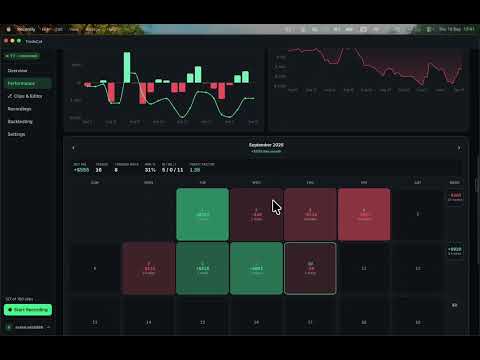
TradeCut for Chrome turns every trade you take into a video clip — automatically. Press Record on your TradingView tab. TradeCut watches your positions, and each time you enter and exit a trade it cuts a clip of that moment (with a few seconds before and after), adds your camera and microphone, and uploads it to your TradeCut library. Open it on trade-cut.com to trim, add your P&L, a caption, a template — and share it. WHAT IT DOES • Detects entries and exits on TradingView (paper and live) — no manual marking needed • Records the tab you choose, plus your webcam and microphone • Cuts one clip per trade with your chosen pre/post roll • Uploads clips straight to your TradeCut account — nothing to export or upload by hand • Manual Entry/Exit marks and keyboard shortcuts for other platforms • Trading hours: reminds you to press Record when your session starts and stops recording by itself at the end • Floating recording bar in the tab, sounds for start/stop/entry/exit — same as the TradeCut desktop app WHAT IT DOES NOT DO • It only records the tab you pressed Record on — never other tabs, never your whole screen • It never sees your broker password or places trades • Recordings stay in your browser for 24 hours (you can delete them any time from Options), and only the finished clips are uploaded to your account REQUIREMENTS A TradeCut account (free trial at trade-cut.com). Works with TradingView today; more platforms are coming. DISCLAIMER TradeCut is a video recording and editing tool. We are not a broker, an exchange or a financial advisor, and we are not affiliated with TradingView or any trading platform. Nothing in this extension or on trade-cut.com is trading, investment or financial advice, and we do not recommend any trade, strategy or instrument. Trading involves substantial risk of loss and is not suitable for everyone; past results shown in any clip are not indicative of future results. You are solely responsible for your trading decisions. Questions? support@trade-cut.com
0 out of 5No ratings
Details
- Version0.1.16
- UpdatedNovember 3, 2026
- Offered bytradecut.office
- Size10.17MiB
- LanguagesEnglish (United States)
- DeveloperTal Leon
Email
tradecut.office@gmail.comPhone
+972 52-590-4035 - TraderThis developer has identified itself as a trader per the definition from the European Union and committed to only offer products or services that comply with EU laws.
Privacy

TradeCut for Chrome has disclosed the following information regarding the collection and usage of your data. More detailed information can be found in the developer's privacy policy.
TradeCut for Chrome handles the following:
This developer declares that your data is
- Not being sold to third parties, outside of the approved use cases
- Not being used or transferred for purposes that are unrelated to the item's core functionality
- Not being used or transferred to determine creditworthiness or for lending purposes