


Overview
Track changes to any web page over time and compare versions. All data stays on your device.
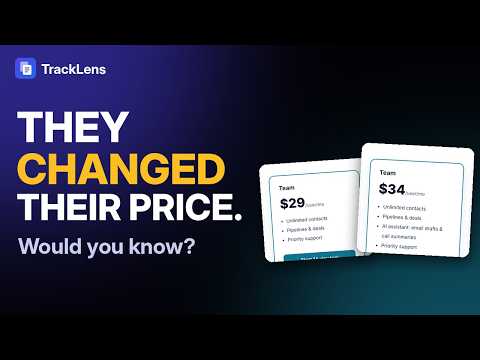
NEW IN 1.1: SMART ALERTS Get told only when it matters. Ask TrackLens to tell you when "Sold out" appears, when a price drops below your target, or when a big part of a page changes. Every notification now starts with one plain sentence that says what changed, like "Pro plan: $49 changed to $39 and new section Holiday sale". And the free plan now checks one page for you automatically, every day or week. TrackLens keeps a history of any web page and shows you exactly what changed between two versions: the words, the HTML, the SEO tags, the AEO/GEO signals and the look of the page. Everything is stored on your computer, never on a server. Use it to watch a competitor's pricing page, catch an accidental noindex on your own site, see what a client changed on their landing page, or keep a record of terms and docs pages over time. HOW IT WORKS 1. Open any page and click the TrackLens icon. It opens in Chrome's side panel. 2. Click Save snapshot (or press Alt+Shift+L), or Track this page to keep a history. 3. Come back later, pick any two snapshots and compare them. COMPARE ANY TWO VERSIONS • Text diff: side by side or inline, word-level highlights, added and removed counts, jump to the next change • HTML source diff • SEO diff: title, meta description, robots, canonical, Open Graph and Twitter tags, H1 to H6 outline, hreflang, JSON-LD schema, links, image alt text and word count, with summary chips like "Title changed" • AEO/GEO signals: an answer-engine readiness score on every snapshot, plus a breakdown of questions, answers, schema, author, dates and sources • Visual diff: full-page screenshots with a slider, side by side, overlay and highlighted pixel changes WATCH PAGES AUTOMATICALLY • Free: one page checked daily or weekly. Pro: every tracked page, from every 15 minutes to weekly • Smart alerts: only when a word appears or disappears, a number goes below or above a value, or a set share of the page changes. Other changes are still saved, quietly • A plain-language summary of each change in the notification and the alerts list • Pages load in a minimized background window, so JavaScript-heavy sites work • A new snapshot is saved only when the content actually changed • Ignore rules: skip ads, timestamps and cookie banners by CSS selector or with a point-and-click picker, track just one part of a page, or ignore numbers, dates and whitespace KEEP YOUR HISTORY • Timeline for every page with labels, notes and pinned snapshots • Add any page by its address, including a competitor's • Export a shareable HTML comparison report or a PNG of the visual diff • Back up everything to a file and restore it later • Light and dark mode, keyboard shortcuts, screen reader labels FREE AND PRO Free: track 3 pages with 20 snapshots each, text diff, the AEO/GEO score, automatic checks on one page, plain-language summaries, backup and restore. Pro, a one-time $19.99 (₹999 in India) with no subscription: unlimited pages and snapshots, smart alerts, checks on every page, SEO diff, visual diff, the AEO/GEO breakdown, ignore rules and report exports. PRIVACY Your snapshots, screenshots, notes and settings stay in your browser's local storage. TrackLens has no account, no analytics and no tracking, and it never sends page content anywhere. Change summaries are worked out on your computer. The only other network request is the Pro license check: the key you enter is verified with our payment provider, Dodo Payments. Full policy: https://www.extcafe.com/privacy.html#tracklens Made by ExtCafe. Questions: aio@extcafe.com Requires Chrome 116 or newer.
0 out of 5No ratings
Details
- Version1.1.1
- UpdatedNovember 5, 2026
- Size355KiB
- LanguagesEnglish
- DeveloperSACHIN NATVARLAL PARMARWebsite
74, Sai Garden Soc., Vibhag 2, Near Eru Abrama Bridge, Navsari, Gujarat 396450 INEmail
sach.parmar71@gmail.comPhone
+91 99301 26311 - TraderThis developer has identified itself as a trader per the definition from the European Union and committed to only offer products or services that comply with EU laws.
Privacy

This developer declares that your data is
- Not being sold to third parties, outside of the approved use cases
- Not being used or transferred for purposes that are unrelated to the item's core functionality
- Not being used or transferred to determine creditworthiness or for lending purposes
Support
For help with questions, suggestions, or problems, please open this page on your desktop browser