

Track My Mails - Email Tracker for Gmail
7 ratings
)
Overview
See when Gmail messages are opened and links are clicked. One plan covers every Gmail account in this browser.
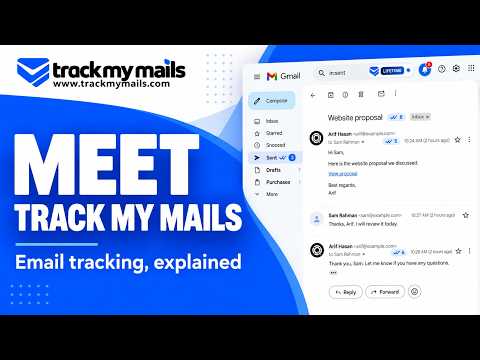
Know what happens after you press Send. Track My Mails adds a clear tracking badge beside Gmail's Send button and shows delivery-style status marks directly in your Sent list: • ✓ means the message was sent with tracking enabled • ✓✓ means the recipient opened your message • The number beside ✓✓ shows the recorded open count • Optional link tracking alerts you when a recipient clicks your link • Recipient activity, open times, device type, and location insights in your dashboard NEW: Address check while you write • Spots typos in big email providers (gmial.com → gmail.com) and endings that don't exist (.con, .cmo). • Warns when a domain can't receive email, or when an address is a temporary inbox or a no-reply address. • Shows a small green "Emailed before" note for people who have opened your emails, and suggests the right address when you mistype someone you know. • Marks emails that bounced ("address not found") so you stop waiting for a reply that will never come. The note appears above your message and is never added to the email you send. Key Highlights: - Multi-Gmail Support: One account and one plan cover all Gmail accounts logged into this browser. - 100% Clean: No watermarks, signatures, or branding injected into your emails. - Safe & Private: We never store your email body text or attachments. The only incoming emails the extension looks at are Gmail's own "address not found" delivery notices, so it can mark an email as bounced. - Auto-confirm on Reply: Automatically marks emails as opened when a recipient replies. - Subject Spam Coach & Link Safety Guard to protect your deliverability. - Free plan available. Pro features are an optional subscription. Privacy & Permissions: Track My Mails requests only the minimum permissions necessary to insert tracking pixels, show status marks and address checks inside Gmail. Spelling checks run in your browser; only the domain part of an address is checked on our server. You can toggle tracking on or off anytime with a single click.
5 out of 57 ratings
Details
- Version3.11.27
- UpdatedNovember 14, 2026
- Offered byQrinux Inc.
- Size201KiB
- LanguagesEnglish
- DeveloperABDULLAH AL MAHFUZ
BORAIL MOULVI BAZAR 3253 BDEmail
almahfuz2019@gmail.comPhone
+880 1787-878743 - TraderThis developer has identified itself as a trader per the definition from the European Union and committed to only offer products or services that comply with EU laws.
Privacy

Track My Mails - Email Tracker for Gmail has disclosed the following information regarding the collection and usage of your data. More detailed information can be found in the developer's privacy policy.
Track My Mails - Email Tracker for Gmail handles the following:
This developer declares that your data is
- Not being sold to third parties, outside of the approved use cases
- Not being used or transferred for purposes that are unrelated to the item's core functionality
- Not being used or transferred to determine creditworthiness or for lending purposes
Support
For help with questions, suggestions, or problems, visit the developer's support site