

ToStatic Website Export
12 ratings
)
Overview
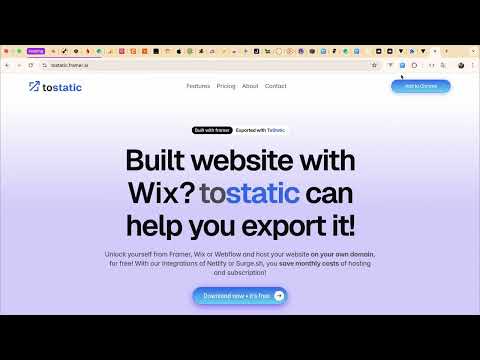
Export websites from Framer, Wix, Webflow, Notion, Lovable, etc. for free and use your own domain with your exported websites
Export the website you already built and keep a portable copy you can work with. ToStatic connects supported visual-builder projects to a practical workflow for exporting, backing up, deploying, and improving websites. Open the extension on a project page, confirm the detected site, and continue in the ToStatic web app. WHAT TOSTATIC HELPS YOU DO - Start an export from a supported builder project. - Verify the site before preparing an export. - Create portable HTML, CSS, JavaScript, and asset files when technically possible. - Preview an export and download a ZIP for review, handoff, or backup. - Keep site versions available for future recovery and comparison. - Deploy exported sites to supported hosting workflows and connect a custom domain where available. - Review SEO issues and Core Web Vitals for the sites you manage in ToStatic. SUPPORTED BUILDER WORKFLOWS ToStatic supports workflows involving Framer, Webflow, Wix, Notion, Lovable, and other supported site platforms. Availability depends on the page and project context the extension can detect. WHO IT IS FOR - Developers moving a visual-builder site to a more portable setup. - Agencies handing approved client websites to a host or client. - Freelancers keeping a working backup before redesigns or migrations. - Site owners who want to inspect, export, and improve the website they already have. HOW IT WORKS 1. Open a supported project or published website in Chrome. 2. Select the ToStatic extension. 3. Confirm the detected site and choose Export with ToStatic, or continue in the web app. 4. Preview, download, back up, deploy, or analyze the site from the ToStatic workflow. SEO AND PERFORMANCE After the browser handoff, the ToStatic web app can help you review page-level SEO issues and Core Web Vitals. Use the results to decide what to fix first across titles, descriptions, sitemap coverage, content signals, and page performance. ToStatic does not replace Google Search Console or Chrome Lighthouse. It brings practical SEO and performance checks into the same workflow as your exported sites, backups, and deployments. IMPORTANT LIMITATIONS Export fidelity depends on the source platform, page structure, third-party services, and other technical conditions. Dynamic CMS features, forms, embeds, authentication, and platform-specific behavior may need manual review after export. Always preview and test the exported site before changing hosting or DNS. The extension is the browser-side starting point. It does not need to rebuild your site in a new editor, and it does not guarantee that every dynamic feature can become static. PERMISSIONS AND SUPPORT The extension uses browser access to identify supported project context and begin the ToStatic workflow. Review the privacy policy for current data handling and permissions. For help or feature requests, contact support@tostatic.com. Open a supported project and choose Export with ToStatic.
3.7 out of 512 ratings
Details
- Version2.0.6
- UpdatedAugust 3, 2026
- FeaturesOffers in-app purchases
- Offered byLunoStudio
- Size1.32MiB
- LanguagesEnglish
- DeveloperLunoStudio
J.P. Kloosstraat Amsterdam 1022 KD NLEmail
tostatic@lunostudio.nl - Non-traderThis developer has not identified itself as a trader. For consumers in the European Union, please note that consumer rights do not apply to contracts between you and this developer.
Privacy

ToStatic Website Export has disclosed the following information regarding the collection and usage of your data. More detailed information can be found in the developer's privacy policy.
ToStatic Website Export handles the following:
This developer declares that your data is
- Not being sold to third parties, outside of the approved use cases
- Not being used or transferred for purposes that are unrelated to the item's core functionality
- Not being used or transferred to determine creditworthiness or for lending purposes
Support
For help with questions, suggestions, or problems, visit the developer's support site