

Tooliz: Screenshot, PDF, QR, JSON & 37 Productivity Tools

Overview
37 tools in your side panel: annotated screenshots, PDF tools, QR codes and JSON. Free, fast and 100% local.
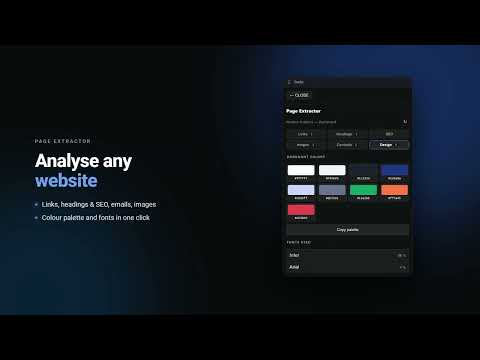
Get more done without leaving your tab. Published by Studioz, Tooliz 1.0 brings 37 everyday tools into Chrome's Side Panel, so you can capture, convert and check things without going through outside websites. Tooliz is light and fast, and it runs 100% locally: your files never leave your browser. ⚡ FASTER EVERY DAY (new in 1.0): • Right-click selected text → "Open in Tooliz" recognizes what it is and opens the matching tool, or "Send to" the tool of your choice. • Keyboard shortcuts: Ctrl+Enter runs the main action and Alt+C copies the result. • Every tool reopens just as you left it. • The Pomodoro and timers keep running with the panel closed and notify you when they end. 🧰 WHAT YOU CAN DO (⭐ = Premium feature): • Browser: capture the visible area, a selection or ⭐ the full page, then annotate it with arrows, text and highlights. Save and restore tab sessions, close duplicate tabs in one click, analyze a page's links and headings, or identify a font by hovering over it. • Development: format and repair JSON with a tree view, test regular expressions, compare two texts line by line and decode a JWT with a signature check. Convert Unix timestamps, encode Base64 or URLs and write Markdown with a live preview. Build CSS gradients and shadows, generate test data, create UTM links and change text case. • Documents: merge, reorder and rotate PDF pages, ⭐ then add a watermark or a signature. Keep text snippets to insert with a right-click in any field, take quick notes and count words and reading time. • Calculations: a scientific calculator, percentages and VAT, and free-text unit and currency conversions ("3.5 km in mi"). Count business days between two dates (⭐ with public holidays), split a bill and simulate a loan or compound interest. • Colors and images: an eyedropper color picker (HEX, RGB, HSL) with a WCAG contrast check, a QR code generator and reader, and image compression to a target file size. • Security: strong passwords, passphrases and PIN codes, plus an encrypted vault (AES-GCM) that locks itself. • Time and focus: Pomodoro and timers that keep running with the panel closed (⭐ named timers), time zones with a ⭐ meeting planner, and guided breathing. • Extras: a spinning wheel to draw lots, coin flips and a counter with a goal. ⭐ TOOLIZ PREMIUM (optional, one-time lifetime payment, 5-day free trial with no credit card): Premium features carry a PRO badge in the app. They lift the limits (PDF pages, histories, sessions and snippets) and add batch processing, exports and advanced options to each tool. Everything else is free with no time limit, and no free feature has become paid. 📱 TOOLIZ ON ANDROID: Tooliz is also on your phone with the Android app on Google Play: https://play.google.com/store/apps/details?id=com.quentinrg.tooliz 🔒 PRIVACY: Everything runs locally: your files, screenshots and passwords never leave your browser. No account, no tracking, no ads. The only network requests are optional and started by you: exchange rates, Premium license activation and sending an idea. Sensitive permissions are optional and requested only when you need them. The vault uses 256-bit AES-GCM encryption with a key derived by PBKDF2 (150,000 iterations). Free, works offline, no sign-up and available in 8 languages. Made at Studioz.
5 out of 51 rating
Details
- Version1.0.0
- UpdatedNovember 19, 2026
- FeaturesOffers in-app purchases
- Size1.79MiB
- Languages9 languages
- DeveloperREGNIER QUENTINWebsite
18 RUE VICTOR HUGO PIERRELAYE 95480 FREmail
studioz.dev.fr@gmail.comPhone
+33 6 47 54 95 46 - TraderThis developer has identified itself as a trader per the definition from the European Union and committed to only offer products or services that comply with EU laws.
Privacy

Tooliz: Screenshot, PDF, QR, JSON & 37 Productivity Tools has disclosed the following information regarding the collection and usage of your data. More detailed information can be found in the developer's privacy policy.
Tooliz: Screenshot, PDF, QR, JSON & 37 Productivity Tools handles the following:
This developer declares that your data is
- Not being sold to third parties, outside of the approved use cases
- Not being used or transferred for purposes that are unrelated to the item's core functionality
- Not being used or transferred to determine creditworthiness or for lending purposes
Support
For help with questions, suggestions, or problems, visit the developer's support site