

TokSweep - TikTok Repost Remover & Bulk Cleaner

Overview
Remove TikTok reposts in bulk. See the full list first, pick what goes, and set your own pace. Nothing goes without you.
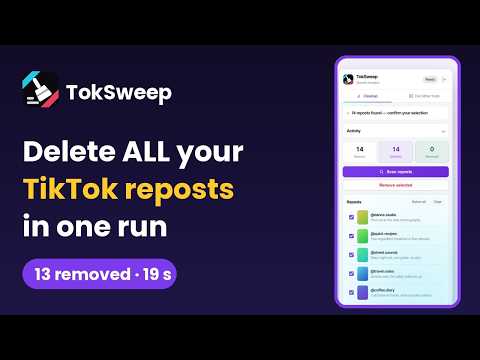
Clear every TikTok repost in one run. TikTok has no bulk option for reposts. You open a video, open the share sheet, undo the repost, go back, and do it again. For a few hundred reposts that is an afternoon of tapping — and it is why most people just leave them there. TokSweep opens as a side panel next to TikTok, reads your full repost list, and removes the ones you choose. HOW IT WORKS 1. Open the panel and sign in with your Google account. 2. Press "Scan reposts". Your whole list appears — every repost, with the author and the caption, so you know exactly what you are looking at. Scanning 1,000 reposts takes about 13 seconds. 3. Uncheck anything you want to keep. Everything is selected by default, because most people come here to clear the lot. 4. Press "Remove selected". Before anything happens, the panel tells you roughly how long it will take. WHAT YOU CONTROL • Nothing is removed until you confirm. The list is always shown first. • Set the delay between removals. A random value from your range is used, so the requests are not machine-timed. • Set a daily limit and spread a large cleanup over several days. • Keep the newest few untouched, if you only want to clear the older ones. • Pause, resume or stop at any moment. Close the panel, come back tomorrow — the list and the progress are still there. WHEN THINGS GO WRONG • If TikTok starts throttling you, the job stops by itself instead of pushing through it. • A repost that fails stays selected and shows the reason, so you can retry just that one. • Every removal is written to an activity log you can read in the panel and download as a CSV file: date, video ID, author and caption. PRIVACY • Your TikTok password is never asked for. TokSweep works through the TikTok session already open in your browser. • Your repost list is read in the page and stays on your device. • You can sign out from the panel whenever you like. Works in more than 50 languages. TokSweep is an independent extension. It is not affiliated with, endorsed by, sponsored by, or in any way officially connected to TikTok, ByteDance Ltd., or any of their subsidiaries or affiliates. "TikTok" and related names, marks and logos are trademarks of their respective owners and appear here only to describe what this extension works with. Removing a repost only un-shares it from your own profile — the original creator's video is not affected in any way.
5 out of 58 ratings
Details
- Version1.0.0
- UpdatedOctober 19, 2026
- Size250KiB
- Languages52 languages
- DeveloperWebsite
Email
yasininprofili@gmail.com - Non-traderThis developer has not identified itself as a trader. For consumers in the European Union, please note that consumer rights do not apply to contracts between you and this developer.
Privacy

TokSweep - TikTok Repost Remover & Bulk Cleaner has disclosed the following information regarding the collection and usage of your data. More detailed information can be found in the developer's privacy policy.
TokSweep - TikTok Repost Remover & Bulk Cleaner handles the following:
This developer declares that your data is
- Not being sold to third parties, outside of the approved use cases
- Not being used or transferred for purposes that are unrelated to the item's core functionality
- Not being used or transferred to determine creditworthiness or for lending purposes
Support
For help with questions, suggestions, or problems, visit the developer's support site