

TokExport - TikTok Follower List, Following & Comment Export Tool

Overview
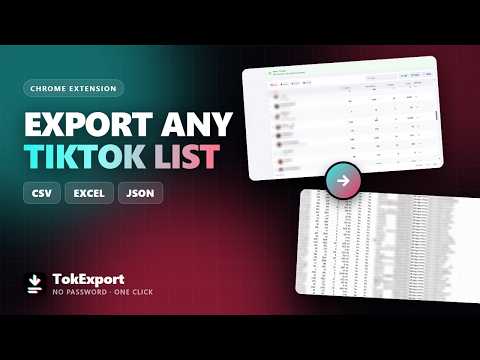
TikTok comment export, follower list and following list to CSV, Excel or JSON. Long exports resume where TikTok stopped.
TokExport turns a TikTok follower list, following list or comment thread into a spreadsheet you can actually work with. Open the exporter, paste a username or a post link, choose how many rows you want, and press Start. Rows appear in a table as they are read, and you download them as CSV, Excel (XLSX) or JSON. WHAT YOU CAN EXPORT • Followers — everyone who follows an account • Following — everyone an account follows • Comments — everyone who commented on a post, replies included • Videos — every post on an account, with its stats Each export carries real columns, not just a list of handles. A TikTok follower list or TikTok following list carries: username, display name, bio, follower count, following count, video count, total likes, verified, private, mutual (whether they follow you back), user ID, secUid, profile URL. Comments: comment text, username, display name, likes, reply count, date posted, pinned, liked by the author, which comment it replies to, language, comment ID, user ID, profile URL. A TikTok comment export keeps replies threaded under the comment they answer, so a conversation still reads like one in the spreadsheet. Videos: caption, views, likes, comments, shares, saves, date posted, duration, video ID, video URL. WHAT MAKES IT DIFFERENT Long exports survive. TikTok stops serving deep lists, tabs crash, and laptops go to sleep. Every TikTok export is written to your browser as it is read, so a run that stops halfway can be continued from exactly where it left off instead of started over. Nothing is read twice and no row is duplicated. It reads at a pace TikTok accepts. Three speeds, from Safe to Fast. The pause between requests is deliberate: TikTok throttles browsers that read too quickly, and the slower run is the one that reaches the end. The extension also tells you what it is doing — which page it is on, how many rows are left, and roughly how long the rest will take. It handles the security check for you. When TikTok shows its "Please wait" page, the export does not simply fail. It waits, reloads, and picks the check up again on its own; if TikTok still wants a human, it says so plainly and restarts the moment the check clears. Everything already read is kept. Mutual column. For follower and following exports, one column tells you whether each person follows back — worked out from the data TikTok already returns, with no extra requests. Compare two dates yourself. This is not a TikTok follower tracker that watches your account in the background. It takes a snapshot: export a follower list today, export the same list next month, and the two files tell you who arrived and who left once you put them side by side in a spreadsheet. Filter, sort and search before you export. The table is live. Narrow it down to the rows you want and export only those. HOW IT WORKS 1. Pick what to export: followers, following, comments or videos. 2. Paste a username (or a post link, for comments). 3. Choose how many rows and how fast, then press Start. A tiktok.com tab needs to be open, because every request has to come from TikTok itself. The extension opens one for you if you do not have one, and it can stay in the background. PRIVACY Everything runs inside your browser. The rows are read by your own browser, held in your own browser's storage, and written to a file on your own computer. Nothing you export is uploaded anywhere — not to us, not to anyone else. We never see or store your TikTok password, and the extension never asks for it. You sign in once with Google to create an account. That is used to recognise your account and nothing else. GOOD TO KNOW • A private account only shares its followers, following and videos with people who follow it. That is TikTok's rule, and this extension does not get around it. • TikTok stops paging very deep lists. When that happens the extension tells you it returned fewer rows than the profile claims, instead of pretending the file is complete. • Large exports open fastest as CSV. LEGAL TokExport is an independent tool. It is not affiliated with, associated with, authorised by, endorsed by, sponsored by, or in any way officially connected to TikTok, ByteDance Ltd., or any of their subsidiaries or affiliates. The names TikTok and ByteDance, and all related names, marks, logos and images, are the registered trademarks of their respective owners and are used here only to describe what this tool works with. TokExport does not bypass any access control, security measure or privacy setting. It reads only what TikTok already serves to your own browser in your own signed-in session — the same data you can see by scrolling the site yourself — and saves it to a file on your computer. It does not access private accounts you do not follow, it does not decrypt anything, and it does not use any TikTok credentials of yours other than the session your browser already holds. You are responsible for how you use the data you export, including compliance with TikTok's Terms of Service, applicable data-protection law such as the GDPR and CCPA, and any other law that applies to you. Exported data may contain personal information; handle it accordingly. This tool is provided as is, without warranty of any kind.
5 out of 56 ratings
Details
- Version0.1.0
- UpdatedSeptember 24, 2026
- Size466KiB
- Languages52 languages
- DeveloperWebsite
Email
yasininprofili@gmail.com - Non-traderThis developer has not identified itself as a trader. For consumers in the European Union, please note that consumer rights do not apply to contracts between you and this developer.
Privacy

TokExport - TikTok Follower List, Following & Comment Export Tool has disclosed the following information regarding the collection and usage of your data. More detailed information can be found in the developer's privacy policy.
TokExport - TikTok Follower List, Following & Comment Export Tool handles the following:
This developer declares that your data is
- Not being sold to third parties, outside of the approved use cases
- Not being used or transferred for purposes that are unrelated to the item's core functionality
- Not being used or transferred to determine creditworthiness or for lending purposes
Support
For help with questions, suggestions, or problems, visit the developer's support site