Item logo image for Toggle designMode

Toggle designMode

5.0(

1 rating

)
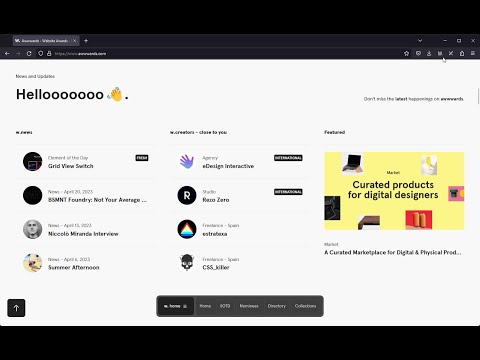
Item video thumbnail

Overview

Easily toggle your browser's native design mode

Easily toggle your browser's native design mode with one click. All changes made in design mode disappear after refreshing the page.

Details

  • Version
    1.1
  • Updated
    April 27, 2023
  • Offered by
    Sergio Rodriguez
  • Size
    13.3KiB
  • Languages
    English
  • Developer
    Email
    sergio9929@hotmail.com
  • Non-trader
    This developer has not identified itself as a trader. For consumers in the European Union, please note that consumer rights do not apply to contracts between you and this developer.

Privacy

Manage extensions and learn how they're being used in your organization
The developer has disclosed that it will not collect or use your data.

This developer declares that your data is

  • Not being sold to third parties, outside of the approved use cases
  • Not being used or transferred for purposes that are unrelated to the item's core functionality
  • Not being used or transferred to determine creditworthiness or for lending purposes

Support

Related

Structured Start Tab

5.0

Show a structured page when a new tab is opened.

Tiny Bookmark Tab

4.5

A fast tree-list of browser bookmarks.

Neat Emoji - Text to emoji with AI

4.7

No more copy pasting emojis, just type :emoji: and it will be replaced with the emoji anywhere on the web.

Notion Tools

5.0

Make your Notion experience a little bit better with some QOL including colored headings, folded sidebar buttons and more.

AI Content Visibility Checker, powered by Adobe LLM Optimizer

5.0

See what LLMs can actually read and what they can’t on your page — in just one click.

Zoho PageSense

3.7

A/B testing and Website Optimization from Zoho

Save Multiple Bookmarks

4.3

Save multiple bookmarks effortlessly in Chrome

Design Mode - Page's Rich Text Editor

4.7

Edit any page's content by switching to design mode, where you can modify the content and drag images around like a Word Editor

Design Mode Toggle

5.0

Just a simple Chrome extension to toggle designMode on and off (Chrome supports only)

ClearSlate

5.0

Transform your new tab into a streamlined productivity hub with simple links management, notes, and task organisation.

SideKeep - open Keep in side panel/popup

4.5

Open Google Keep in side panel/popup. Open source

Design Mode

2.0

Enable or disable design mode ('designMode') on web pages, allowing for text editing directly in the browser.

Structured Start Tab

5.0

Show a structured page when a new tab is opened.

Tiny Bookmark Tab

4.5

A fast tree-list of browser bookmarks.

Neat Emoji - Text to emoji with AI

4.7

No more copy pasting emojis, just type :emoji: and it will be replaced with the emoji anywhere on the web.

Notion Tools

5.0

Make your Notion experience a little bit better with some QOL including colored headings, folded sidebar buttons and more.

AI Content Visibility Checker, powered by Adobe LLM Optimizer

5.0

See what LLMs can actually read and what they can’t on your page — in just one click.

Zoho PageSense

3.7

A/B testing and Website Optimization from Zoho

Save Multiple Bookmarks

4.3

Save multiple bookmarks effortlessly in Chrome

Design Mode - Page's Rich Text Editor

4.7

Edit any page's content by switching to design mode, where you can modify the content and drag images around like a Word Editor

Google apps