

Todoist for Chrome: Planner & Calendar

Pangkalahatang-ideya
Organize work and life with Todoist for Chrome
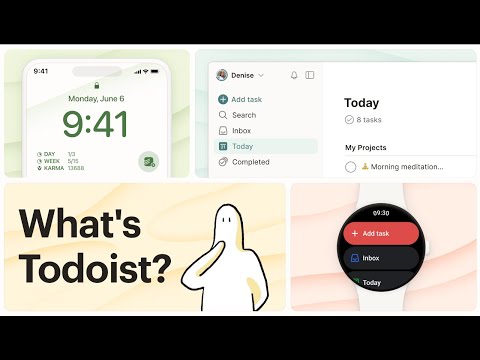
Trusted by over 47 million people, Todoist simplifies tasks for individuals and teams. Instantly declutter your mind, build habits, and boost your productivity. Use Todoist for Chrome to: • Add tasks while you’re surfing the web with all the power of Quick Add directly in your browser extension. • Add websites as tasks: Save automatically that article to your reading list. • Add text as tasks: Select and right-click that quote you want to remember and save that text as a hyperlinked task. • Plan your day: Quickly organize your tasks for the day right from the extension as a list, as boards or as a calendar planner. • Complete tasks from the browser: Once your tasks are done, check them off without switching context. Available on any device – with apps, extensions, and widgets – Todoist is everywhere you need it to be. • • • Questions? Feedback? Visit todoist.com/help
4.7 sa 551.2K rating
Mga Detalye
- Bersyon12.17.2
- Na-updateDisyembre 26, 2025
- Laki97.78KiB
- Mga Wika19 (na) wika
- DeveloperDoist Inc.Website
2100 Geng Road Palo Alto, CA 94303 USEmail
support@todoist.comTelepono
+1 650-468-2589 - TraderTinukoy ng developer na ito ang kanyang sarili bilang trader ayon sa kahulugan mula sa European Union at nakatuon na mag-alok lang ng mga produkto o serbisyo na sumusunod sa mga batas ng EU.
- D-U-N-S119189659
Privacy
Inihayag ng Todoist for Chrome: Planner & Calendar ang sumusunod na impormasyon tungkol sa pagkolekta at paggamit ng iyong data. Makikita ang mas detalyadong impormasyon sa privacy policy ng developer.
Pinapangasiwaan ng Todoist for Chrome: Planner & Calendar ang sumusunod:
Ipinapahayag ng developer na ito na ang iyong data ay
- Hindi ibinebenta sa mga third party na hindi kabilang sa mga naaprubahang sitwasyon ng paggamit
- Hindi ginagamit o inililipat para sa mga layuning hindi nauugnay sa pangunahing functionality ng item
- Hindi ginagamit o inililipat para tukuyin ang pagiging creditworthy o para sa mga layunin ng pagpapautang
Suporta
Para sa tulong sa mga tanong, suhestyon, o problema, bisitahin ang site ng suporta ng developer