

tl;dv Transcript Grabber
10 ratings
)
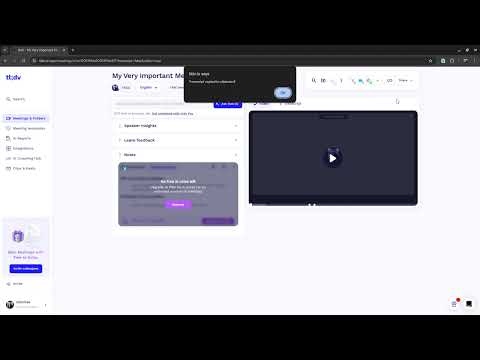
Overview
Extract and copy transcripts from tl;dv meeting recordings.
tl;dv Transcript Grabber - Google Meet, Zoom & Microsoft Teams Transcript Exporter Grab meeting transcripts effortlessly from the tl;dv dashboard. This extension helps you quickly copy or download transcripts from online meeting recordings that are otherwise difficult or tedious to extract manually from the tl;dv interface. --- ⚠️ Important Usage Note This extension requires an active tl;dv account. It works by extracting transcripts directly from the tl;dv dashboard, and will not function without access to tl;dv-generated transcripts. If you don't have it already, go and create an account on tl;dv to use their awesome services: https://tldv.io/ --- 🚀 What’s New in v1.2.0 This update is a complete visual and experiential overhaul. ✨ New Features & UI Overhaul 1. Material 3 Design - The extension has been completely redesigned taking inspiration from Google's Material 3 design language. - A fresh "Ocean Blue" theme that is clean, minimal, and professional. - New card-based layout for better use of space and readability. 2. Interactive Information Hub - Decluttered the interface! - All project links, GitHub access, and support info are now neatly tucked away behind a new Interactive Info Icon. - Simply click the "i" icon in the header to reveal or hide project details. 3. Intuitive Iconography - Complemented text with icons for "Copy" and "Download" actions, making the tools easier to identify at a glance. 4. Smoother Feedback System - No more annoying pop-up alerts! Success messages now appear as smooth, non-obstructive notifications within the extension itself. - You will only see an alter pop-up in case of an error (raise a request on Github it you want that to also go away) 🔧 Improvements 1. "Smart-Clean" Extraction Logic - Improved resilience when scraping transcripts. - Automatically cleans up speaker names (removing trailing colons or extra whitespace) for a more professional-looking transcript. 2. Optimised Performance - Faster loading and a more responsive interface with a smaller footprint. All the features from V.1.1: 1. Better Formatting - TXT / Copy: Timestamp Speaker :: Text - Markdown: **Timestamp** *Speaker* :: Text - CSV: Cleanly structured columns for Excel / Google Sheets analysis 2. Refined Extraction Logic - Improved separation of timestamps, speaker names, and transcript text 3. Enhanced UI - A cleaner, grid-based popup makes it easier to find the option you need --- 🧠 How It Works 1. Open a meeting recording in the tl;dv dashboard 2. Click the extension 3. Copy or download the transcript in your preferred format Because tl;dv supports Google Meet, Zoom, and Microsoft Teams, this extension works across all three platforms. --- 🔒 Privacy & Security - No background scripts - No data collection - No external tracking - All processing happens locally in your browser --- 🧩 Open Source This is a free and open-source project, licensed under GPL-3.0. Source code: https://github.com/User17745/tl-dv-Transcript-Grabber Feature requests & discussions: https://github.com/User17745/tl-dv-Transcript-Grabber/discussions Bug reports: https://github.com/User17745/tl-dv-Transcript-Grabber/issues Note: This extension was initially built for personal use. While support may be limited at times, contributions, issues, and suggestions are always welcome.
4.6 out of 510 ratings
Details
- Version1.2.0
- UpdatedDecember 19, 2025
- Offered byAbhishek
- Size16.3KiB
- LanguagesEnglish
- Developer
Email
abhishekaggarwal1995@gmail.com - Non-traderThis developer has not identified itself as a trader. For consumers in the European Union, please note that consumer rights do not apply to contracts between you and this developer.
Privacy

This developer declares that your data is
- Not being sold to third parties, outside of the approved use cases
- Not being used or transferred for purposes that are unrelated to the item's core functionality
- Not being used or transferred to determine creditworthiness or for lending purposes
Support
For help with questions, suggestions, or problems, visit the developer's support site