

TipiCalc Calculator
2 件の評価
)
概要
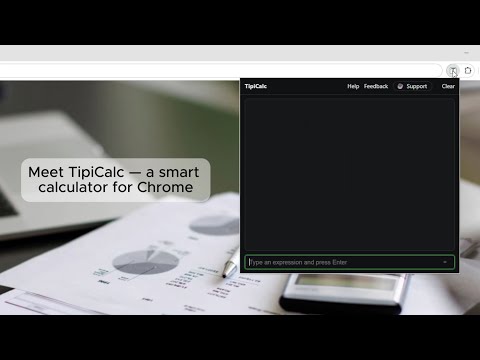
A simple and powerful calculator. Just type your expression and press Enter
TipiCalc Calculator is a lightweight, keyboard-first calculator you can open instantly from your browser toolbar or with a hotkey. Just start typing your expression and press Enter — no mouse needed. It supports smart parsing, mathematical functions, and handy shortcuts for working with the last result, so you can do multi-step calculations quickly and comfortably. It captures even the smallest nuances, making it convenient and familiar in everyday use. Inspired by Cloudy Calculator. HIGHLIGHTS - Instant pop-up calculator: open from the toolbar or with a shortcut (default: Alt+T) - Type and press Enter - Works offline - Friendly to both dot and comma decimals (outside function calls) - Power features for power users: last result placeholder and auto-prepend WHAT YOU CAN TYPE - Operators: +, −, ×, ÷, integer division (// or \), remainder (%), exponent (** or ^) - Parentheses and whitespace anywhere - Constants: pi, e - Functions: sqrt, root, ln/log, lg/log10, log(x, base), sin/cos/tan, asin/acos/atan, rad2deg, deg2rad, max, min, sum, mul, floor, ceil, round, trunc/int, frac, abs, random/rand/rnd SMART CONVENIENCES - Use @ to insert the last successful result anywhere: @ * 2, max(@, 10) - Start with a binary operator and TipiCalc will auto-use the last result: typing + 5 becomes <last> + 5 - Both 3.14 and 1,5 work outside function calls; inside functions, use dots for decimals EXAMPLES - sqrt(9) → 3 - root(3, 8) → 2 - ln(e) → 1 - lg(1000) → 3 - log(8, 2) → 3 - sin(pi/2) → 1 - 7 // 3 → 2 - frac(3.14) → 0.14 - @ * 2 — doubles the previous result KEYBOARD AND USAGE - Open TipiCalc: click the extension icon or press Alt+T (you can change the shortcut in your browser’s extension shortcuts) - Press Enter to evaluate, Esc to close the popup PRIVACY - No ads, no tracking, no analytics - Requires only minimal permission to store your settings (extension storage) - Works fully offline WHY TipiCalc? - Faster than reaching for your phone or OS calculator - Built for people who think in expressions, not buttons - Compact, reliable, and focused on what matters: getting the right number, right now TipiCalc Calculator — type, press Enter, done.
5 点満点で 52 件の評価
詳細
- バージョン1.7.2
- 更新:2026年3月15日
- 提供元TipiSoft
- サイズ67.16KiB
- 言語English
- デベロッパー
メール
tipicalc.ext@gmail.com - 非取引業者このデベロッパーは取引業者として申告していません。EU 加盟国の消費者とこのデベロッパーとの間に締結された契約には、消費者の権利が適用されません。
プライバシー

このデベロッパーは、お客様のデータについて以下を宣言しています
- 承認されている以外の用途で第三者に販売しないこと
- アイテムの中心機能と関係のない目的で使用または転送しないこと
- 信用力を判断する目的または融資目的で使用または転送しないこと
サポート
質問や提案、問題がある場合は、デベロッパーのサポートサイトにアクセスしてください。