

Timora

Overview
See where your time really goes, by website and category. Everything stays on your device.
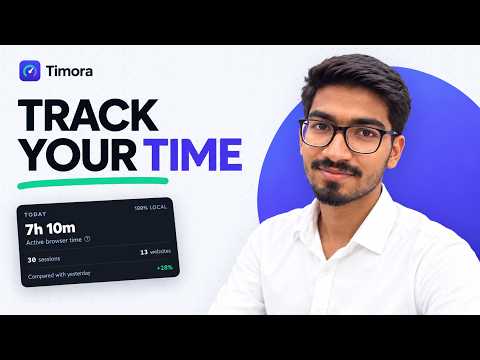
Timora shows you where your time in Chrome goes. It measures how long you spend on each website, sorts that time into categories and shows it back to you in simple charts. Everything stays on your computer. WHAT YOU SEE • Today at a glance: total time, top websites and time per category, one click from the toolbar. • Websites: every site you used in a day or week. Click a site to see each visit. • Timeline: your day visit by visit, coloured by category. • Trends: daily and weekly totals, compared with the day or week before. • Insights: short notes about your week, such as your most productive hours, your busiest day and how often you switch between sites. • Search: find any page, video or site you visited by title or address, and delete visits you don't want kept. • Categories: sites are sorted automatically into groups like Work, Learning, Social and Entertainment. You can change the category of any site and choose which categories count as productive. ACCURATE COUNTING • Only the tab you are looking at is counted. • Counting stops when you step away from your computer or lock it. • Optional: keep counting while a video plays, even when you don't touch the mouse or keyboard. • Sign-in and banking pages are not counted by default, and you can stop counting any other website. YOUR DATA STAYS WITH YOU • All data is stored in Chrome on your own computer. • No account, no servers, no analytics and no ads. • Download a backup (JSON) or a spreadsheet export (CSV) at any time, and restore a backup on another computer. • Choose how long history is kept, or delete all of it whenever you want. Timora only measures and shows your time. It does not block websites or change how you browse.
0 out of 5No ratings
Details
- Version1.0.0
- UpdatedSeptember 21, 2026
- Offered byJai Prakash Rankawat
- Size282KiB
- LanguagesEnglish
- Developer
Email
jaiparkashrankawat2@gmail.com - Non-traderThis developer has not identified itself as a trader. For consumers in the European Union, please note that consumer rights do not apply to contracts between you and this developer.
Privacy

Timora has disclosed the following information regarding the collection and usage of your data. More detailed information can be found in the developer's privacy policy.
Timora handles the following:
This developer declares that your data is
- Not being sold to third parties, outside of the approved use cases
- Not being used or transferred for purposes that are unrelated to the item's core functionality
- Not being used or transferred to determine creditworthiness or for lending purposes