

TimeDap – Privacy-First Automatic Time Tracker

Tổng quan
Automatic time tracking across apps and websites. Private, offline, and secure — no accounts, no cloud, just clear reports.
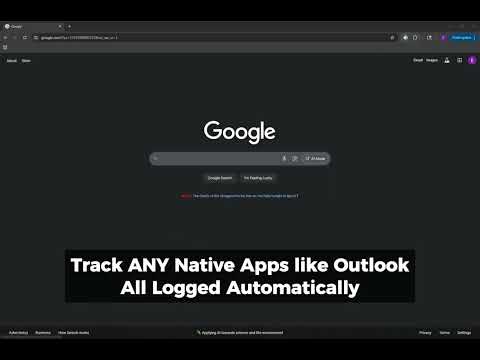
TimeDap – Privacy-First Automatic Time Tracker Take control of your time without giving up your privacy. TimeDap is a modern, lightweight Chrome extension that automatically tracks how you spend time across websites and desktop applications. Every log stays local on your device—nothing is ever uploaded to the cloud, ever. Unlike other trackers, TimeDap never requires an account, never syncs activity online, and never runs hidden analytics. It’s designed for freelancers, students, professionals, and anyone who wants accurate time insights without sacrificing privacy. Key Features - Automatic tracking: Records time spent in browser tabs and desktop apps without manual timers. - Active focus detection: Tracks the application or site you’re actively using. - Idle-aware logging: Pauses tracking when you step away. - Daily and weekly rollups: View clean summaries and long-term history. - Smart tags & categories: Organize time by projects, clients, or tasks. - Focus streaks: Measure your longest uninterrupted work sessions. - Custom schedules: Define work hours to filter out personal browsing. - Detailed reports & charts: Visualize activity with daily, weekly, or monthly views. - Easy exports: Save logs to CSV, Excel, or PDF for billing and reviews. - Private by design: No accounts, no subscriptions, no server uploads. Who Benefits - Freelancers: Generate accurate client-ready reports. - Students: Track study habits and minimize distractions. - Professionals: Log billable hours without sharing data externally. - Developers: Balance coding, research, and meetings efficiently. - Remote workers: Understand focus time across apps and websites. How TimeDap Compares - RescueTime: Requires cloud accounts and online sync. - Clockify: Built for manual timers and team dashboards. - Toggl: Geared toward collaboration with accounts and subscriptions. - TimeDap: 100% local, automatic, and private. Frequently Asked Questions Q: Is TimeDap free? A: Yes, it’s free to install and use. Q: Does TimeDap work offline? A: Yes. All data is stored locally. No internet required except for optional favicon fetches. Q: Can I export logs? A: Yes—export to CSV, Excel, or PDF anytime. A: Does TimeDap track incognito? A: Not by default. You can enable it in Chrome’s settings if you choose.
0/5Không có lượt xếp hạng nào
Chi tiết
- Phiên bản1.0.8
- Đã cập nhật24 tháng 10, 2025
- Kích thước8.97MiB
- Ngôn ngữEnglish
- Nhà phát triểnElie DeraTrang web
10198 Golden Yarrow Ln Alta Loma, CA 91701-5213 USEmail
timedapextension@gmail.comĐiện thoại
+1 626-712-1716 - Người bán thương mạiTheo định nghĩa của Liên minh Châu Âu, nhà phát triển này đã tự nhận mình là người bán và cam kết chỉ cung cấp những sản phẩm hoặc dịch vụ tuân thủ luật pháp của Liên minh Châu Âu.
Quyền riêng tư

Nhà phát triển này tuyên bố rằng dữ liệu của bạn
- Không được bán cho bên thứ ba, ngoài những trường hợp sử dụng đã được phê duyệt
- Không được sử dụng hoặc chuyển nhượng cho các mục đích không liên quan đến chức năng chính của mặt hàng
- Không được sử dụng hoặc chuyển nhượng để xác định khả năng thanh toán nợ hoặc phục vụ mục đích cho vay
Hỗ trợ
Nếu bạn có câu hỏi, ý kiến đề xuất hoặc gặp vấn đề, hãy truy cập trang web hỗ trợ của nhà phát triển để được trợ giúp