

TimeDap – Privacy-First Automatic Time Tracker

概述
Automatic time tracking across apps and websites. Private, offline, and secure — no accounts, no cloud, just clear reports.
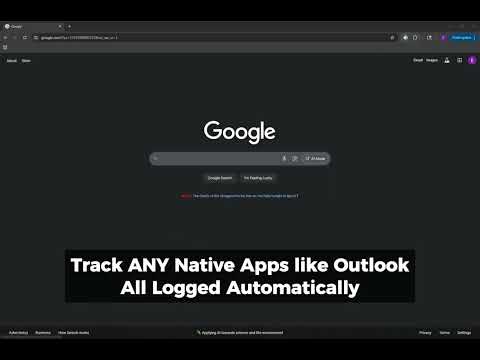
TimeDap – Privacy-First Automatic Time Tracker Take control of your time without giving up your privacy. TimeDap is a modern, lightweight Chrome extension that automatically tracks how you spend time across websites and desktop applications. Every log stays local on your device—nothing is ever uploaded to the cloud, ever. Unlike other trackers, TimeDap never requires an account, never syncs activity online, and never runs hidden analytics. It’s designed for freelancers, students, professionals, and anyone who wants accurate time insights without sacrificing privacy. Key Features - Automatic tracking: Records time spent in browser tabs and desktop apps without manual timers. - Active focus detection: Tracks the application or site you’re actively using. - Idle-aware logging: Pauses tracking when you step away. - Daily and weekly rollups: View clean summaries and long-term history. - Smart tags & categories: Organize time by projects, clients, or tasks. - Focus streaks: Measure your longest uninterrupted work sessions. - Custom schedules: Define work hours to filter out personal browsing. - Detailed reports & charts: Visualize activity with daily, weekly, or monthly views. - Easy exports: Save logs to CSV, Excel, or PDF for billing and reviews. - Private by design: No accounts, no subscriptions, no server uploads. Who Benefits - Freelancers: Generate accurate client-ready reports. - Students: Track study habits and minimize distractions. - Professionals: Log billable hours without sharing data externally. - Developers: Balance coding, research, and meetings efficiently. - Remote workers: Understand focus time across apps and websites. How TimeDap Compares - RescueTime: Requires cloud accounts and online sync. - Clockify: Built for manual timers and team dashboards. - Toggl: Geared toward collaboration with accounts and subscriptions. - TimeDap: 100% local, automatic, and private. Frequently Asked Questions Q: Is TimeDap free? A: Yes, it’s free to install and use. Q: Does TimeDap work offline? A: Yes. All data is stored locally. No internet required except for optional favicon fetches. Q: Can I export logs? A: Yes—export to CSV, Excel, or PDF anytime. A: Does TimeDap track incognito? A: Not by default. You can enable it in Chrome’s settings if you choose.
0 星(5 星制)无评分
详情
隐私权

该开发者已声明,您的数据:
- 不会因未获批准的用途出售给第三方
- 不会为实现与产品核心功能无关的目的而使用或转移
- 不会为确定信用度或放贷目的而使用或转移
支持
若有任何疑问、建议或问题,请访问开发者的支持网站