

Thrive Tab: New Tab Launcher for the Sites You Use

Overview
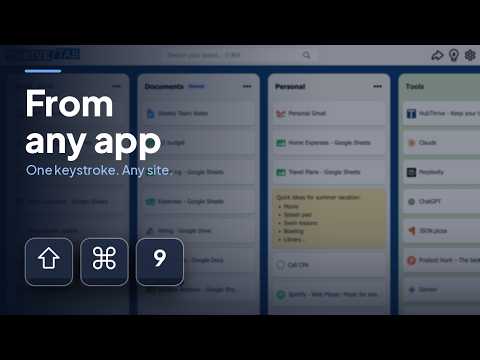
The fastest way to open any site you use. Keep them all in one place, one keystroke away from any app or any new tab.
Thrive Tab by HubThrive keeps the sites you actually use on a board, on your new tab page, and puts everything one keystroke away from anywhere on your computer. No hunting through twenty tabs, no digging through bookmark folders, no retyping a URL you half remember. EVERYTHING IN ONE PLACE 🗂️ Your daily tools, your projects, your team links, arranged in columns the way you think about them, not in nested folders you have to remember the shape of. You choose what goes on the board. That is the whole point. It's short because you made it short, and that is why you can find anything on it instantly. SEARCH AND LAUNCH ⚡ Start typing and the site you want is already there. Two or three letters, Enter, done. WHY IT'S FAST Nothing has to load. Your board lives on your device, not on a remote server, so there is no round trip, no sync spinner, no sign-in. Results appear as fast as you can type them. And it searches a short list. Only the sites you deliberately added, not your entire history, not every bookmark you made in 2019. The things you open most rise to the top. 🌐 The shortcut is global. You do not have to switch to Chrome, find the right window, and open a tab first. Press the keys wherever you already are, in any app, and you are on the site. QUICK LAUNCH ⌨️ Give a single site its own keyboard shortcut. Not the board, the site. Press it and your calendar opens. Press it and you are in your inbox, your Youtube Watch Later, your bank, your timesheet. It does not matter what you were doing or what app you were in. For the four or five sites you open every single day, this saves more time than anything else in here. Most people set up two or three and stop thinking about them within a week. NOTES ON ANY SITE 📝 Every site on your board can carry a note. Which account this login is for. What you were in the middle of on that page. Why you saved it in the first place. The one paragraph you still mean to read. A bookmark forgets everything except the address. This does not. Six months later the link still tells you what it was for. YOUR NEW TAB PAGE Every new tab opens on your board. A custom new tab page, a speed dial and a launcher in one. If you have been looking for a better start page, or a bookmark manager you'd actually open, this is that, plus a keyboard shortcut that reaches it from anywhere. CLOSE THE TABS Save a whole research session into a list in one action, close the window, and pull any of it back in two keystrokes. 🗂️ Most of your open tabs aren't things you're reading. They're things you're afraid of losing, kept open because finding them again is annoying. When anything is two letters and an Enter away, a tab stops being worth keeping. SHARE A LIST, OR FOLLOW ONE 📢 Any list can become a public link. Send it to your team, your followers, a class. They don't need Thrive Tab to read it, and if they install it, that list joins their board and stays live: add a link next month and everyone who took it gets it. Or follow someone else's. Free tools that feel paid, places to actually learn something, the daily puzzles. It lands on your board beside your own lists and updates itself. FREE, AND NO ACCOUNT No sign-up, no credit card, no trial that expires. Your board sits in your browser and never phones home unless you publish a list on purpose. If you're tired of hunting for the right tab or link, and love being productive and moving fast, install Thrive Tab and start every session with everything you use already in front of you.
5 out of 51 rating
Details
- Version1.6.3
- UpdatedSeptember 24, 2026
- Size896KiB
- LanguagesEnglish
- DeveloperWebsite
Email
hi@HubThrive.net - Non-traderThis developer has not identified itself as a trader. For consumers in the European Union, please note that consumer rights do not apply to contracts between you and this developer.
Privacy

Thrive Tab: New Tab Launcher for the Sites You Use has disclosed the following information regarding the collection and usage of your data. More detailed information can be found in the developer's privacy policy.
Thrive Tab: New Tab Launcher for the Sites You Use handles the following:
This developer declares that your data is
- Not being sold to third parties, outside of the approved use cases
- Not being used or transferred for purposes that are unrelated to the item's core functionality
- Not being used or transferred to determine creditworthiness or for lending purposes
Support
For help with questions, suggestions, or problems, please open this page on your desktop browser