

Three Finger Tap to Close Tab

Overview
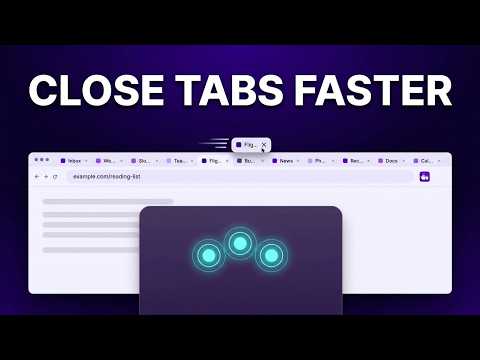
Close the current tab with a three-finger tap or middle click outside links and editable fields.
Close the current tab with a three-finger tap, middle click, or toolbar click. Three Finger Tap to Close Tab is a lightweight, open-source extension that provides a quick and simple way to close the current browser tab. Three-finger tap or middle-click anywhere on a webpage outside links and editable fields to close the current tab. You can also click the extension icon in the toolbar to close the tab. Tip: pin the extension in Chrome's Extensions menu (the puzzle-piece icon) to keep its icon on the toolbar. Middle-clicking links and feed cards keeps the browser's normal behavior, so you can continue opening links and posts in new tabs as usual. A built-in proximity safety buffer prevents accidental tab closures if you tap slightly near a link or control. KEY FEATURES • Close the current tab with a three-finger tap • Close the current tab with a middle click • Close the current tab with a toolbar click • Preserves normal middle-click behavior on links, buttons, and feed cards • Proximity safety buffer prevents accidental tab closure near interactive elements • Avoids closing tabs while interacting with forms and editable fields • No popup menus or configuration TOUCHPAD SETUP Your touchpad and operating system must be configured so that a three-finger tap generates a middle click. Once configured, three-finger tap on a webpage outside links and interactive content to close the current tab. PRIVACY • No analytics or tracking • No data collection or browsing history collection • No network requests • No stored browsing activity or preferences All tab-closing actions happen locally in your browser. OPEN SOURCE Three Finger Tap to Close Tab is open source and licensed under the MIT License. View the source code, report issues, or contribute on GitHub: https://github.com/himanshu-mahendra-jain/web-extensions
0 out of 5No ratings
Details
- Version1.0.3
- UpdatedOctober 19, 2026
- Offered byHimanshu Mahendra Jain
- Size13.12KiB
- LanguagesEnglish (United Kingdom)
- DeveloperHimanshu Mahendra Jain
D-1509/1510, Vardhman Kings Court, Gandhi Path West, Vaishali Nagar Jaipur, Rajasthan 302021 INEmail
himchi@proton.mePhone
+91 97027 18302 - TraderThis developer has identified itself as a trader per the definition from the European Union and committed to only offer products or services that comply with EU laws.
Privacy

This developer declares that your data is
- Not being sold to third parties, outside of the approved use cases
- Not being used or transferred for purposes that are unrelated to the item's core functionality
- Not being used or transferred to determine creditworthiness or for lending purposes
Support
For help with questions, suggestions, or problems, please open this page on your desktop browser