

Threadlist

Overview
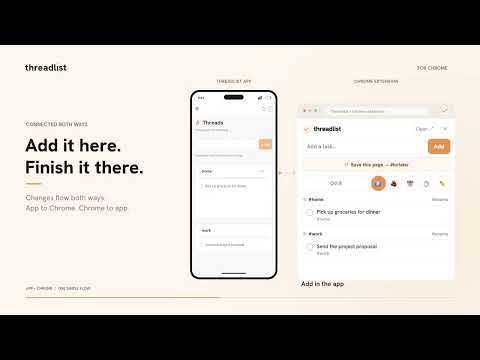
Capture to-dos from anywhere: quick-add with a shortcut, right-click any highlighted text, and your full Threadlist in a side panel.
Threadlist turns the mess in your head into a clear list, without making you manage another app. This extension lets you capture to-dos the moment they appear, right from your browser: Quick-add popup. Hit the keyboard shortcut, type in plain language, and it's saved. Right-click to capture. Highlight any text on a page and choose "Add to Threadlist." Side panel. Open your full Threadlist next to whatever you're working on. Everything you capture syncs to your Threadlist account, where AI cleans it up, catches duplicates, and groups related items into threads. Sign in with Google or your email and you're ready. Requires a free Threadlist account (app.threadlistlabs.com).
0 out of 5No ratings
Details
- Version1.0.0
- UpdatedOctober 10, 2026
- Offered bygroundstate
- Size35.62KiB
- LanguagesEnglish
- Developergroundstate llc
2108 N ST #8262 Sacramento, CA 95816 USEmail
info@onemilliontabs.com - Non-traderThis developer has not identified itself as a trader. For consumers in the European Union, please note that consumer rights do not apply to contracts between you and this developer.
Privacy

Threadlist has disclosed the following information regarding the collection and usage of your data. More detailed information can be found in the developer's privacy policy.
Threadlist handles the following:
This developer declares that your data is
- Not being sold to third parties, outside of the approved use cases
- Not being used or transferred for purposes that are unrelated to the item's core functionality
- Not being used or transferred to determine creditworthiness or for lending purposes
Support
For help with questions, suggestions, or problems, visit the developer's support site