

ThirdNote: Capture Everything. Remember Anything.

Overview
Save highlights, screenshots and ideas from AI chats and any website. Organise them on a board and review as flashcards.
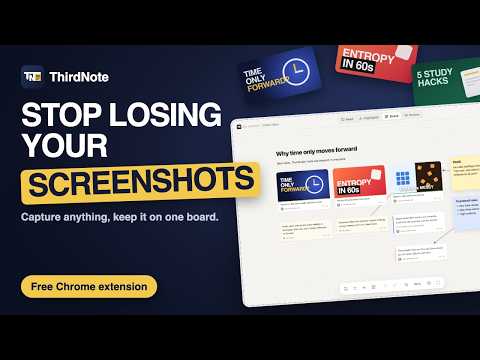
ThirdNote turns what you read in AI chats and on the web into notes you can come back to. Capture everything. Remember anything. Select any text, pick a colour, and it is saved into the collection you choose. Grab screenshots that never get lost in your gallery again. Lay everything out on a board with your own sticky notes and ideas. Later, read it all in one clean place or test yourself with flashcards. HIGHLIGHT ANYWHERE - Select text on any website and pick a colour, or press 1 to 4. - Name each colour for the way you work, such as Key point, Important, Example or Idea. - Add a short note or a question to any highlight. - Your highlights reappear when you return to the page. SAVE AI CHATS - Save a whole AI chat conversation with one click. - New messages are added automatically while you keep chatting. - Or select just the part you need and save only that. - Math, code and tables keep their formatting. COLLECTIONS - Group everything by subject, project or idea. - Turn on Collecting and every save goes straight into one collection. - Write your own notes with headings, lists, links, images and highlights. - Edit or trim anything you saved. SCREENSHOTS - Capture any area of the screen with Alt+Shift+S. - Add a note and it goes straight into the right collection. - On video sites, the video timestamp is saved with the screenshot. BOARD - Every collection has its own canvas. - Your screenshots, clips, notes and saved chats appear as cards. - Move, resize and connect them with arrows. - Add sticky notes, headings, text and images (paste or drag them in). - Perfect for thumbnail ideas, research, mood boards and study maps. REVIEW - Read saved chats as clean notes with your highlights. - See only what you marked, filtered by colour. - Practise with flashcards: your question is the prompt, your highlight is the answer. - Export to Markdown or PDF. PRIVATE BY DESIGN - Everything is stored in your own browser. No account, no servers, no tracking. - Download a backup any time. Light and dark themes. English and Bangla. Made by Fahad Mahmud (fahadmahmud.com).
0 out of 5No ratings
Details
- Version1.0.2
- UpdatedNovember 8, 2026
- Offered byFreaking Waves
- Size111KiB
- LanguagesEnglish
- Developer
Email
fahadmahmud2004@gmail.com - Non-traderThis developer has not identified itself as a trader. For consumers in the European Union, please note that consumer rights do not apply to contracts between you and this developer.
Privacy

This developer declares that your data is
- Not being sold to third parties, outside of the approved use cases
- Not being used or transferred for purposes that are unrelated to the item's core functionality
- Not being used or transferred to determine creditworthiness or for lending purposes