


Overview
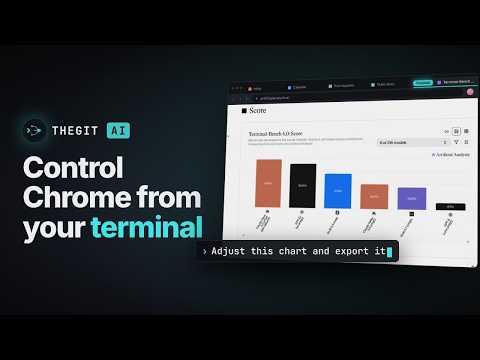
Control your browser with TheGitAI. It works in the browser you already have open, on the tools a script can't reach.
TheGitAI works in the Chrome you already have open, from the desktop app or the terminal, on sites no script can reach. TheGitAI is an AI coding agent for desktop, CLI and Chrome. With this extension it works in your own browser, with your tabs and profiles exactly as you left them: the cloud console, the dashboard, the admin panel, the internal tool, and every site that has no API to call. WHAT YOU CAN ASK FOR • Set up infrastructure in a provider's console, step by step, while you watch. • Pull data out of a site that offers no export and no API. • Work through an admin panel, a CMS, a page builder or an internal tool, screen after screen. • Fill in the long form you have already filled in twice today. • Draw, edit and build in web apps that only respond to a mouse and keyboard. • Get walked through a settings page you do not know, on your own screen. • Check your own front-end: how a page renders, what breaks at phone width, the console error behind a failure. HOW IT WORKS • Works with the TheGitAI desktop app and the CLI. Open a project in either and ask about a page; the extension connects on its own. No pairing step, no port, no API key standing in for you. • It uses the browser you already have open. There is no second browser to set up. • Its clicks and keystrokes reach the page the way yours do, so pages that ignore scripted input still work. • With more than one Chrome profile, you choose which one each conversation uses. YOU STAY IN CONTROL • TheGitAI asks before it first uses your Chrome in each session, in every mode. • Each session works in its own Chrome tab group. Drag a tab out and it is out of reach. • Your other tabs are never read. The agent sees how many you have open, never their titles or addresses. • Plan mode reads pages without clicking, typing or navigating. • Downloads pause the moment they start. Nothing reaches your disk until you say so. • Stop, Resume and Disable are in the toolbar popup, and Chrome shows its o attached to a tab. • It never types your passwords. Logins and CAPTCHAs are handed back to you. PRIVACY The extension makes no network requests of its own. What it reads goes to TheGitAI on your own computer, over a local channel between two programs on the same machine. Nothing it reads is stored by us: not the pages, not the screenshots, not a record of the sites you visit. On your machine it keeps two things: a random identifier so two Chrome profiles can be told apart, and whether you have switched it off. Uninstall Full policy: https://thegit.ai/privacy GET STARTED 1. Install the desktop app from https://thegit.ai/desktop, or the CLI with:i 2. Open a project in the desktop app, or run "ai" in a project folder. 3. Ask about a page. The extension connects on its own. Homepage: https://thegit.ai Browser guide: https://thegit.ai/docs/browser-control/overview WHAT YOU NEED • macOS, Windows or Linux • The TheGitAI desktop app, or the CLI (Node.js 22 or later) • Chrome 116 or later The extension does nothing by itself. Until the desktop app or the CLI is running, the popup says it is waiting.
4.5 out of 52 ratings
Details
- Version0.1.7
- UpdatedNovember 4, 2026
- Size50.28KiB
- LanguagesEnglish
- DeveloperWebsite
Email
support@thegit.ai - Non-traderThis developer has not identified itself as a trader. For consumers in the European Union, please note that consumer rights do not apply to contracts between you and this developer.
Privacy

TheGitAI has disclosed the following information regarding the collection and usage of your data. More detailed information can be found in the developer's privacy policy.
TheGitAI handles the following:
This developer declares that your data is
- Not being sold to third parties, outside of the approved use cases
- Not being used or transferred for purposes that are unrelated to the item's core functionality
- Not being used or transferred to determine creditworthiness or for lending purposes
Support
For help with questions, suggestions, or problems, visit the developer's support site