
![Item logo image for The Switcher[ドメイン切り替え]](https://lh3.googleusercontent.com/gxz-yB0IWusZbX_8UPo9uVOvbYRgYsPkRWvYz5FyFH_Bc-sKymS0xdR_ZuY9xYQMWNXMlB2Qq0f-gnr33gYmvCLRbA=s60)
![Item media 5 (screenshot) for The Switcher[ドメイン切り替え]](data:image/gif;base64,R0lGODlhAQABAIAAAP///////yH5BAEKAAEALAAAAAABAAEAAAICTAEAOw==)
Overview
現在開いているWebページのURLを部分置換して別タブで開きます。ドメインの切り替えやテスト環境の切り替えなどにご利用ください。
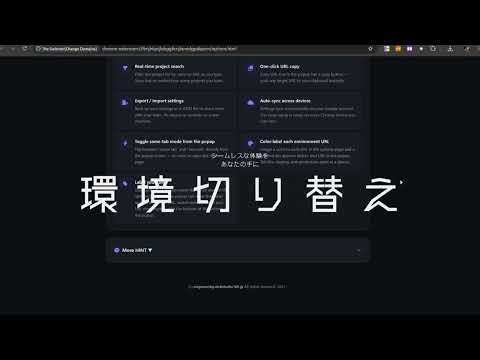
本番・ステージング・開発(ローカル)環境のドメイン切り替えを、ワンクリックで行えるChrome拡張機能です。 現在開いているページのURLパスとクエリパラメータを維持したまま、登録した別ドメインのURLへ即座に切り替えられます。アイコンクリック(または Ctrl+Shift+↑)で全環境のURLが一覧表示され、コピペなしで環境間を移動できます。登録ドメインが2つだけのプロジェクトなら、アイコンクリックだけでポップアップを表示せず即座に切り替わります。 こんな場面で活躍します: 本番環境で確認中のページを、そのままローカル環境・ステージング環境で開きたい 環境ごとにURLを手打ちで書き換えるURL変換作業をなくしたい 複数ドメインで同じページ(商品詳細・記事など)を素早く比較したい 主な機能: ・アドレスバーから直接起動:アドレスバーに「sw」と入力してスペースを押すだけで、現在のページの切り替え先候補が表示されます。テキスト入力でさらに絞り込み可能。 ・ドラッグ&ドロップで並び替え:プロジェクトカードをつかんで好きな順に並べ替えられます。よく使うプロジェクトを上位に固定しましょう。 ・プロジェクトを素早く検索:プロジェクト名やURLキーワードでリアルタイムにフィルタリング。プロジェクト数が増えても目的のものをすぐ見つけられます。 ・URLをワンクリックでコピー:ポップアップの各URLにコピーボタンが追加されました。クリックひとつでクリップボードに取得できます。 ・設定のエクスポート/インポート:設定をJSONファイルで書き出し・読み込みできます。チームへの共有やPCの乗り換えに役立ちます。 ・複数端末で自動同期:同一Googleアカウントのchrome間で設定を自動同期。どの端末でも同じ環境がすぐに使えます。 ・ポップアップから「同じタブ」を即設定:ポップアップ下部のトグルで「同じタブ/別タブ」をその場で切り替え。設定ページを開く必要はありません。 オプション画面にプロジェクト名とドメインを登録するだけ。マルチドメイン・複数プロジェクトにも対応しています。Webコーダー・フロントエンドエンジニア・Webディレクターなど、複数環境を行き来するすべての方におすすめです。 【更新履歴】 2026-09-03:外部ファイルおよび不要ファイル、不要メソッド削除 2026-08-01:軽微な修正 2026-07-18:URL・ラベル表示切替え機能の追加 2026-07-09:軽微な修正 2026-07-03:環境 URL にカラーラベルを設定できる機能を追加しました。オプションページで URL ごとに色を設定するとポップアップの URL 先頭にカラードットが表示され、dev / stg / prod などの環境を一目で識別できます。不要な権限(scripting)を削除し、より安全・プライベートな拡張機能になりました。 2026-07-01:同じタブで開くボタンのバグ修正 2026-06-30: ver.2.0.0 「同じタブで開く」設定の動作を修正 ドキュメントルートが2つのプロジェクトで、アイコン押下時にポップアップを表示せず即座に切り替わるよう修正しました(ONなら同じタブ、OFFなら新規タブ)。また、オプション画面のデザインを白ベースの新しいUIに刷新しました。jQuery非依存への対応。その他、大きく機能追加。 2026-06-12:オプション画面で常に同じタブで開く設定を可能にしました(2ドメインの場合のみ対応)。 2026-05-14: セキュリティアップデート 2024-06-12:登録URLが2つの場合、アクティブなタブのすぐ隣に新規タブが開くように修正しました。 2024/04/09:ポップアップ内に同じタブで開くリンクを追加しました。 2023/12/15:フランス語、韓国語、ロシア語、タイ語、トルコ語、ウクライナ語、中国語に対応しました。 2023/11/22:不要な権限を削除・整理しました 2023/11/15:セキュリティ保護のため修正、および名称を変更 2023/11/15:設定画面でプロジェクトを追加中にadd projectボタンを押すと入力中のデータが消える不具合を修正しました。 リモートのソースコードを使用しないように修正しました。 2023/11/14:複数のプロジェクトで2つのドメインを指定する際に複数のタブが開く問題を修正しました。 ※コメント欄よりバグ報告ありがとうございます! 2023/03/04:ショートカット「Ctrl + Shift + Up」で起動するようになりました。(ver.1.30.0.0) 2023/03/03:軽微なバグの修正。(ver.1.221) 2023/03/01:多言語対応を開始しました。現在は英語、日本語がご利用いただけます。Chrome自身の言語設定に依存します。 2023/02/27:v1.20 ににててデータの保存先をlocalstorageからchrome.storageに変更(backgroundで取得するため) ※以前のバージョンをお使いの方はお手数ですが、再度オプション画面にて設定をお願いします。 また、開いているページ内で右クリックで表示されるコンテクストメニューからもURLのスイッチが出来るようになりました。是非ご活用ください。 2023/02/17:v1.10 プロジェクト内にURLが2つの場合はThe Switerのアイコンを押したと同時に自動的にスイッチしたURLを開くようにしました。1つ、3つ以上の場合は今まで通りポップアップ表示となります。またオプションページのレイアウトを微修正しました。つ、3つ以上の場合は今まで通りポップアップ表示となります。またオプションページのレイアウトを微修正しました。
4.4 out of 55 ratings
Details
- Version2.5.5
- UpdatedSeptember 7, 2026
- Size59.89KiB
- Languages10 languages
- DeveloperWebsite
Email
ichi072696@gmail.com - Non-traderThis developer has not identified itself as a trader. For consumers in the European Union, please note that consumer rights do not apply to contracts between you and this developer.
Privacy

This developer declares that your data is
- Not being sold to third parties, outside of the approved use cases
- Not being used or transferred for purposes that are unrelated to the item's core functionality
- Not being used or transferred to determine creditworthiness or for lending purposes
Support
For help with questions, suggestions, or problems, visit the developer's support site