


Overview
Extract text from images & screenshots, then fix grammar and translate — all on-device. Private OCR + offline grammar check.
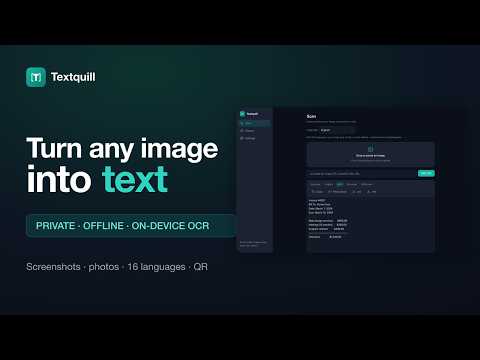
Get text out of any image — and then actually do something with it. All on your own computer. Textquill runs OCR, grammar checking, translation, and its AI writing tools entirely on-device. There's no account to create, no server it talks to, and no upload step — your images and the words in them never touch the network. That makes it a safe choice for screenshots of private messages, confidential documents, work whiteboards, or anything else you'd rather not hand to a cloud service. ★ NINE WAYS TO GET TEXT IN Right-click any image on a webpage and choose "Extract text." Select just a region of a page with the area-select tool (Alt+Shift+S, or right-click → Select area). Capture the visible tab or stitch together a full scrolling page. Upload a file, drag & drop it, or paste (Ctrl+V) straight from your clipboard. Open a PDF and pull the text out page by page. Or hand it an image URL or a base64 data URL directly. ★ 38 LANGUAGES Textquill reads 38 languages and handles non-Latin writing systems such as Arabic, Devanagari and Chinese, recognising the script automatically so you rarely have to pick one yourself. A Fast mode and an Accurate mode — plus Auto, which chooses for you — let you trade speed for precision when the lettering is small, dense, or stylized. ★ OFFLINE GRAMMAR & SPELL CHECK — ANYWHERE YOU TYPE A full grammar checker that runs on your machine, not in someone's cloud. Mistakes get a coloured underline; click one and you get the fix right there. It works on what you've just extracted, on anything you select and right-click, and — if you want it — live in the text boxes of any website as you type. American, British, Australian, and Canadian English. Your writing is never uploaded to be checked — it doesn't leave the browser. Don't want it on a particular site? One click turns it off there. Don't want it at all? One switch in Settings. ★ ON-DEVICE TRANSLATION Translate what you've captured between major languages using a local translation engine. No API key, no cloud round-trip. ★ AI WRITING TOOLS (CHROME'S BUILT-IN, ON-DEVICE AI) Summarize a long scan at the length and level of detail you want. Tidy up messy OCR output, rewrite a passage more clearly, or have it explained in plain language. Turn a page of notes into study questions, pull out the to-dos buried in it, or ask what kind of document you're looking at. All of it runs on the AI model built into Chrome, on your own hardware. ★ SEARCHABLE HISTORY, KEPT ON YOUR DEVICE Every scan is saved locally in your browser so you can search past results, star favorites, and revisit anything you've extracted before. Delete single entries or clear everything, any time — it's your data and it stays on your machine. ★ EXPORT ANYWHERE Copy with one click, or turn it on automatically after every scan. Copy as rich text and your paragraphs survive a paste into a document or an email. Results can be read aloud, searched and edited in place, saved as a word processor file or plain text, or sent straight to the printer. Spreadsheet and structured-data formats are there as well when it needs to move into another tool. ★ SEARCHABLE PDF Save a scan as a PDF that still looks exactly like the original image, with a selectable text layer sitting invisibly on top — so you can search inside it, copy from it, and let it be indexed, in any PDF reader. Built on your own machine from the words just recognised; nothing is uploaded to make it. ★ QR CODE DECODING Point it at a QR code and get the decoded payload alongside anything else it reads in the same pass. ★ WHO IT'S FOR - Students digitizing notes, textbook pages, or lecture slides - Writers and non-native speakers who want a grammar checker that doesn't read their drafts on a server - Developers grabbing text or config out of a screenshot instead of retyping it - Researchers pulling quotes and figures out of scanned papers - Office and admin work — invoices, forms, business cards, and screenshots that need to become searchable and editable ★ NO ACCOUNT, NO ADS, NO SUBSCRIPTION No account, no usage limits, no ads, no upsell. Textquill keeps your words private and on your device — it isn't a funnel to a paid upgrade. Google Chrome is a trademark of Google LLC. Use of this trademark is subject to Google Permissions. Textquill is an independent product, not affiliated with or endorsed by Google.
5 out of 51 rating
Details
- Version2.2.0
- UpdatedAugust 30, 2026
- Size33.49MiB
- LanguagesEnglish (United States)
- Developer
- Non-traderThis developer has not identified itself as a trader. For consumers in the European Union, please note that consumer rights do not apply to contracts between you and this developer.
Privacy

This developer declares that your data is
- Not being sold to third parties, outside of the approved use cases
- Not being used or transferred for purposes that are unrelated to the item's core functionality
- Not being used or transferred to determine creditworthiness or for lending purposes
Support
For help with questions, suggestions, or problems, please open this page on your desktop browser