

TextMyFreeTime: Copy Outlook/Google Calendar Availability as Plain Text

Overview
Copy your Google or Outlook calendar availability as plain text in 1 click. No Calendly links. No back-and-forth. Paste and send.
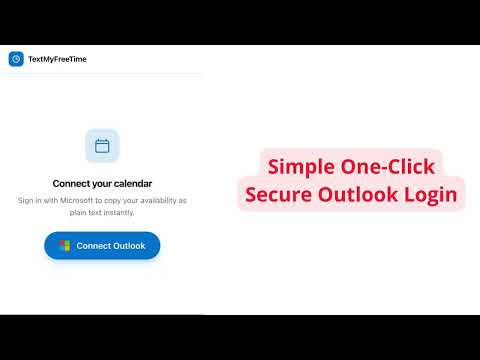
Stop losing time to calendar back-and-forth. Text My Free Time instantly copies your Google Calendar or Microsoft Outlook availability as clean, readable plain text — ready to paste into any email, Slack message, or text in seconds. HOW IT WORKS ──────────── 1. Click the extension icon 2. Connect your Google or Microsoft/Outlook calendar 3. Tap "Copy Availability" 4. Paste into any email, message, or chat No links. No scheduling pages. No "does Tuesday work for you?" WHY PROFESSIONALS LOVE IT ────────────────────────── ✓ Works with Google Calendar AND Microsoft Outlook / Microsoft 365 ✓ Copies your availability as human-readable plain text — not a bot link ✓ Paste into Gmail, Outlook, iMessage, Slack, or anywhere you type ✓ No extra account required beyond your calendar login ✓ Private by design — your calendar data is never stored on our servers WHO IT'S FOR ───────────── • Salespeople who need to book demos fast without friction • Recruiters coordinating interviews across time zones • Consultants and freelancers managing client meetings • Executives who want to stop manually managing scheduling • Anyone tired of the "when are you free?" ping-pong game THE PROBLEM WITH CALENDLY LINKS ──────────────────────────────── Calendly and scheduling tools are powerful — but they can feel impersonal. Sending a scheduling link signals that you outsourced your calendar to a robot. Sometimes a warm, direct "I'm free Monday at 2pm or Tuesday morning" closes more meetings than a link ever could. Text My Free Time gives you that message instantly, without manually opening your calendar and typing it yourself. PRIVACY ──────── We request read-only calendar access to check your free/busy times. We never read your event titles, attendees, or details. Your data is never sold, stored, or shared.
5 out of 55 ratings
Details
- Version1.1.0
- UpdatedMay 15, 2026
- FeaturesOffers in-app purchases
- Size152KiB
- LanguagesEnglish (United States)
- DeveloperSaul Alejandro Gallegos Ladron de GuevaraWebsite
marsella 85 102 CDMX, CDMX 06600 MXEmail
saulladrondeguevara@gmail.comPhone
+52 449 223 7769 - TraderThis developer has identified itself as a trader per the definition from the European Union and committed to only offer products or services that comply with EU laws.
Privacy

TextMyFreeTime: Copy Outlook/Google Calendar Availability as Plain Text has disclosed the following information regarding the collection and usage of your data. More detailed information can be found in the developer's privacy policy.
TextMyFreeTime: Copy Outlook/Google Calendar Availability as Plain Text handles the following:
This developer declares that your data is
- Not being sold to third parties, outside of the approved use cases
- Not being used or transferred for purposes that are unrelated to the item's core functionality
- Not being used or transferred to determine creditworthiness or for lending purposes
Support
For help with questions, suggestions, or problems, visit the developer's support site