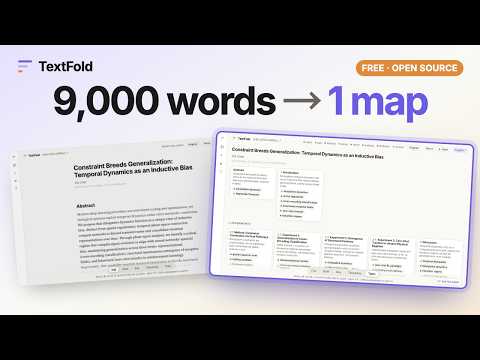
TextFold的项目媒体 6(屏幕截图)
产品视频缩略图
TextFold的项目媒体 2(屏幕截图)
TextFold的项目媒体 3(屏幕截图)
TextFold的项目媒体 4(屏幕截图)
TextFold的项目媒体 5(屏幕截图)
TextFold的项目媒体 6(屏幕截图)
产品视频缩略图
产品视频缩略图
TextFold的项目媒体 2(屏幕截图)
TextFold的项目媒体 3(屏幕截图)
TextFold的项目媒体 4(屏幕截图)
TextFold的项目媒体 5(屏幕截图)
TextFold的项目媒体 6(屏幕截图)

概述

把正在读的网页按你看到的样子发给本机的 TextFold,折成五层来读。

TextFold folds a text into five levels, from a one-screen map to every word. This button sends the page you are reading to TextFold on your computer, as you see it, so that you can read it the same way. What it is for • A long article, a paper on a publisher's site, documentation, a report: send it with one click, read its map first, then open only the parts you need. • The page as your browser shows it: signed in, past a paywall you pay for, drawn by the page's scripts. What you can read, TextFold can read. • The article, not the page around it. Two open-source reading views (Defuddle and Readability) find the article inside your browser, with its headings, figures, formulas, footnotes and references. How it works 1. Install TextFold, the free app for macOS and Windows (https://chenxiachan.github.io/textfold/), and open it once. It connects itself to your browser. Using TextFold from Python instead? Run: python3 -m textfold capture install 2. On any page, click the TextFold button. A ✓ says the page is in your library. When TextFold is running, its reader opens beside the page. 3. Read it at Topic, Takeaway, Key, Brief or Full, in the language you choose. Privacy The extension reads a page only when you click its button, and only in that tab. It hands the page to TextFold on your computer through the browser's native messaging, and to nothing else: no server, no analytics, no tracking. TextFold writes the levels with the AI model you choose in its settings, a model on your computer or a provider you connected with your own key. Privacy policy: https://chenxiachan.github.io/textfold/privacy.html Open source TextFold and this extension are open source under the Apache License 2.0: https://github.com/chenxiachan/textfold

0 星(5 星制)无评分

详细了解结果和评价。

详情

  • 版本
    0.1.0
  • 上次更新日期
    2026年10月29日
  • 大小
    360KiB
  • 语言
    13 种语言
  • 开发者
    网站
    邮箱
    Chatchan92@gmail.com
  • 非交易者
    该开发者尚未将自己标识为交易者。欧盟地区消费者须知:消费者权利可能不适用于您与该开发者达成的合约。

隐私权

管理扩展程序并了解它们在组织中的使用情况

“TextFold”已就收集和使用用户数据披露了以下信息。 如需了解详情,请查看开发者的privacy policy。

TextFold会处理以下数据:

网站内容

该开发者已声明,您的数据:

  • 不会因未获批准的用途出售给第三方
  • 不会为实现与产品核心功能无关的目的而使用或转移
  • 不会为确定信用度或放贷目的而使用或转移

相关

Certentis – AI 检测器、Humanizer 人性化改写与抄袭查重

0.0

用 AI 检测器查看文字由 AI 生成的可能性,用抄袭查重比对网络来源,再把 AI 腔的文字人性化改写得自然顺畅。选中文字点右键,即可在侧边栏打开。

p3n: find the AI in any text

0.0

Select text, right-click, and see whether it reads as AI-written. Rewrite it so it doesn't, without leaving the page.

Wrks AI Browser

0.0

陪你一起读当前页面,替你点击和输入。由你电脑上的 Wrks AI Desk 应用来驱动。

Hidden Text Scanner

0.0

Reveal text on a page that people can't see but AI tools can read: hidden text, invisible characters and prompt injections.

ReadFollow: 文本语音朗读与逐词标示

0.0

朗读文本,并在页面上逐词标示正在朗读的词。适用于网页和 PDF,可离线使用,也可使用在线语音。

Quetext: AI Content Detector & Plagiarism Checker

4.8

Check any text for plagiarism and AI-written content. Highlight text on any page, scan text, and get results without switching tabs.

Pyramid Reader

0.0

Read the conclusion first, then open only the levels you need: claims, evidence, the sentence on the page.

Explain AI - Explain anything in its context

4.5

Highlight text on any page, click the soft underline, and get a short explanation that uses the page around it.

Textumi: AI Detector & Humanizer

5.0

Check text on any page for signs of AI writing and rewrite it in a natural, human style that keeps your facts.

Read My Page

0.0

用自然语音朗读任意网页,正在朗读的词在页面上高亮显示。

WebNarrator

0.0

Select text on any page and have it read aloud.

Kavalu - AI Learning Assistant

0.0

Understand what you read, right beside the page.

Certentis – AI 检测器、Humanizer 人性化改写与抄袭查重

0.0

用 AI 检测器查看文字由 AI 生成的可能性,用抄袭查重比对网络来源,再把 AI 腔的文字人性化改写得自然顺畅。选中文字点右键,即可在侧边栏打开。

p3n: find the AI in any text

0.0

Select text, right-click, and see whether it reads as AI-written. Rewrite it so it doesn't, without leaving the page.

Wrks AI Browser

0.0

陪你一起读当前页面,替你点击和输入。由你电脑上的 Wrks AI Desk 应用来驱动。

Hidden Text Scanner

0.0

Reveal text on a page that people can't see but AI tools can read: hidden text, invisible characters and prompt injections.

ReadFollow: 文本语音朗读与逐词标示

0.0

朗读文本,并在页面上逐词标示正在朗读的词。适用于网页和 PDF,可离线使用,也可使用在线语音。

Quetext: AI Content Detector & Plagiarism Checker

4.8

Check any text for plagiarism and AI-written content. Highlight text on any page, scan text, and get results without switching tabs.

Pyramid Reader

0.0

Read the conclusion first, then open only the levels you need: claims, evidence, the sentence on the page.

Explain AI - Explain anything in its context

4.5

Highlight text on any page, click the soft underline, and get a short explanation that uses the page around it.

搜索
清除搜索内容
关闭搜索框
Google 应用
主菜单
