TextFold: изображение логотипа

TextFold

РасширениеОбразование50 пользователей
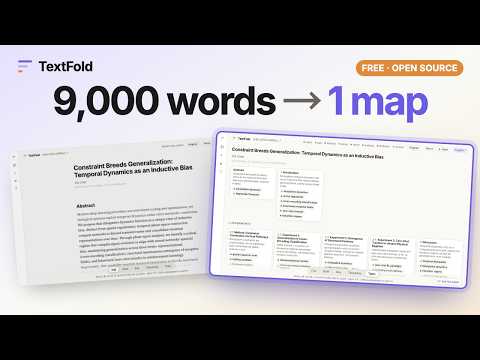
Мультимедийный объект 6 (скриншот) для сервиса "TextFold"
Значок видео о продукте
Мультимедийный объект 2 (скриншот) для сервиса "TextFold"
Мультимедийный объект 3 (скриншот) для сервиса "TextFold"
Мультимедийный объект 4 (скриншот) для сервиса "TextFold"
Мультимедийный объект 5 (скриншот) для сервиса "TextFold"
Мультимедийный объект 6 (скриншот) для сервиса "TextFold"
Значок видео о продукте
Мультимедийный объект 2 (скриншот) для сервиса "TextFold"
Мультимедийный объект 3 (скриншот) для сервиса "TextFold"
Мультимедийный объект 4 (скриншот) для сервиса "TextFold"
Мультимедийный объект 5 (скриншот) для сервиса "TextFold"
Мультимедийный объект 6 (скриншот) для сервиса "TextFold"

Обзор

Отправьте страницу, которую читаете, в TextFold на этом компьютере такой, какой её видите, и читайте на пяти уровнях.

TextFold folds a text into five levels, from a one-screen map to every word. This button sends the page you are reading to TextFold on your computer, as you see it, so that you can read it the same way. What it is for • A long article, a paper on a publisher's site, documentation, a report: send it with one click, read its map first, then open only the parts you need. • The page as your browser shows it: signed in, past a paywall you pay for, drawn by the page's scripts. What you can read, TextFold can read. • The article, not the page around it. Two open-source reading views (Defuddle and Readability) find the article inside your browser, with its headings, figures, formulas, footnotes and references. How it works 1. Install TextFold, the free app for macOS and Windows (https://chenxiachan.github.io/textfold/), and open it once. It connects itself to your browser. Using TextFold from Python instead? Run: python3 -m textfold capture install 2. On any page, click the TextFold button. A ✓ says the page is in your library. When TextFold is running, its reader opens beside the page. 3. Read it at Topic, Takeaway, Key, Brief or Full, in the language you choose. Privacy The extension reads a page only when you click its button, and only in that tab. It hands the page to TextFold on your computer through the browser's native messaging, and to nothing else: no server, no analytics, no tracking. TextFold writes the levels with the AI model you choose in its settings, a model on your computer or a provider you connected with your own key. Privacy policy: https://chenxiachan.github.io/textfold/privacy.html Open source TextFold and this extension are open source under the Apache License 2.0: https://github.com/chenxiachan/textfold

Подробности

  • Версия
    0.1.0
  • Обновлено
    29 октября 2026 г.
  • Размер
    360KiB
  • Языки
    Поддерживаемых языков: 13
  • Разработчик
    Сайт
    Электронная почта
    Chatchan92@gmail.com
  • Не продавец
    Разработчик не указал для себя статус продавца. Просим клиентов из Европейского союза обратить внимание, что на сделки между вами и этим разработчиком не распространяются законы о защите прав потребителей.

Конфиденциальность

Управляйте расширениями и узнавайте, как они используются в вашей организации.

Разработчик "TextFold" предоставил указанные ниже сведения о сборе и использовании ваших данных. Подробную информацию вы найдете в правилах разработчика: privacy policy.

В продукте "TextFold" обрабатываются следующие типы данных:

Содержимое сайтов

Этот разработчик утверждает, что ваши данные:

  • Не продаются третьим лицам, за исключением разрешенных вариантов использования
  • Не используются и не передаются в целях, не связанных с работой основных функций продукта
  • Не используются и не передаются для определения платежеспособности или в целях кредитования

Похожие

Certentis – детектор ИИ, AI Humanizer и проверка на плагиат

0,0

Очеловечьте текст ИИ, проверьте текст на ИИ и на плагиат. Выделите фрагмент, кликните правой кнопкой — откроется боковая панель.

p3n: find the AI in any text

0,0

Select text, right-click, and see whether it reads as AI-written. Rewrite it so it doesn't, without leaving the page.

Wrks AI Browser

0,0

Reads the page you are on and does the clicking and typing for you, driven by the Wrks AI Desk app on your computer.

Hidden Text Scanner

0,0

Reveal text on a page that people can't see but AI tools can read: hidden text, invisible characters and prompt injections.

ReadFollow: Озвучка текста с выделением слов

0,0

Читает текст вслух и выделяет на странице каждое произносимое слово. Работает на сайтах и в PDF, офлайн или с онлайн-голосами.

Quetext: AI Content Detector & Plagiarism Checker

4,8

Check any text for plagiarism and AI-written content. Highlight text on any page, scan text, and get results without switching tabs.

Pyramid Reader

0,0

Read the conclusion first, then open only the levels you need: claims, evidence, the sentence on the page.

Explain AI - Explain anything in its context

4,5

Highlight text on any page, click the soft underline, and get a short explanation that uses the page around it.

Textumi: AI Detector & Humanizer

5,0

Check text on any page for signs of AI writing and rewrite it in a natural, human style that keeps your facts.

Read My Page

0,0

Слушайте любую веб-страницу естественными голосами: читаемое слово подсвечивается на странице.

WebNarrator

0,0

Select text on any page and have it read aloud.

Kavalu - AI Learning Assistant

0,0

Understand what you read, right beside the page.

Certentis – детектор ИИ, AI Humanizer и проверка на плагиат

0,0

Очеловечьте текст ИИ, проверьте текст на ИИ и на плагиат. Выделите фрагмент, кликните правой кнопкой — откроется боковая панель.

p3n: find the AI in any text

0,0

Select text, right-click, and see whether it reads as AI-written. Rewrite it so it doesn't, without leaving the page.

Wrks AI Browser

0,0

Reads the page you are on and does the clicking and typing for you, driven by the Wrks AI Desk app on your computer.

Hidden Text Scanner

0,0

Reveal text on a page that people can't see but AI tools can read: hidden text, invisible characters and prompt injections.

ReadFollow: Озвучка текста с выделением слов

0,0

Читает текст вслух и выделяет на странице каждое произносимое слово. Работает на сайтах и в PDF, офлайн или с онлайн-голосами.

Quetext: AI Content Detector & Plagiarism Checker

4,8

Check any text for plagiarism and AI-written content. Highlight text on any page, scan text, and get results without switching tabs.

Pyramid Reader

0,0

Read the conclusion first, then open only the levels you need: claims, evidence, the sentence on the page.

Explain AI - Explain anything in its context

4,5

Highlight text on any page, click the soft underline, and get a short explanation that uses the page around it.

Поиск
Очистить поле поиска
Закрыть поиск
Приложения Google
Главное меню