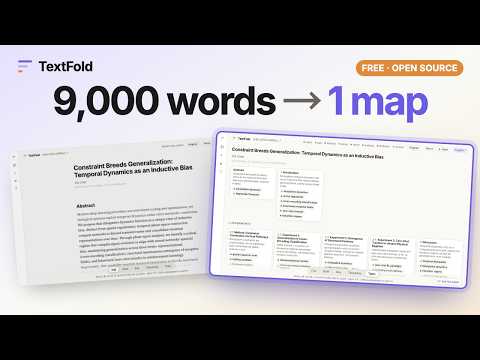
TextFold의 항목 미디어 6(스크린샷)
동영상 썸네일 항목
TextFold의 항목 미디어 2(스크린샷)
TextFold의 항목 미디어 3(스크린샷)
TextFold의 항목 미디어 4(스크린샷)
TextFold의 항목 미디어 5(스크린샷)
TextFold의 항목 미디어 6(스크린샷)
동영상 썸네일 항목
동영상 썸네일 항목
TextFold의 항목 미디어 2(스크린샷)
TextFold의 항목 미디어 3(스크린샷)
TextFold의 항목 미디어 4(스크린샷)
TextFold의 항목 미디어 5(스크린샷)
TextFold의 항목 미디어 6(스크린샷)

개요

읽고 있는 페이지를 보이는 그대로 이 컴퓨터의 TextFold로 보내 다섯 단계로 읽습니다.

TextFold folds a text into five levels, from a one-screen map to every word. This button sends the page you are reading to TextFold on your computer, as you see it, so that you can read it the same way. What it is for • A long article, a paper on a publisher's site, documentation, a report: send it with one click, read its map first, then open only the parts you need. • The page as your browser shows it: signed in, past a paywall you pay for, drawn by the page's scripts. What you can read, TextFold can read. • The article, not the page around it. Two open-source reading views (Defuddle and Readability) find the article inside your browser, with its headings, figures, formulas, footnotes and references. How it works 1. Install TextFold, the free app for macOS and Windows (https://chenxiachan.github.io/textfold/), and open it once. It connects itself to your browser. Using TextFold from Python instead? Run: python3 -m textfold capture install 2. On any page, click the TextFold button. A ✓ says the page is in your library. When TextFold is running, its reader opens beside the page. 3. Read it at Topic, Takeaway, Key, Brief or Full, in the language you choose. Privacy The extension reads a page only when you click its button, and only in that tab. It hands the page to TextFold on your computer through the browser's native messaging, and to nothing else: no server, no analytics, no tracking. TextFold writes the levels with the AI model you choose in its settings, a model on your computer or a provider you connected with your own key. Privacy policy: https://chenxiachan.github.io/textfold/privacy.html Open source TextFold and this extension are open source under the Apache License 2.0: https://github.com/chenxiachan/textfold

세부정보

  • 버전
    0.1.0
  • 업데이트됨
    2026년 10월 29일
  • 크기
    360KiB
  • 언어
    언어 13개
  • 개발자
    웹사이트
    이메일
    Chatchan92@gmail.com
  • 비판매자
    판매자로 식별되지 않은 개발자입니다. 유럽 연합에 거주하는 소비자의 경우, 이 개발자와 체결한 계약에 대해서는 소비자 권리가 적용되지 않을 수 있음을 유의해야 합니다.

개인정보 보호

확장 프로그램을 관리하고 조직에서 확장 프로그램이 사용되는 방식을 알아보세요.

TextFold에서 데이터 수집 및 사용과 관련하여 다음 정보를 공개했습니다. 더 자세한 정보는 개발자의 privacy policy을 참고하세요.

TextFold 항목은 다음을 처리합니다.

웹사이트 콘텐츠

개발자가 사용자 데이터에 관해 다음과 같이 선언했습니다

  • 승인된 사용 사례를 제외하고 서드 파티에 판매하지 않음
  • 항목의 핵심 기능과 관련 없는 목적으로 사용하거나 전송하지 않음
  • 신용도 판단 또는 대출 목적으로 사용하거나 전송하지 않음

관련 항목

WebNarrator

0.0

Select text on any page and have it read aloud.

Kavalu - AI Learning Assistant

0.0

Understand what you read, right beside the page.

p3n: find the AI in any text

0.0

Select text, right-click, and see whether it reads as AI-written. Rewrite it so it doesn't, without leaving the page.

웍스AI Browser

0.0

보고 있는 페이지를 같이 읽고, 누르고 입력하는 일을 대신 해줘요. 내 컴퓨터의 웍스AI Desk 앱이 움직여요.

TextNab — Copy Text From Images & Video

5.0

Click, then drag over any text on the page — even inside images and videos — to copy it. On-device OCR in 50+ languages.

ReadFollow: 텍스트 음성 변환 및 단어 강조

0.0

텍스트를 소리 내어 읽고, 읽는 단어를 페이지에서 하나씩 강조합니다. 웹 페이지와 PDF에서 작동하며 오프라인 또는 온라인 음성을 사용합니다.

Quetext: AI Content Detector & Plagiarism Checker

4.8

Check any text for plagiarism and AI-written content. Highlight text on any page, scan text, and get results without switching tabs.

Pyramid Reader

0.0

Read the conclusion first, then open only the levels you need: claims, evidence, the sentence on the page.

ScanForAI — AI Detector & ChatGPT Checker

0.0

See if text reads AI-written — with reasons in plain English — and clean up machine formatting. Free, no signup.

Explain AI - Explain anything in its context

4.6

Highlight text on any page, click the soft underline, and get a short explanation that uses the page around it.

읽어주기: 텍스트 음성 변환 (TTS) 오프라인 PDF, Docs, Word - Readalix

4.6

모든 페이지를 소리 내어 읽고 말하는 단어를 강조하는 텍스트 음성 변환. 웹페이지, PDF, Docs, Word를 위한 무료 TTS.

Whisperian — Read Aloud

5.0

Read any web page aloud with live word-level highlighting and click-to-skip, powered by the Vaani TTS API.

WebNarrator

0.0

Select text on any page and have it read aloud.

Kavalu - AI Learning Assistant

0.0

Understand what you read, right beside the page.

p3n: find the AI in any text

0.0

Select text, right-click, and see whether it reads as AI-written. Rewrite it so it doesn't, without leaving the page.

웍스AI Browser

0.0

보고 있는 페이지를 같이 읽고, 누르고 입력하는 일을 대신 해줘요. 내 컴퓨터의 웍스AI Desk 앱이 움직여요.

TextNab — Copy Text From Images & Video

5.0

Click, then drag over any text on the page — even inside images and videos — to copy it. On-device OCR in 50+ languages.

ReadFollow: 텍스트 음성 변환 및 단어 강조

0.0

텍스트를 소리 내어 읽고, 읽는 단어를 페이지에서 하나씩 강조합니다. 웹 페이지와 PDF에서 작동하며 오프라인 또는 온라인 음성을 사용합니다.

Quetext: AI Content Detector & Plagiarism Checker

4.8

Check any text for plagiarism and AI-written content. Highlight text on any page, scan text, and get results without switching tabs.

Pyramid Reader

0.0

Read the conclusion first, then open only the levels you need: claims, evidence, the sentence on the page.

Google 앱
