TextFold のアイテムロゴ画像

TextFold

拡張機能教育50 ユーザー
TextFold のアイテム メディア 6 のスクリーンショット
アイテムの動画サムネイル
TextFold のアイテム メディア 2 のスクリーンショット
TextFold のアイテム メディア 3 のスクリーンショット
TextFold のアイテム メディア 4 のスクリーンショット
TextFold のアイテム メディア 5 のスクリーンショット
TextFold のアイテム メディア 6 のスクリーンショット
アイテムの動画サムネイル
アイテムの動画サムネイル
TextFold のアイテム メディア 2 のスクリーンショット
TextFold のアイテム メディア 3 のスクリーンショット
TextFold のアイテム メディア 4 のスクリーンショット
TextFold のアイテム メディア 5 のスクリーンショット
TextFold のアイテム メディア 6 のスクリーンショット

概要

読んでいるページを、見えているとおりにこのコンピュータの TextFold に送り、五つの層で読めます。

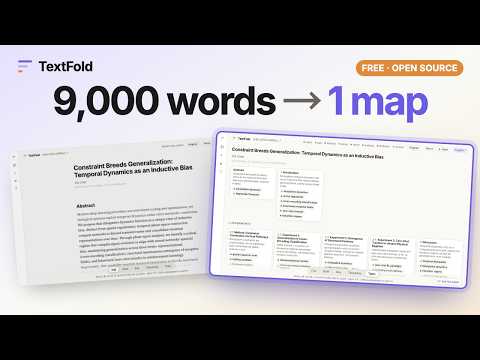
TextFold folds a text into five levels, from a one-screen map to every word. This button sends the page you are reading to TextFold on your computer, as you see it, so that you can read it the same way. What it is for • A long article, a paper on a publisher's site, documentation, a report: send it with one click, read its map first, then open only the parts you need. • The page as your browser shows it: signed in, past a paywall you pay for, drawn by the page's scripts. What you can read, TextFold can read. • The article, not the page around it. Two open-source reading views (Defuddle and Readability) find the article inside your browser, with its headings, figures, formulas, footnotes and references. How it works 1. Install TextFold, the free app for macOS and Windows (https://chenxiachan.github.io/textfold/), and open it once. It connects itself to your browser. Using TextFold from Python instead? Run: python3 -m textfold capture install 2. On any page, click the TextFold button. A ✓ says the page is in your library. When TextFold is running, its reader opens beside the page. 3. Read it at Topic, Takeaway, Key, Brief or Full, in the language you choose. Privacy The extension reads a page only when you click its button, and only in that tab. It hands the page to TextFold on your computer through the browser's native messaging, and to nothing else: no server, no analytics, no tracking. TextFold writes the levels with the AI model you choose in its settings, a model on your computer or a provider you connected with your own key. Privacy policy: https://chenxiachan.github.io/textfold/privacy.html Open source TextFold and this extension are open source under the Apache License 2.0: https://github.com/chenxiachan/textfold

詳細

  • バージョン
    0.1.0
  • 更新:
    2026年10月29日
  • サイズ
    360KiB
  • 言語
    13 言語
  • デベロッパー
    ウェブサイト
    メール
    Chatchan92@gmail.com
  • 非取引業者
    このデベロッパーは取引業者として申告していません。EU 加盟国の消費者とこのデベロッパーとの間に締結された契約には、消費者の権利が適用されません。

プライバシー

拡張機能を管理し、組織での使用状況を確認できます

TextFold から、お客様のデータの収集と使用に関する以下の情報が開示されています。 詳しくは、デベロッパーの privacy policy をご確認ください。

TextFold は次を扱います。

ウェブサイトのコンテンツ

このデベロッパーは、お客様のデータについて以下を宣言しています

  • 承認されている以外の用途で第三者に販売しないこと
  • アイテムの中心機能と関係のない目的で使用または転送しないこと
  • 信用力を判断する目的または融資目的で使用または転送しないこと

関連アイテム

Certentis – AI検出器・剽窃チェック・Humanizer

0.0

AI検出器でAIが書いた可能性を確かめ、剽窃チェックでウェブ上の一致を表示。AIっぽい文章は自然に言い換えます。選択して右クリックすれば、サイドパネルで開きます。

p3n: find the AI in any text

0.0

Select text, right-click, and see whether it reads as AI-written. Rewrite it so it doesn't, without leaving the page.

Wrks AI Browser

0.0

見ているページを一緒に読み、クリックや入力を代わりに行います。パソコンのWrks AI Deskアプリが動かします。

Hidden Text Scanner

0.0

Reveal text on a page that people can't see but AI tools can read: hidden text, invisible characters and prompt injections.

ReadFollow: テキスト読み上げと単語の強調表示

0.0

テキストを読み上げ、読み上げ中の単語をページ上で強調表示します。ウェブページとPDFに対応。オフラインでもオンライン音声でも使えます。

Quetext: AI Content Detector & Plagiarism Checker

4.8

Check any text for plagiarism and AI-written content. Highlight text on any page, scan text, and get results without switching tabs.

Pyramid Reader

0.0

Read the conclusion first, then open only the levels you need: claims, evidence, the sentence on the page.

Explain AI - Explain anything in its context

4.5

Highlight text on any page, click the soft underline, and get a short explanation that uses the page around it.

Textumi: AI Detector & Humanizer

5.0

Check text on any page for signs of AI writing and rewrite it in a natural, human style that keeps your facts.

Read My Page

0.0

どんなウェブページも自然な声で。読み上げ中の語はページ上で光ります。

WebNarrator

0.0

Select text on any page and have it read aloud.

Kavalu - AI Learning Assistant

0.0

Understand what you read, right beside the page.

Certentis – AI検出器・剽窃チェック・Humanizer

0.0

AI検出器でAIが書いた可能性を確かめ、剽窃チェックでウェブ上の一致を表示。AIっぽい文章は自然に言い換えます。選択して右クリックすれば、サイドパネルで開きます。

p3n: find the AI in any text

0.0

Select text, right-click, and see whether it reads as AI-written. Rewrite it so it doesn't, without leaving the page.

Wrks AI Browser

0.0

見ているページを一緒に読み、クリックや入力を代わりに行います。パソコンのWrks AI Deskアプリが動かします。

Hidden Text Scanner

0.0

Reveal text on a page that people can't see but AI tools can read: hidden text, invisible characters and prompt injections.

ReadFollow: テキスト読み上げと単語の強調表示

0.0

テキストを読み上げ、読み上げ中の単語をページ上で強調表示します。ウェブページとPDFに対応。オフラインでもオンライン音声でも使えます。

Quetext: AI Content Detector & Plagiarism Checker

4.8

Check any text for plagiarism and AI-written content. Highlight text on any page, scan text, and get results without switching tabs.

Pyramid Reader

0.0

Read the conclusion first, then open only the levels you need: claims, evidence, the sentence on the page.

Explain AI - Explain anything in its context

4.5

Highlight text on any page, click the soft underline, and get a short explanation that uses the page around it.

検索
検索をクリア
検索を終了
Google アプリ
メインメニュー
