TextFold के लिए, आइटम के लोगो की इमेज

TextFold

एक्सटेंशनशिक्षा16 उपयोगकर्ता
TextFold के लिए आइटम मीडिया 6 (स्क्रीनशॉट)
आइटम के वीडियो का थंबनेल
TextFold के लिए आइटम मीडिया 2 (स्क्रीनशॉट)
TextFold के लिए आइटम मीडिया 3 (स्क्रीनशॉट)
TextFold के लिए आइटम मीडिया 4 (स्क्रीनशॉट)
TextFold के लिए आइटम मीडिया 5 (स्क्रीनशॉट)
TextFold के लिए आइटम मीडिया 6 (स्क्रीनशॉट)
आइटम के वीडियो का थंबनेल
TextFold के लिए आइटम मीडिया 2 (स्क्रीनशॉट)
TextFold के लिए आइटम मीडिया 3 (स्क्रीनशॉट)
TextFold के लिए आइटम मीडिया 4 (स्क्रीनशॉट)
TextFold के लिए आइटम मीडिया 5 (स्क्रीनशॉट)
TextFold के लिए आइटम मीडिया 6 (स्क्रीनशॉट)

खास जानकारी

जो पेज आप पढ़ रहे हैं, उसे जैसा दिखता है वैसा ही इस कंप्यूटर के TextFold में भेजें और पाँच स्तरों में पढ़ें।

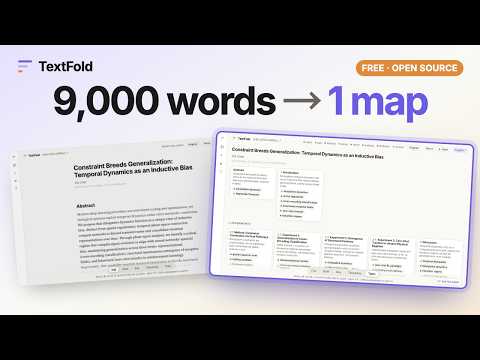
TextFold folds a text into five levels, from a one-screen map to every word. This button sends the page you are reading to TextFold on your computer, as you see it, so that you can read it the same way. What it is for • A long article, a paper on a publisher's site, documentation, a report: send it with one click, read its map first, then open only the parts you need. • The page as your browser shows it: signed in, past a paywall you pay for, drawn by the page's scripts. What you can read, TextFold can read. • The article, not the page around it. Two open-source reading views (Defuddle and Readability) find the article inside your browser, with its headings, figures, formulas, footnotes and references. How it works 1. Install TextFold, the free app for macOS and Windows (https://chenxiachan.github.io/textfold/), and open it once. It connects itself to your browser. Using TextFold from Python instead? Run: python3 -m textfold capture install 2. On any page, click the TextFold button. A ✓ says the page is in your library. When TextFold is running, its reader opens beside the page. 3. Read it at Topic, Takeaway, Key, Brief or Full, in the language you choose. Privacy The extension reads a page only when you click its button, and only in that tab. It hands the page to TextFold on your computer through the browser's native messaging, and to nothing else: no server, no analytics, no tracking. TextFold writes the levels with the AI model you choose in its settings, a model on your computer or a provider you connected with your own key. Privacy policy: https://chenxiachan.github.io/textfold/privacy.html Open source TextFold and this extension are open source under the Apache License 2.0: https://github.com/chenxiachan/textfold

वर्णन

  • वर्शन
    0.1.0
  • पिछली बार अपडेट होने की तारीख:
    29 अक्टूबर 2026
  • आकार
    360KiB
  • भाषाएं
    13 भाषाएं
  • डेवलपर
    वेबसाइट
    ईमेल
    Chatchan92@gmail.com
  • गैर-व्यापारी
    इस डेवलपर ने अपनी पहचान व्यापारी के तौर पर ज़ाहिर नहीं की है. अगर आप यूरोपियन संघ के किसी देश में रहने वाले उपभोक्ता हैं, तो आपके और डेवलपर के बीच हुए समझौते पर उपभोक्ता के अधिकार लागू नहीं होंगे.

निजता

एक्सटेंशन मैनेज करें और जानें कि आपके संगठन में उनका इस्तेमाल कैसे किया जा रहा है

TextFold में यह जानकारी दी गई है कि आपके डेटा को कैसे इकट्ठा और इस्तेमाल किया जाता है. ज़्यादा जानकारी के लिए, डेवलपर की privacy policy देखें.

TextFold, निजता से जुड़े इस डेटा को मैनेज करता है:

वेबसाइट का कॉन्टेंट

डेवलपर ने एलान किया है कि आपका डेटा

  • जिन मामलों में इस्तेमाल की मंज़ूरी दी गई है उनके अलावा, किसी भी तीसरे पक्ष को नहीं बेचा जाता
  • किसी ऐसे मकसद से इस्तेमाल या ट्रांसफ़र नहीं किया जाता जो आइटम के मुख्य फंक्शन के हिसाब से ज़रूरी नहीं है
  • क़र्ज़ लेने या क़र्ज़ देने की स्थिति तय करने के लिए इस्तेमाल या ट्रांसफ़र नहीं किया जाता

संबंधित

Beeblio — can I read this?

0.0

Measure any page against the words you already know, then read it at your level.

Natural Write: AI Humanizer & AI Detector

0.0

Humanize AI text and check it against 8 AI detectors right on any page.

p3n: find the AI in any text

0.0

Select text, right-click, and see whether it reads as AI-written. Rewrite it so it doesn't, without leaving the page.

Wrks AI Browser

0.0

Reads the page you are on and does the clicking and typing for you, driven by the Wrks AI Desk app on your computer.

Rewrix — Read, Write & Explain

0.0

Read, write and explain anything on the page — rewrite, explain, translate, summarise and reply to selected text with AI.

Pyramid Reader

0.0

Read the conclusion first, then open only the levels you need: claims, evidence, the sentence on the page.

TextMemory

0.0

Search the full text of pages you've read. Stored on your computer, never sent anywhere.

Explain AI - Explain anything in its context

4.6

Highlight text on any page, click the soft underline, and get a short explanation that uses the page around it.

Textumi: AI डिटेक्टर और ह्यूमनाइज़र

0.0

किसी भी पेज पर टेक्स्ट में AI लेखन के संकेत जाँचें और उसे स्वाभाविक, इंसानी शैली में दोबारा लिखें, आपके तथ्य वही रहेंगे।

WebNarrator

0.0

Select text on any page and have it read aloud.

Slate Clipper

0.0

Send selected text and pages to your Slate vault. Cannot read your notes.

Squeeze Page: AI Summarizer

0.0

Get the text of the current page and summarize it in the side panel.

Beeblio — can I read this?

0.0

Measure any page against the words you already know, then read it at your level.

Natural Write: AI Humanizer & AI Detector

0.0

Humanize AI text and check it against 8 AI detectors right on any page.

p3n: find the AI in any text

0.0

Select text, right-click, and see whether it reads as AI-written. Rewrite it so it doesn't, without leaving the page.

Wrks AI Browser

0.0

Reads the page you are on and does the clicking and typing for you, driven by the Wrks AI Desk app on your computer.

Rewrix — Read, Write & Explain

0.0

Read, write and explain anything on the page — rewrite, explain, translate, summarise and reply to selected text with AI.

Pyramid Reader

0.0

Read the conclusion first, then open only the levels you need: claims, evidence, the sentence on the page.

TextMemory

0.0

Search the full text of pages you've read. Stored on your computer, never sent anywhere.

Explain AI - Explain anything in its context

4.6

Highlight text on any page, click the soft underline, and get a short explanation that uses the page around it.

Google ऐप