Image du logo de l'article pour TextFold

TextFold

ExtensionÉducation17 utilisateurs
Élément multimédia 6 (capture d'écran) pour TextFold
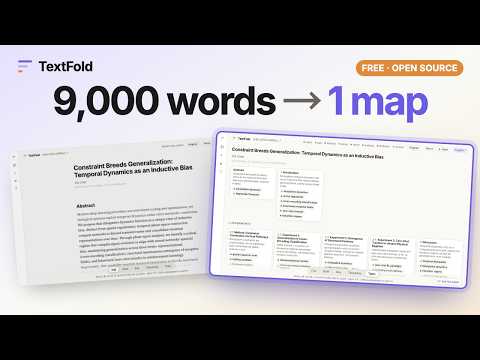
Miniature de la vidéo de l'article
Élément multimédia 2 (capture d'écran) pour TextFold
Élément multimédia 3 (capture d'écran) pour TextFold
Élément multimédia 4 (capture d'écran) pour TextFold
Élément multimédia 5 (capture d'écran) pour TextFold
Élément multimédia 6 (capture d'écran) pour TextFold
Miniature de la vidéo de l'article
Élément multimédia 2 (capture d'écran) pour TextFold
Élément multimédia 3 (capture d'écran) pour TextFold
Élément multimédia 4 (capture d'écran) pour TextFold
Élément multimédia 5 (capture d'écran) pour TextFold
Élément multimédia 6 (capture d'écran) pour TextFold

Présentation

Envoyez la page que vous lisez à TextFold sur cet ordinateur, telle que vous la voyez, et lisez-la en cinq niveaux.

TextFold folds a text into five levels, from a one-screen map to every word. This button sends the page you are reading to TextFold on your computer, as you see it, so that you can read it the same way. What it is for • A long article, a paper on a publisher's site, documentation, a report: send it with one click, read its map first, then open only the parts you need. • The page as your browser shows it: signed in, past a paywall you pay for, drawn by the page's scripts. What you can read, TextFold can read. • The article, not the page around it. Two open-source reading views (Defuddle and Readability) find the article inside your browser, with its headings, figures, formulas, footnotes and references. How it works 1. Install TextFold, the free app for macOS and Windows (https://chenxiachan.github.io/textfold/), and open it once. It connects itself to your browser. Using TextFold from Python instead? Run: python3 -m textfold capture install 2. On any page, click the TextFold button. A ✓ says the page is in your library. When TextFold is running, its reader opens beside the page. 3. Read it at Topic, Takeaway, Key, Brief or Full, in the language you choose. Privacy The extension reads a page only when you click its button, and only in that tab. It hands the page to TextFold on your computer through the browser's native messaging, and to nothing else: no server, no analytics, no tracking. TextFold writes the levels with the AI model you choose in its settings, a model on your computer or a provider you connected with your own key. Privacy policy: https://chenxiachan.github.io/textfold/privacy.html Open source TextFold and this extension are open source under the Apache License 2.0: https://github.com/chenxiachan/textfold

Détails

  • Version
    0.1.0
  • Dernière mise à jour
    29 octobre 2026
  • Taille
    360KiB
  • Langues
    13 langues
  • Développeur
    Site Web
    E-mail
    Chatchan92@gmail.com
  • Non-professionnel
    Ce développeur ne s'est pas identifié comme professionnel. Pour les consommateurs de l'Union européenne, veuillez noter qu'il est possible que les droits des consommateurs ne s'appliquent pas aux contrats entre vous et ce développeur.

Confidentialité

Gérez les extensions et découvrez comment elles sont utilisées dans votre organisation

TextFold a fourni les informations suivantes sur la collecte et l'utilisation de vos données. Pour plus d'informations, consultez les privacy policy du développeur.

TextFold gère les éléments suivants :

Contenu du site Web

Ce développeur déclare que vos données :

  • Ne seront pas vendues à des tiers en dehors des cas d'utilisation approuvés.
  • Ne seront ni utilisées ni transférées à des fins sans rapport avec la fonctionnalité de base de l'article.
  • Ne seront ni utilisées ni transférées pour déterminer votre solvabilité ou en vue de vous proposer un prêt.

Articles similaires

Certentis – Détecteur IA, Humanizer et détecteur de plagiat

0,0

Humanisez et reformulez un texte IA, repérez les signaux d’IA et le plagiat. Un clic droit ouvre le panneau latéral.

p3n: find the AI in any text

0,0

Select text, right-click, and see whether it reads as AI-written. Rewrite it so it doesn't, without leaving the page.

Wrks AI Browser

0,0

Reads the page you are on and does the clicking and typing for you, driven by the Wrks AI Desk app on your computer.

Hidden Text Scanner

0,0

Reveal text on a page that people can't see but AI tools can read: hidden text, invisible characters and prompt injections.

ReadFollow: Synthèse vocale et surlignage des mots

0,0

Lit le texte à haute voix et surligne chaque mot sur la page pendant sa lecture. Pages web et PDF, hors ligne ou avec voix en ligne.

Quetext: AI Content Detector & Plagiarism Checker

4,8

Check any text for plagiarism and AI-written content. Highlight text on any page, scan text, and get results without switching tabs.

Pyramid Reader

0,0

Read the conclusion first, then open only the levels you need: claims, evidence, the sentence on the page.

Explain AI - Explain anything in its context

4,5

Highlight text on any page, click the soft underline, and get a short explanation that uses the page around it.

Textumi : Détecteur d’IA et Humanizer

0,0

Repérez les signes d’IA dans le texte de n’importe quelle page et réécrivez-le d’un ton naturel et humain qui préserve vos faits.

Read My Page

0,0

Écoutez n'importe quelle page web avec des voix naturelles, le mot lu surligné sur la page.

WebNarrator

0,0

Select text on any page and have it read aloud.

Kavalu - AI Learning Assistant

0,0

Understand what you read, right beside the page.

Certentis – Détecteur IA, Humanizer et détecteur de plagiat

0,0

Humanisez et reformulez un texte IA, repérez les signaux d’IA et le plagiat. Un clic droit ouvre le panneau latéral.

p3n: find the AI in any text

0,0

Select text, right-click, and see whether it reads as AI-written. Rewrite it so it doesn't, without leaving the page.

Wrks AI Browser

0,0

Reads the page you are on and does the clicking and typing for you, driven by the Wrks AI Desk app on your computer.

Hidden Text Scanner

0,0

Reveal text on a page that people can't see but AI tools can read: hidden text, invisible characters and prompt injections.

ReadFollow: Synthèse vocale et surlignage des mots

0,0

Lit le texte à haute voix et surligne chaque mot sur la page pendant sa lecture. Pages web et PDF, hors ligne ou avec voix en ligne.

Quetext: AI Content Detector & Plagiarism Checker

4,8

Check any text for plagiarism and AI-written content. Highlight text on any page, scan text, and get results without switching tabs.

Pyramid Reader

0,0

Read the conclusion first, then open only the levels you need: claims, evidence, the sentence on the page.

Explain AI - Explain anything in its context

4,5

Highlight text on any page, click the soft underline, and get a short explanation that uses the page around it.

Recherche
Effacer la recherche
Fermer le champ de recherche
Applications Google
Menu principal