Imagen del logotipo del elemento para TextFold

TextFold

Elemento multimedia 6 (captura de pantalla) de TextFold
Miniatura del vídeo del elemento
Elemento multimedia 2 (captura de pantalla) de TextFold
Elemento multimedia 3 (captura de pantalla) de TextFold
Elemento multimedia 4 (captura de pantalla) de TextFold
Elemento multimedia 5 (captura de pantalla) de TextFold
Elemento multimedia 6 (captura de pantalla) de TextFold

Descripción general

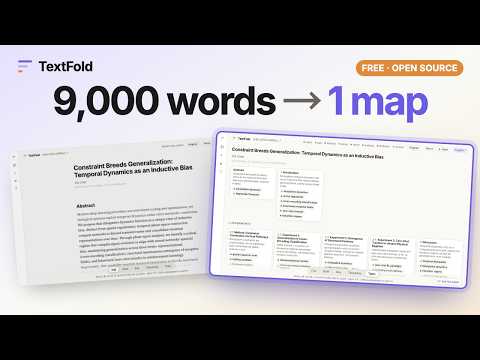
Envía la página que estás leyendo a TextFold en este ordenador, tal como la ves, y léela en cinco niveles.

TextFold folds a text into five levels, from a one-screen map to every word. This button sends the page you are reading to TextFold on your computer, as you see it, so that you can read it the same way. What it is for • A long article, a paper on a publisher's site, documentation, a report: send it with one click, read its map first, then open only the parts you need. • The page as your browser shows it: signed in, past a paywall you pay for, drawn by the page's scripts. What you can read, TextFold can read. • The article, not the page around it. Two open-source reading views (Defuddle and Readability) find the article inside your browser, with its headings, figures, formulas, footnotes and references. How it works 1. Install TextFold, the free app for macOS and Windows (https://chenxiachan.github.io/textfold/), and open it once. It connects itself to your browser. Using TextFold from Python instead? Run: python3 -m textfold capture install 2. On any page, click the TextFold button. A ✓ says the page is in your library. When TextFold is running, its reader opens beside the page. 3. Read it at Topic, Takeaway, Key, Brief or Full, in the language you choose. Privacy The extension reads a page only when you click its button, and only in that tab. It hands the page to TextFold on your computer through the browser's native messaging, and to nothing else: no server, no analytics, no tracking. TextFold writes the levels with the AI model you choose in its settings, a model on your computer or a provider you connected with your own key. Privacy policy: https://chenxiachan.github.io/textfold/privacy.html Open source TextFold and this extension are open source under the Apache License 2.0: https://github.com/chenxiachan/textfold

Detalles

  • Versión
    0.1.0
  • Actualizado
    29 de octubre de 2026
  • Tamaño
    360KiB
  • Idiomas
    13 idiomas
  • Desarrollador
    Sitio web
    Correo electrónico
    Chatchan92@gmail.com
  • No operador
    Este desarrollador no se ha identificado como operador. Los consumidores residentes en la Unión Europea deben tener en cuenta que los derechos de los consumidores no son aplicables a los contratos que suscriban con este desarrollador.

Privacidad

Gestiona las extensiones y descubre cómo se usan en tu organización

TextFold ha revelado la siguiente información sobre la recogida y el uso de tus datos. Puedes consultar información más detallada en la privacy policy del desarrollador.

TextFold gestiona lo siguiente:

Contenido del sitio web

Este desarrollador declara que tus datos:

  • No se venden a terceros, excepto en los casos de uso aprobados
  • No se usan ni se transfieren para fines no relacionados con la función principal del elemento.
  • No se usan ni se transfieren para determinar la situación crediticia ni para ofrecer préstamos.

Relacionados

Certentis – Detector de IA, humanizador y detector de plagio

0,0

Humaniza y reescribe textos de IA, detecta señales de IA y plagio. Selecciona texto y haz clic derecho: se abre el panel lateral.

p3n: find the AI in any text

0,0

Select text, right-click, and see whether it reads as AI-written. Rewrite it so it doesn't, without leaving the page.

Wrks AI Browser

0,0

Reads the page you are on and does the clicking and typing for you, driven by the Wrks AI Desk app on your computer.

Hidden Text Scanner

0,0

Reveal text on a page that people can't see but AI tools can read: hidden text, invisible characters and prompt injections.

ReadFollow: Texto a voz con resaltado de palabras

0,0

Lee texto en voz alta y resalta cada palabra en la página mientras se pronuncia. En webs y PDF, sin conexión o con voces en línea.

Quetext: AI Content Detector & Plagiarism Checker

4,8

Check any text for plagiarism and AI-written content. Highlight text on any page, scan text, and get results without switching tabs.

Pyramid Reader

0,0

Read the conclusion first, then open only the levels you need: claims, evidence, the sentence on the page.

Explain AI - Explain anything in its context

4,5

Highlight text on any page, click the soft underline, and get a short explanation that uses the page around it.

Textumi: Detector de IA y Humanizer

5,0

Busca señales de IA en el texto de cualquier página y reescríbelo con un estilo natural y humano que conserva tus datos.

Read My Page

0,0

Escucha cualquier página web con voces naturales y con la palabra que suena resaltada en la propia página.

WebNarrator

0,0

Select text on any page and have it read aloud.

Kavalu - AI Learning Assistant

0,0

Understand what you read, right beside the page.

Certentis – Detector de IA, humanizador y detector de plagio

0,0

Humaniza y reescribe textos de IA, detecta señales de IA y plagio. Selecciona texto y haz clic derecho: se abre el panel lateral.

p3n: find the AI in any text

0,0

Select text, right-click, and see whether it reads as AI-written. Rewrite it so it doesn't, without leaving the page.

Wrks AI Browser

0,0

Reads the page you are on and does the clicking and typing for you, driven by the Wrks AI Desk app on your computer.

Hidden Text Scanner

0,0

Reveal text on a page that people can't see but AI tools can read: hidden text, invisible characters and prompt injections.

ReadFollow: Texto a voz con resaltado de palabras

0,0

Lee texto en voz alta y resalta cada palabra en la página mientras se pronuncia. En webs y PDF, sin conexión o con voces en línea.

Quetext: AI Content Detector & Plagiarism Checker

4,8

Check any text for plagiarism and AI-written content. Highlight text on any page, scan text, and get results without switching tabs.

Pyramid Reader

0,0

Read the conclusion first, then open only the levels you need: claims, evidence, the sentence on the page.

Explain AI - Explain anything in its context

4,5

Highlight text on any page, click the soft underline, and get a short explanation that uses the page around it.

Búsqueda
Borrar búsqueda
Cerrar búsqueda
Aplicaciones de Google
Menú principal