

Text Simplifier

Overview
Simplify text on webpages and PDFs with OCR and AI. 5 free uses/day, resets at midnight UTC. Upgrade for unlimited access.
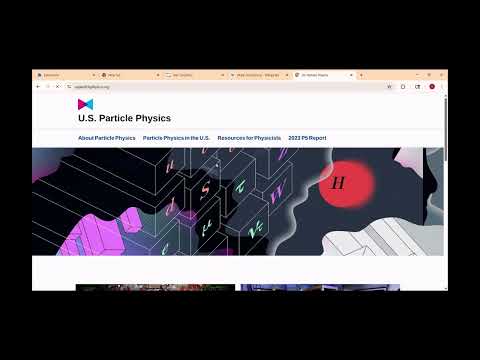
# How to Use Text Simplifier ## For Websites 1. Navigate to any website 2. Right-click anywhere on the page 3. Select "Simplify Text" from the context menu 4. Click and drag to select the text you want to simplify, then release ## For PDFs 1. Click the Chrome extension icon in your browser toolbar 2. Select the "Text Simplifier" extension 3. Click on the "Drop a PDF" area 4. Choose and upload your PDF file 5. Once the PDF opens, use the same selection method as websites: click and drag to select text, then release The extension will automatically simplify any text you select using either method. Struggling with complex articles, dense research papers, or tricky documents? Text Simplifier is your personal reading assistant, using advanced AI to transform complicated text into simple, easy-to-understand language. Perfect for students, professionals, and anyone looking to grasp difficult content faster. Our powerful tool works on any webpage and even with your own PDF files, making information more accessible than ever before. Simplify Text on Any Webpage: Break down complex jargon, long sentences, and difficult vocabulary directly on any site. Simplify Text from PDFs: Simply upload a PDF through the extension popup to open it in our built-in viewer, where you can simplify text just as easily. Effortless OCR-Powered Selection: Our intuitive drag-and-select tool uses OCR (Optical Character Recognition) to capture text from anywhere on your screen, including images and infographics. AI-Powered Clarity: We leverage state-of-the-art AI models (like GPT) to rewrite text for a middle-school reading level while preserving the original meaning and tone. Generous Free Tier: Get 10 free simplifications every day to handle your most important tasks. Your quota resets automatically at midnight UTC. One-Time Premium Upgrade: Need more? A single, one-time payment gives you unlimited, lifetime access. No subscriptions, no hidden fees. Of course. Here is a professional and user-friendly description for your Chrome Web Store listing. It's designed to be clear for users and transparent for the Chrome review team. ## Description Struggling with complex articles, dense research papers, or tricky documents? Text Simplifier is your personal reading assistant, using advanced AI to transform complicated text into simple, easy-to-understand language. Perfect for students, professionals, and anyone looking to grasp difficult content faster. Our powerful tool works on any webpage and even with your own PDF files, making information more accessible than ever before. ## Key Features Simplify Text on Any Webpage: Break down complex jargon, long sentences, and difficult vocabulary directly on any site. Simplify Text from PDFs: Simply upload a PDF through the extension popup to open it in our built-in viewer, where you can simplify text just as easily. Effortless OCR-Powered Selection: Our intuitive drag-and-select tool uses OCR (Optical Character Recognition) to capture text from anywhere on your screen, including images and infographics. AI-Powered Clarity: We leverage state-of-the-art AI models (like GPT) to rewrite text for a middle-school reading level while preserving the original meaning and tone. Generous Free Tier: Get 10 free simplifications every day to handle your most important tasks. Your quota resets automatically at midnight UTC. One-Time Premium Upgrade: Need more? A single, one-time payment gives you unlimited, lifetime access. No subscriptions, no hidden fees. ## How It Works Activate the extension using the context menu (right-click and select "Simplify Text") or the keyboard shortcut (Ctrl+Shift+S). Your cursor will turn into a crosshair. Simply click and drag to select any text, paragraph, or section you want to simplify. Instantly get a simplified version in a clean, easy-to-read overlay. ## Who Is This For? Students: Master dense textbooks and academic articles with ease. Professionals: Quickly understand technical reports, legal documents, and industry news. Educators: Adapt complex source materials into lessons your students can understand. Curious Minds: Explore any topic without getting bogged down by complicated language.
0 out of 5No ratings
Details
- Version1.0.1
- UpdatedJuly 19, 2025
- Offered byradwan.hoque11
- Size6.08MiB
- LanguagesEnglish (United States)
- DeveloperRadwan Hoque
29 miller Drive METUCHEN, NJ 08840 USEmail
radwan.hoque11@gmail.com - Non-traderThis developer has not identified itself as a trader. For consumers in the European Union, please note that consumer rights do not apply to contracts between you and this developer.
Privacy

Text Simplifier has disclosed the following information regarding the collection and usage of your data. More detailed information can be found in the developer's privacy policy.
Text Simplifier handles the following:
This developer declares that your data is
- Not being sold to third parties, outside of the approved use cases
- Not being used or transferred for purposes that are unrelated to the item's core functionality
- Not being used or transferred to determine creditworthiness or for lending purposes
Support
For help with questions, suggestions, or problems, visit the developer's support site