

Text Reader
29 rating
)
Ringkasan
Webpages reader
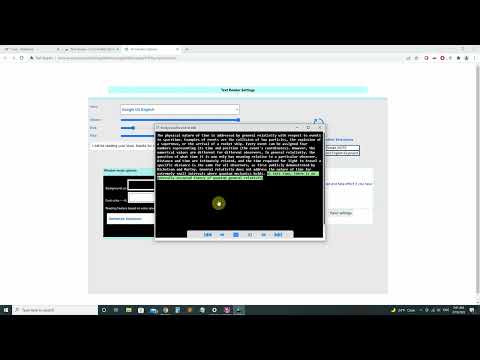
'Text Reader' is a chrome extension that Reads for you, texts you select from websites you visit. It also have an editing window where you can type your own words/sentences to be read out loud or even upload a text document to the window or use your mic to type. New updates : I apologize for the inconvenience! Manifest V2 was no longer supported and we didn't update the extension to Manifest V3 and it caused problem with the extension. We now have updated the extension and removed old codes that was causing problems. Please Let us know if anything isn't working good as it should. ----------------------- previous < performance bug fixes and added : > List of voices to choose from > Word or sentence selection on windows Mode > Speech controller to speak desired sentence by using using your keyboard arrows and space Please report any issue you encounter using our report button on windows mode , here in the review section or email us . We are always working on improving the Text Reader and keeping it free as always to help you reach your goals.
3,1 dari 529 rating
Detail
- Versi1.22
- Diupdate25 Agustus 2024
- Ditawarkan olehmyextensionshelp@gmail.com
- Ukuran387KiB
- BahasaEnglish (United States)
- Developer
Email
myextensionshelp@gmail.com - Non-pedagangDeveloper ini tidak mengidentifikasi diri sebagai pedagang. Bagi konsumen di Uni Eropa, perlu diperhatikan bahwa hak konsumen tidak berlaku untuk kontrak antara Anda dan developer ini.
Privasi

Text Reader telah mengungkapkan informasi berikut ini terkait pengumpulan dan penggunaan data Anda. Informasi lebih mendetail dapat dilihat di privacy policy developer.
Text Reader menangani hal berikut:
Developer ini menyatakan bahwa data Anda
- Tidak dijual ke pihak ketiga, di luar kasus penggunaan yang disetujui
- Tidak digunakan atau ditransfer untuk tujuan yang tidak terkait dengan fungsi inti item
- Tidak digunakan atau ditransfer untuk menentukan kelayakan kredit atau untuk tujuan pinjaman
Dukungan
Untuk mendapatkan bantuan terkait pertanyaan, saran, atau masalah, buka halaman ini di browser desktop Anda