


Pangkalahatang-ideya
A free, highly customizable text and code editor extension for your browser.
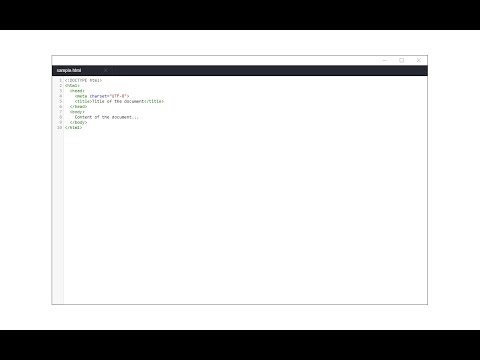
Text Editor is a full-featured text & code editor add-on for your browser. This add-on has plenty of options to adjust and is built on top of the famous CodeMirror open-source JavaScript library (https://codemirror.net/). Once you open the add-on for the first time, you will see a sidebar at the left and an empty text editor at the right. The left sidebar includes file I/O buttons. For example, a button to open file(s) or settings. There is also a right sidebar that includes all the options for this app. Note 1: This extension uses the new file system access API (https://web.dev/file-system-access/) to open and save files to disk. But, if your browser does not support this new API, it uses the - downloads - API instead to save files to disk in the default download folder (asks for downloads permission when opening the interface). Note 2: Currently, Text Editor supports three key-maps for famous text editors (i.e. sublime). Moreover, it supports more than 100 coding languages (i.e. JavaScript, CSS, HTML, etc.) If you have a feature request or found a bug to report, please fill the bug report form in the add-on's homepage (https://mybrowseraddon.com/text-editor.html).
4.0 sa 528 rating
Mga Detalye
- Bersyon0.2.4.1
- Na-updatePebrero 23, 2026
- Iniaalok ngSevina
- Laki1.55MiB
- Mga WikaEnglish
- Developer
Email
sevina.lucia@gmail.com - Hindi traderHindi tinukoy ng developer na ito ang sarili bilang trader. Para sa mga consumer sa European Union, pakitandaang hindi naaangkop ang mga karapatan ng consumer sa mga kontrata sa pagitan mo at ng developer na ito.
Privacy

Ipinapahayag ng developer na ito na ang iyong data ay
- Hindi ibinebenta sa mga third party na hindi kabilang sa mga naaprubahang sitwasyon ng paggamit
- Hindi ginagamit o inililipat para sa mga layuning hindi nauugnay sa pangunahing functionality ng item
- Hindi ginagamit o inililipat para tukuyin ang pagiging creditworthy o para sa mga layunin ng pagpapautang
Suporta
Para sa tulong sa mga tanong, suhestyon, o problema, bisitahin ang site ng suporta ng developer