Item logo image for TestZeus - User Interaction Capture

TestZeus - User Interaction Capture

5.0(

5 ratings

)
Item media 6 (screenshot) for TestZeus - User Interaction Capture
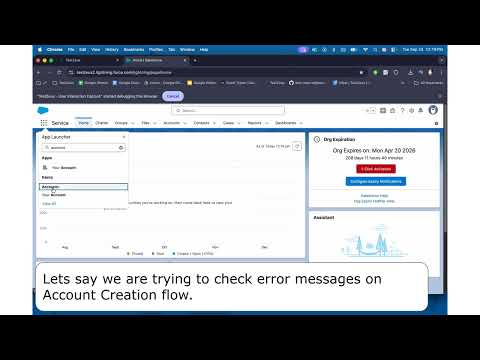
Item video thumbnail
Item media 2 (screenshot) for TestZeus - User Interaction Capture
Item media 3 (screenshot) for TestZeus - User Interaction Capture
Item media 4 (screenshot) for TestZeus - User Interaction Capture
Item media 5 (screenshot) for TestZeus - User Interaction Capture
Item media 6 (screenshot) for TestZeus - User Interaction Capture
Item video thumbnail
Item media 2 (screenshot) for TestZeus - User Interaction Capture
Item media 3 (screenshot) for TestZeus - User Interaction Capture
Item media 4 (screenshot) for TestZeus - User Interaction Capture
Item media 5 (screenshot) for TestZeus - User Interaction Capture
Item media 6 (screenshot) for TestZeus - User Interaction Capture

Overview

Privacy-focused extension for capturing user interactions and DOM elements for testing purposes

TestZeus – Privacy-First Test Flow Recorder Capture real user interactions to accelerate test creation, debugging, and bug reporting. Enable capture per site, perform your flow, then stop capture to review and (optionally) upload to your backend. 🔍 What it captures - Clicks, final input changes, and navigation events - Viewport offsets and element metadata (text/ARIA, short CSS, XPath, deep Shadow DOM) - Frame- and Shadow DOM–aware targets for complex apps 🔒 Privacy by default - Sensitive fields (passwords, tokens, credit cards) are excluded or maskable - Recording is off by default — you explicitly start and stop - Local-first: data stays on-device; upload occurs only if you configure an endpoint ⚡ Why developers love it - Reproduce issues quickly with concise, step-level context - Share structured bug reports your team can act on - Bootstrap automation with robust selectors (text/ARIA first, then CSS/XPath/pierce) ▶️ How it works (3 steps) - Open the site you want to record - Click the TestZeus icon → Start Capture (approve the browser’s “debug this tab” prompt) - Perform your flow → Stop Capture to review & (optionally) upload 🛡️ Permissions transparency - Uses only: tabs, storage, debugger - debugger is required to attach the Chrome DevTools Protocol (CDP) to the active tab and capture accurate, Shadow DOM–aware events - Attach happens only after your explicit Start click and only for the current tab; we detach on Stop - No cookies, no analytics, no tracking, no background collection - Nothing is uploaded unless you configure an endpoint ⚙️ Technical notes (for accuracy-minded teams) - CDP-based capture (Page/DOM/Runtime) → precise, frame/shadow aware events - Actionable-ancestor targeting for clicks (a/button/role/tabindex) instead of inner spans - Selector strategy order: text/..., aria/..., short semantic CSS (scoped to nearest custom element), xpath//..., deep pierce ... - Step reduction: debounced inputs to a single change; drops mousedown/mouseup/keyup noise

Details

  • Version
    3.0.10
  • Updated
    February 4, 2026
  • Offered by
    Pritish Budhiraja
  • Size
    1.54MiB
  • Languages
    English
  • Developer
    Email
    pritish.budhiraja@testzeus.com
  • Non-trader
    This developer has not identified itself as a trader. For consumers in the European Union, please note that consumer rights do not apply to contracts between you and this developer.

Privacy

Manage extensions and learn how they're being used in your organization

TestZeus - User Interaction Capture has disclosed the following information regarding the collection and usage of your data. More detailed information can be found in the developer's privacy policy.

TestZeus - User Interaction Capture handles the following:

Personally identifiable information
Authentication information
Web history
User activity
Website content

This developer declares that your data is

  • Not being sold to third parties, outside of the approved use cases
  • Not being used or transferred for purposes that are unrelated to the item's core functionality
  • Not being used or transferred to determine creditworthiness or for lending purposes

Support

For help with questions, suggestions, or problems, visit the developer's support site

Related

Playwright Test Recorder

0.0

Record user interactions and generate Playwright test scripts

Welyft I A/B Tests identifier

5.0

Detects A/B testing tools and experiments on the website

CyberInject

0.0

Professional security testing toolkit for ethical hackers and penetration testers

Statsig Features and Experimentation

5.0

A browser extension for the feature management and experimentation platform Statsig.

Selector Z - Automation Recorder and Selector Finder

5.0

Records browser interactions and generates selectors.

ABsmartly LaunchPad

0.0

Visual A/B testing extension for ABsmartly. Create DOM-based experiments with drag & drop editing and real-time preview.

Random User Agent

4.3

Generate random user agent with chrome extension. Switch browser agents to any device or browser. Perfect for testing and privacy

WeAccess Scan

5.0

Web pages accessibility testing Chrome extension

Testing Toolkit: 15+ Essential Manual Testing Tools

5.0

Redefine manual testing with best-in-class tools, supercharged with AI. JSON Formatter, Cache Manager, Responsive testing & more

Action Replay

4.3

Automate browser interactions by recording and replaying user actions.

AI Cypress Tests generator

1.0

Records user session and generates cypress tests with support of Open AI

DOM Blocker

0.0

A powerful tool to block and hide unwanted DOM elements on web pages.

Playwright Test Recorder

0.0

Record user interactions and generate Playwright test scripts

Welyft I A/B Tests identifier

5.0

Detects A/B testing tools and experiments on the website

CyberInject

0.0

Professional security testing toolkit for ethical hackers and penetration testers

Statsig Features and Experimentation

5.0

A browser extension for the feature management and experimentation platform Statsig.

Selector Z - Automation Recorder and Selector Finder

5.0

Records browser interactions and generates selectors.

ABsmartly LaunchPad

0.0

Visual A/B testing extension for ABsmartly. Create DOM-based experiments with drag & drop editing and real-time preview.

Random User Agent

4.3

Generate random user agent with chrome extension. Switch browser agents to any device or browser. Perfect for testing and privacy

WeAccess Scan

5.0

Web pages accessibility testing Chrome extension

Google apps