Item logo image for TestChimp - AI Co-Pilot for QA teams

TestChimp - AI Co-Pilot for QA teams

testchimp.io
Item media 6 (screenshot) for TestChimp - AI Co-Pilot for QA teams
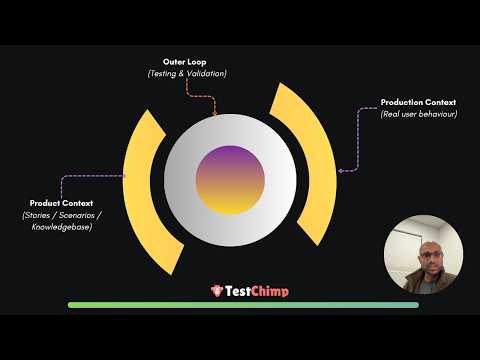
Item video thumbnail
Item media 2 (screenshot) for TestChimp - AI Co-Pilot for QA teams
Item media 3 (screenshot) for TestChimp - AI Co-Pilot for QA teams
Item media 4 (screenshot) for TestChimp - AI Co-Pilot for QA teams
Item media 5 (screenshot) for TestChimp - AI Co-Pilot for QA teams
Item media 6 (screenshot) for TestChimp - AI Co-Pilot for QA teams
Item video thumbnail
Item media 2 (screenshot) for TestChimp - AI Co-Pilot for QA teams
Item media 3 (screenshot) for TestChimp - AI Co-Pilot for QA teams
Item media 4 (screenshot) for TestChimp - AI Co-Pilot for QA teams
Item media 5 (screenshot) for TestChimp - AI Co-Pilot for QA teams
Item media 6 (screenshot) for TestChimp - AI Co-Pilot for QA teams

Overview

Visual vibe coding on the browser, Identify and track bugs, fix in one click, brainstorm test scenarios and more...

## TestChimp captures *Runtime behaviour Graph* of your webapp for context-aware assistance. Much like how Cursor / Windsurf indexes your codebase to have richer context about your code for more tailored assistance, TestChimp AI agent autonomously explores your webapp to build a comprehensive *runtime behaviour graph* of your product for more context-aware assistance to your QA workflows. With its explorations, it captures the different screens, states, and pathways in your product, detailed down to individual element level. Along the way it: - Captures the various bugs it finds in each screen, analyzing the DOM, Console, Network and Screenshots, catching 100s of common bugs that makes your app look and feel mediocre. - Identifies test scenarios for each screen that should be tested, and writes test scripts. ## Chrome Extension This Chrome extension is the companion that brings context-aware AI assistance of TestChimp, while you are on your webapp, testing. 1) View issues / scenarios relevant to the current screen. Directly view the bugs and test scenarios *relevant for the current screen* you are in (identified by the agent as well as added manually) - while you are testing your webapp, making it a breeze to track what needs fixing on the screen, and what testing needs to be done. 2) AI enabled bug finding Click on Find Bugs in the Bugs tab, and it will analyze the current DOM, recent console logs, recent network activity and screenshot of the current screen to identify bugs across many critical categories. You can add bugs manually as well, with relevant elements from the UI tagged - for richer, consolidated bug reports. - Visual Regression Testing: With v1.0.4, you can now upload a base image of a design or select from a screenshot captured by our Explore agent, to perform visual regression, where our AI will identify deviations from the design. 3) Brainstorm test scenarios TestChimp can analyze the screen (taking in to account the complete product-context is has built with its' agentic runs) and come up with scenarios to test on the current screen - so that you don't miss crucial checks. You can even ask it to focus on specific areas in the screen when brainstorming for scenarios. You can mark scenario test results directly from the extension once manually tested, for seamless tracking. You can author scenarios right from the extension - with AI assistance for detailing out the steps for quick iteration. 4) Create Smart Tests from Manual Test Sessions Head to the Record tab, and start a capture session. It will record the actions you do, and generate playwright commands on the fly, as well as the web page context. The captured data is then used to generate Smart Tests - which are playwright scripts with accompanying intent comments that enable hybrid execution. === Collaborate with your IDE, right from your browser === Install the TestChimp VSCode extension (https://testchimp.io/documentation-vscode-extension) on your AI enabled IDE (Cursor etc.), and the chrome extension will collaborate with it to get fixes done - without leaving your browser. 4) Fix Bugs in one-click Click on any bug listed for the current page, and click "Fix in IDE". The extension will collect all the necessary context for the bug, and prompt your IDE to fix the issue. 5) Generate test scripts for scenarios Select any test scenario in the displayed list, and click on "Generate script". The extension will prompt your IDE to generate test scripts matching your projects' code structure and style. 6) Visual Vibe Coding Just point to elements / areas on your webapp and *"say the change you want to see"*. The extension will communicate the related files, screen details, and details about targeted elements added by you to the context window, to your IDE and get it implemented, making your vibe coding sessions even more seamless. Documentation: https://testchimp.io/documentation-chrome-extension/

Details

  • Version
    1.0.14
  • Updated
    December 2, 2025
  • Size
    2.06MiB
  • Languages
    English (United States)
  • Developer
    TestChimp
    Sinfield St Ermington, NSW 2115 AU
    Website
    Email
    nuwansam@testchimp.io
  • Non-trader
    This developer has not identified itself as a trader. For consumers in the European Union, please note that consumer rights do not apply to contracts between you and this developer.

Privacy

TestChimp - AI Co-Pilot for QA teams has disclosed the following information regarding the collection and usage of your data. More detailed information can be found in the developer's privacy policy.

TestChimp - AI Co-Pilot for QA teams handles the following:

User activity
Website content

This developer declares that your data is

  • Not being sold to third parties, outside of the approved use cases
  • Not being used or transferred for purposes that are unrelated to the item's core functionality
  • Not being used or transferred to determine creditworthiness or for lending purposes

Support

Related

Manual Test Case Genius of BotGenius+ Family

0.0

This extension allows the user to input text through a popup and submit it to ChatGPT

GenQE - AI Assisted Quality Engineering

5.0

Use this extension to record video and capture screenshot for your test cases.

BugBug Automation Testing

4.7

Automate your website testing without code. An easy alternative to Selenium, Cypress and Katalon.

TestCase Studio - Selenium IDE

4.9

TestCase Studio record the user actions performed on a web application in English Sentences. Best alternative for Selenium IDE

SelectorsHub

4.8

Locators Plugin to Auto Generate and Verify Playwright Locators, XPath & CSS Selectors.

BrowserStack Bug Capture: Report & resolve bugs faster

4.8

Bug reporting tool with shareable screen recordings & screenshots for faster debugging.

Auto Data Filler

4.9

Fill test data using the right-click context menu to assist with exploratory testing.

Testing Daily | The Tester's Home Page

4.9

Get the feed of the latest testing news.

TestTube - No-Code QA Automation

5.0

With Testtube.io, setting up automated tests is as simple as point, click, and configure—no coding skills required. Designed with…

Testim Editor

3.8

The simplest and most advanced testing automation tool, using Adaptive Learning and Computer Vision image validation.

testRigor’s Test Case Recorder

4.3

Capture test cases in plain English by recording your interactions with the application. These test cases are formulated on…

Bug Magnet

4.3

Right-click context menu to help with exploratory testing

Manual Test Case Genius of BotGenius+ Family

0.0

This extension allows the user to input text through a popup and submit it to ChatGPT

GenQE - AI Assisted Quality Engineering

5.0

Use this extension to record video and capture screenshot for your test cases.

BugBug Automation Testing

4.7

Automate your website testing without code. An easy alternative to Selenium, Cypress and Katalon.

TestCase Studio - Selenium IDE

4.9

TestCase Studio record the user actions performed on a web application in English Sentences. Best alternative for Selenium IDE

SelectorsHub

4.8

Locators Plugin to Auto Generate and Verify Playwright Locators, XPath & CSS Selectors.

BrowserStack Bug Capture: Report & resolve bugs faster

4.8

Bug reporting tool with shareable screen recordings & screenshots for faster debugging.

Auto Data Filler

4.9

Fill test data using the right-click context menu to assist with exploratory testing.

Testing Daily | The Tester's Home Page

4.9

Get the feed of the latest testing news.

Google apps