

TestAPI Tool
1 rating
)
Overview
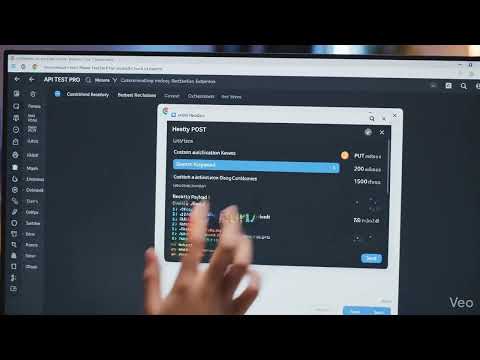
Lightweight API testing tool with requests, headers, environments, history, and response viewer.
TestAPI Tool is a lightweight Chrome extension designed for quick and efficient API testing directly from your browser. It helps developers send requests, inspect responses, and understand API behavior without opening heavy desktop tools. 🔧 Key Features Send GET, POST, PUT, DELETE HTTP requests Add custom headers or use saved header presets Support for environment variables View HTTP status codes with clear meanings Instantly see response time and response size Pretty JSON response viewer for better readability Open responses in a dedicated viewer page Clean, minimal, and developer-focused interface 🚀 Why API TEST PRO? Fast and easy to use No sign-up required Runs entirely inside Chrome Ideal for frontend and backend developers 🔐 Privacy & Data Usage API TEST PRO does not collect or track personal data. All requests are sent only to URLs provided by the user, and data is stored locally in the browser.
5 out of 51 rating
Details
- Version1.0.1
- UpdatedFebruary 8, 2026
- Offered byChandanSinghRajput
- Size5.55MiB
- LanguagesEnglish
- Developer
Email
chandankumar02652@gmail.com - Non-traderThis developer has not identified itself as a trader. For consumers in the European Union, please note that consumer rights do not apply to contracts between you and this developer.
Privacy

This developer declares that your data is
- Not being sold to third parties, outside of the approved use cases
- Not being used or transferred for purposes that are unrelated to the item's core functionality
- Not being used or transferred to determine creditworthiness or for lending purposes