

Test & Feedback
182 個評分
)
總覽
Now everyone on the team can own quality. Capture findings, create issues, and collaborate with the team, directly from the browser.
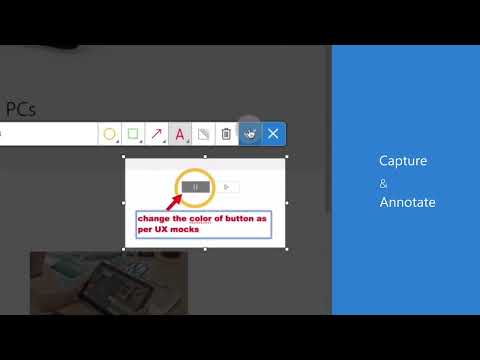
Test & Feedback - Now everyone on the team can own quality. Capture findings, create issues, and collaborate with the team, directly from the browser. Everyone in the team, be it product owners, developers, testers, UX designers etc., can now test their web-apps and give feedback, all directly from the browser on any platform: Windows, Mac, or Linux. All kinds of teams will now be able to drive quality in 3 easy steps – capture, create & collaborate. Capture - Take notes, screenshots with annotations, and screen recordings to capture problems. Automatically include rich data like user actions (as an image action log), page load data, and system information. Create - Create bugs, tasks, and feedback response work items to send feedback or report problems. Create test cases quickly based on the image action log while you explore your app. Automatically attach all your captured information. Collaborate - Work offline in standalone mode, then export your session to share findings with your team. For more integrated experiences with end-to-end traceability, connect to Azure DevOps Services or to Team Foundation Server 2015 or later. For example, you can explore user stories directly from the board, manage all feedback requests received, and easily track bugs, tasks and other work-items. To view completed exploratory sessions and get insights across all completed sessions, for example, details about sessions and work items that are created, explored, and weren’t explored, plus other data, go to your exploratory testing insights page. You can use the extension for FREE in these modes: Standalone and Connected Standalone Mode: Available to everyone. Any team, large or small, can use standalone mode to capture issues using screenshots with inline annotations and notes and then share the results using a session report. No connection to Azure DevOps Services or Team Foundation Server required. Connected Mode: Connect to Azure DevOps Services/Team Foundation Server to drive your exploratory testing and feedback flows. - Users with Basic access: Full capture and create capabilities to submit bugs, tasks and test cases. Includes collaboration capabilities like end-to-end traceability, rich insights across completed exploratory sessions, simplified bug/task tracking & triaging, and so on. - Users with Stakeholder access: Full capture and create capabilities, except for test cases, to submit feedback and respond to feedback requests from your team. Feedback experiences are available in Team Services and TFS 2017 or later only. Learn more https://docs.microsoft.com/en-us/azure/devops/test/perform-exploratory-tests?view=vsts
3.7 分 (滿分 5 分)182 個評分
詳細資料
- 版本1.0.279.4
- 已更新2026年9月9日
- 提供者Microsoft Corporation
- 大小1.88MiB
- 語言English (United States)
- 開發人員Microsoft Corporation
One Microsoft Way Redmond, WA 98052 US電子郵件
BrowserExtensions@microsoft.com電話
+1 425-882-8080 - 交易商這位開發人員表明自己是交易商 (依歐盟的定義),並承諾只提供符合歐盟法律的產品或服務。
- 鄧白氏環球編碼081466849
隱私權

這位開發者就你的資料做出下列聲明:
- 除經核准的用途外,不會將你的資料販售給第三方
- 不會基於與商品核心功能無關的目的,使用或轉移資料
- 不會為了確認信用度或基於貸款目的,使用或轉移資料
支援
如有疑問或建議,請使用電腦版瀏覽器開啟這個頁面