


Tổng quan
Now everyone on the team can own quality. Capture findings, create issues, and collaborate with the team, directly from the browser.
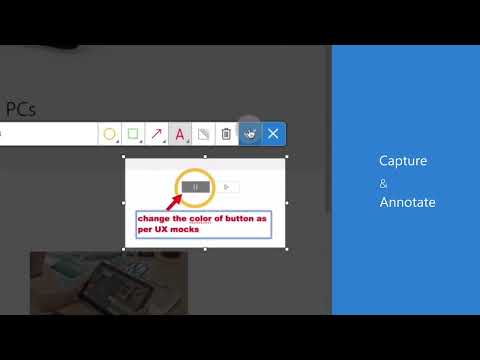
Test & Feedback - Now everyone on the team can own quality. Capture findings, create issues, and collaborate with the team, directly from the browser. Everyone in the team, be it product owners, developers, testers, UX designers etc., can now test their web-apps and give feedback, all directly from the browser on any platform: Windows, Mac, or Linux. All kinds of teams will now be able to drive quality in 3 easy steps – capture, create & collaborate. Capture - Take notes, screenshots with annotations, and screen recordings to capture problems. Automatically include rich data like user actions (as an image action log), page load data, and system information. Create - Create bugs, tasks, and feedback response work items to send feedback or report problems. Create test cases quickly based on the image action log while you explore your app. Automatically attach all your captured information. Collaborate - Work offline in standalone mode, then export your session to share findings with your team. For more integrated experiences with end-to-end traceability, connect to Azure DevOps Services or to Team Foundation Server 2015 or later. For example, you can explore user stories directly from the board, manage all feedback requests received, and easily track bugs, tasks and other work-items. To view completed exploratory sessions and get insights across all completed sessions, for example, details about sessions and work items that are created, explored, and weren’t explored, plus other data, go to your exploratory testing insights page. You can use the extension for FREE in these modes: Standalone and Connected Standalone Mode: Available to everyone. Any team, large or small, can use standalone mode to capture issues using screenshots with inline annotations and notes and then share the results using a session report. No connection to Azure DevOps Services or Team Foundation Server required. Connected Mode: Connect to Azure DevOps Services/Team Foundation Server to drive your exploratory testing and feedback flows. - Users with Basic access: Full capture and create capabilities to submit bugs, tasks and test cases. Includes collaboration capabilities like end-to-end traceability, rich insights across completed exploratory sessions, simplified bug/task tracking & triaging, and so on. - Users with Stakeholder access: Full capture and create capabilities, except for test cases, to submit feedback and respond to feedback requests from your team. Feedback experiences are available in Team Services and TFS 2017 or later only. Learn more https://docs.microsoft.com/en-us/azure/devops/test/perform-exploratory-tests?view=vsts
4,2/5176 lượt xếp hạng
Chi tiết
- Phiên bản1.0.265.1
- Đã cập nhật17 tháng 12, 2025
- Nhà cung cấpMicrosoft Corporation
- Kích thước1.83MiB
- Ngôn ngữEnglish (United States)
- Nhà phát triểnMicrosoft Corporation
One Microsoft Way Redmond, WA 98052 USEmail
BrowserExtensions@microsoft.comĐiện thoại
+1 425-882-8080 - Người bán thương mạiTheo định nghĩa của Liên minh Châu Âu, nhà phát triển này đã tự nhận mình là người bán và cam kết chỉ cung cấp những sản phẩm hoặc dịch vụ tuân thủ luật pháp của Liên minh Châu Âu.
- D-U-N-S081466849
Quyền riêng tư
Nhà phát triển này tuyên bố rằng dữ liệu của bạn
- Không được bán cho bên thứ ba, ngoài những trường hợp sử dụng đã được phê duyệt
- Không được sử dụng hoặc chuyển nhượng cho các mục đích không liên quan đến chức năng chính của mặt hàng
- Không được sử dụng hoặc chuyển nhượng để xác định khả năng thanh toán nợ hoặc phục vụ mục đích cho vay
Hỗ trợ
Nếu bạn có câu hỏi, ý kiến đề xuất hoặc gặp vấn đề, vui lòng mở trang này bằng trình duyệt dành cho máy tính để được trợ giúp