

Test & Feedback
176 na rating
)
Pangkalahatang-ideya
Now everyone on the team can own quality. Capture findings, create issues, and collaborate with the team, directly from the browser.
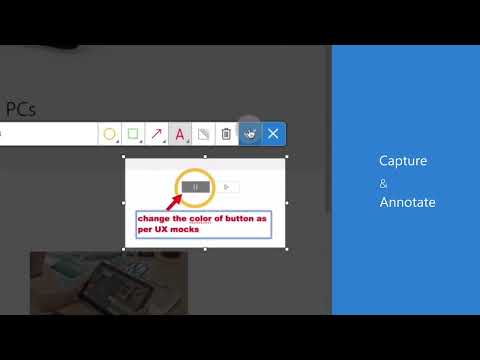
Test & Feedback - Now everyone on the team can own quality. Capture findings, create issues, and collaborate with the team, directly from the browser. Everyone in the team, be it product owners, developers, testers, UX designers etc., can now test their web-apps and give feedback, all directly from the browser on any platform: Windows, Mac, or Linux. All kinds of teams will now be able to drive quality in 3 easy steps – capture, create & collaborate. Capture - Take notes, screenshots with annotations, and screen recordings to capture problems. Automatically include rich data like user actions (as an image action log), page load data, and system information. Create - Create bugs, tasks, and feedback response work items to send feedback or report problems. Create test cases quickly based on the image action log while you explore your app. Automatically attach all your captured information. Collaborate - Work offline in standalone mode, then export your session to share findings with your team. For more integrated experiences with end-to-end traceability, connect to Azure DevOps Services or to Team Foundation Server 2015 or later. For example, you can explore user stories directly from the board, manage all feedback requests received, and easily track bugs, tasks and other work-items. To view completed exploratory sessions and get insights across all completed sessions, for example, details about sessions and work items that are created, explored, and weren’t explored, plus other data, go to your exploratory testing insights page. You can use the extension for FREE in these modes: Standalone and Connected Standalone Mode: Available to everyone. Any team, large or small, can use standalone mode to capture issues using screenshots with inline annotations and notes and then share the results using a session report. No connection to Azure DevOps Services or Team Foundation Server required. Connected Mode: Connect to Azure DevOps Services/Team Foundation Server to drive your exploratory testing and feedback flows. - Users with Basic access: Full capture and create capabilities to submit bugs, tasks and test cases. Includes collaboration capabilities like end-to-end traceability, rich insights across completed exploratory sessions, simplified bug/task tracking & triaging, and so on. - Users with Stakeholder access: Full capture and create capabilities, except for test cases, to submit feedback and respond to feedback requests from your team. Feedback experiences are available in Team Services and TFS 2017 or later only. Learn more https://docs.microsoft.com/en-us/azure/devops/test/perform-exploratory-tests?view=vsts
4.2 sa 5176 na rating
Mga Detalye
- Bersyon1.0.271.1
- Na-updateMarso 19, 2026
- Iniaalok ngMicrosoft Corporation
- Laki1.83MiB
- Mga WikaEnglish (United States)
- DeveloperMicrosoft Corporation
One Microsoft Way Redmond, WA 98052 USEmail
BrowserExtensions@microsoft.comTelepono
+1 425-882-8080 - TraderTinukoy ng developer na ito ang kanyang sarili bilang trader ayon sa kahulugan mula sa European Union at nakatuon na mag-alok lang ng mga produkto o serbisyo na sumusunod sa mga batas ng EU.
- D-U-N-S081466849
Privacy

Ipinapahayag ng developer na ito na ang iyong data ay
- Hindi ibinebenta sa mga third party na hindi kabilang sa mga naaprubahang sitwasyon ng paggamit
- Hindi ginagamit o inililipat para sa mga layuning hindi nauugnay sa pangunahing functionality ng item
- Hindi ginagamit o inililipat para tukuyin ang pagiging creditworthy o para sa mga layunin ng pagpapautang
Suporta
Para sa tulong sa mga tanong, suhestyon, o problema, pakibuksan ang page na ito sa iyong desktop browser