

Overview
Professional AI translation for Chrome with domain glossary, custom models, bilingual PDFs, and vocabulary PDF/CSV exports.
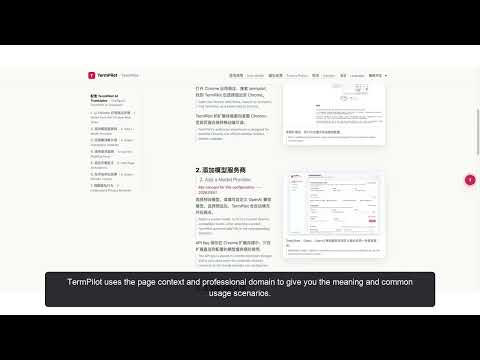
TermPilot is an AI translation and reading assistant for Chrome. Translate webpages, understand difficult passages, and save useful vocabulary and notes without leaving the page you are reading. Use the floating page button, extension popup, or right-click menu to translate a webpage. Select a word or passage to translate it, explain its meaning in context, summarize it, or ask a question about it. Key features: • Translate webpages and selected text with inline bilingual results. • Explain professional terms and difficult passages using surrounding context. • Summarize page content into concise key points. • Ask questions based on the current page or selected text. • Create annotations attached to important passages. • Extract useful vocabulary with AI and save words with their meanings and source context. • Use a personal glossary to keep terminology consistent. • Detect the professional domain automatically or choose it manually. • Export bilingual translations and reading results as PDF or HTML, and vocabulary as CSV. Two ways to use AI: 1. TermPilot Cloud Sign in with Google or an email verification code to use official models without configuring an API key. Eligible new accounts receive 200 free Credits, granted once per account and once per device. Credits are consumed according to content length and task complexity. Optional Standard and Plus subscriptions provide 3,000 and 7,000 Credits per membership month respectively. Both plans include the same features. Monthly and yearly billing are available; yearly plans also grant Credits monthly. Unused membership Credits do not roll over, while unused sign-in Credits remain separate. Subscriptions renew automatically until canceled through the website’s billing portal. Canceling renewal preserves access through the paid period. 2. Your own API key Connect an OpenAI-compatible model provider in the extension settings. This requires no TermPilot subscription and does not consume TermPilot Credits. Your provider may charge for usage. Getting started: Install TermPilot and pin it to the Chrome toolbar. Sign in to use your free Credits, or configure your own model provider. Open a webpage, select text or open the page panel, and choose an action. With TermPilot Cloud, task content is sent through the TermPilot service to the official model provider. With your own API key, AI requests go directly to your configured provider, and your key is not sent to TermPilot servers.
0 out of 5No ratings
Details
- Version1.4.0
- UpdatedOctober 13, 2026
- Size516KiB
- Languages5 languages
- DeveloperWebsite
Email
xiexuanzheng602@gmail.com - Non-traderThis developer has not identified itself as a trader. For consumers in the European Union, please note that consumer rights do not apply to contracts between you and this developer.
Privacy

TermPilot AI Translator has disclosed the following information regarding the collection and usage of your data. More detailed information can be found in the developer's privacy policy.
TermPilot AI Translator handles the following:
This developer declares that your data is
- Not being sold to third parties, outside of the approved use cases
- Not being used or transferred for purposes that are unrelated to the item's core functionality
- Not being used or transferred to determine creditworthiness or for lending purposes
Support
For help with questions, suggestions, or problems, visit the developer's support site