

Templatify: Insert HTML Emails into Gmail, Yahoo, Outlook

Overview
Save, personalize and send reusable HTML email templates in Gmail, Outlook, Yahoo Mail without manually copy pasting.
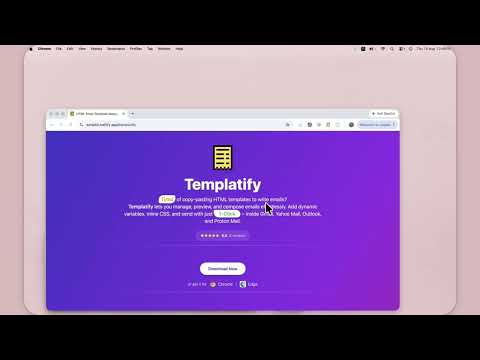
Create reusable HTML email templates and send them from Gmail, Outlook, Yahoo Mail, Proton Mail, or email addresses you find on the web. Templatify helps sales, support, recruiting, marketing, and client-facing teams stop rebuilding the same messages. Design an email once, save it as a template, personalize it with variables, preview it, and open it in your preferred inbox. CREATE AND REUSE POLISHED EMAILS - Build and manage reusable HTML email templates - Import existing HTML email files from your computer - Preview each email before opening your inbox - Inline CSS for more reliable formatting across email clients - Save subject lines together with template content PERSONALIZE WITHOUT REWRITING - Add variables such as {{firstName}}, {{company.name}}, and {{system.date}} - Save frequently used details in the Variable Store - Create template flavours for different audiences, campaigns, or tones - Fill saved values when you are ready to send WORKS IN YOUR EMAIL PROVIDER - Insert templates into Gmail - Compose with templates in Microsoft Outlook and Outlook.com - Use saved emails in Yahoo Mail - Create polished messages in Proton Mail - Open the right compose window directly from a template SEND EMAILS FROM WEBSITES Templatify can optionally detect and highlight email addresses on websites you browse. Select a saved template from a highlighted address, use the right-click menu, or prepare a bulk email for detected recipients. You control whether bulk recipients are added to To or Bcc. USE TEMPLATIFY FOR - Cold outreach and sales follow-ups - Customer support replies - Recruiting and candidate communication - Client onboarding and account updates - Product announcements and newsletters - Promotions and branded marketing emails HOW IT WORKS 1. Create a template or import an HTML file. 2. Add a subject and optional personalization variables. 3. Preview the finished email. 4. Choose Gmail, Outlook, Yahoo Mail, or Proton Mail. 5. Review the populated compose window and send when ready. PRIVACY AND CONTROL Website email highlighting is optional. Broad website access is requested only if you choose to enable that feature, and ignored websites or addresses can be managed in Settings. Start free with up to five user-created templates. Optional PRO features include Cloud Sync for templates and variables. Install Templatify to create once, personalize quickly, and send better HTML emails from the inboxes you already use.
5 out of 510 ratings
Details
- Version1.1.0.10
- UpdatedSeptember 9, 2026
- FeaturesOffers in-app purchases
- Size1.89MiB
- LanguagesEnglish
- DeveloperWebsite
Email
tyagi.vishal70@yahoo.com - Non-traderThis developer has not identified itself as a trader. For consumers in the European Union, please note that consumer rights do not apply to contracts between you and this developer.
Privacy

This developer declares that your data is
- Not being sold to third parties, outside of the approved use cases
- Not being used or transferred for purposes that are unrelated to the item's core functionality
- Not being used or transferred to determine creditworthiness or for lending purposes
Support
For help with questions, suggestions, or problems, please open this page on your desktop browser