


Overview
The Master Switch to quiet the entire internet. Blinders clear the recommendation feeds of YouTube, Reddit, X, and more, on demand.
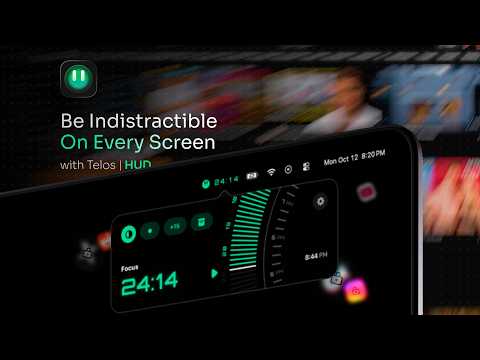
The Master Switch to quiet the entire internet. Fully stand-alone: Blinders work the moment you add them. Better still with Telos HUD, our separate Mac app, and Telos on your iPhone, syncing Telic Timers and Blackout Mode for unwavering deep work. ___ TELOS BLINDERS | KEEP THE SITES, LOSE THE RABBIT HOLES Internet recommendation feeds are built to draw you in and distract you, draining your willpower while you resist them. If you give in, one interruption typically costs you 23 minutes to refocus (Gloria Mark, Attention Span). Telos Blinders is the Master Switch to quiet the entire internet: one press in your toolbar, and the sites' essentials stay while their recommendation sections are removed with precision. No other app needed. ___ WITH TELOS HUD, OUR MAC APP Everything below needs Telos HUD, our separate menu bar app for the Mac. Blackout Mode also needs Telos on your iPhone. ___ BLACKOUT MODE | A DUMB PHONE ON DEMAND Set the concentration intensity right from your Mac menu bar: Level 1 locks your seductive apps and sites, Level 2 blocks all notifications with Do Not Disturb, and Level 3 automatically turns your iPhone into a true Dumb Phone with a gray screen until your timer ends. ___ HEADS UP DISPLAY | YOUR MENU BAR TIMER Start a Telic Timer on your iPhone or Mac, and Blinders turn on by themselves, together with Blackout Mode. The timer sits in your Mac's menu bar with the same controls as your Live Activity. If you run over, it turns red and triggers an iPhone alarm. ___ PRIVATE BY DESIGN Everything stays on your own devices. On their own, Blinders send nothing about you. With Telos HUD, the timer travels to Blinders locally on your Mac, over 127.0.0.1. Nothing about the sites you visit is kept or sent. ___ The question was never how to spend less time on our screens. The right question is how to spend more time on our lives. At Telos, our mission is to accelerate the realignment toward a humane technology future. Pursue objectives worthy of your best with Telos. Get the complimentary iOS app: https://apps.apple.com/app/telos/id6748760315?pt=123701757&ct=chrome_web_store&mt=8 Learn more: https://www.telos.guide/app/hud?utm_source=chrome_web_store&utm_medium=store_description&utm_campaign=launch
0 out of 5No ratings
Details
- Version1.5.1
- UpdatedNovember 19, 2026
- Size1.04MiB
- LanguagesEnglish (United States)
- DeveloperFelix Daniel BoumaWebsite
Eerste Passeerdersdwarstraat 77 Amsterdam 1016ZB NLEmail
support@telos.guidePhone
+84 938 954 521 - TraderThis developer has identified itself as a trader per the definition from the European Union and committed to only offer products or services that comply with EU laws.
Privacy

This developer declares that your data is
- Not being sold to third parties, outside of the approved use cases
- Not being used or transferred for purposes that are unrelated to the item's core functionality
- Not being used or transferred to determine creditworthiness or for lending purposes
Support
For help with questions, suggestions, or problems, visit the developer's support site