


Overview
Save Telegram videos & photos in one click. Desktop client for bulk private media mirroring, history export & channel cloning.
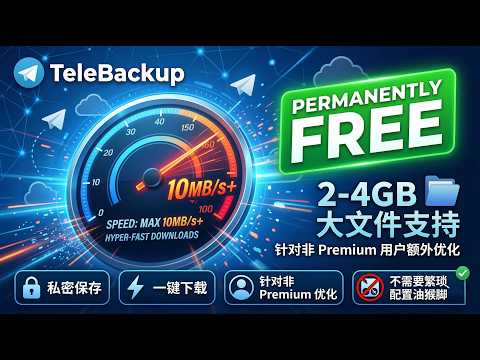
🌟 Key Features of the Plugin Seamless Integration: Takes effect immediately after installation, automatically generating a download link next to your Telegram feed without disrupting your existing workflow. Compatibility with All Media Types: Whether it’s HD 4K videos, lossless audio archives, or massive photo albums and images, the plugin automatically detects them and triggers high-speed downloads with a single tap. Support for Large Files: Fully supports downloading Telegram’s 2–4GB large files, letting you save any file you want with a single click. Private Downloads & Security: 100% protection of user privacy. The download process is handled entirely locally, without passing through any intermediate servers or bots, ensuring your private information remains secure. Multi-Platform Support: Compatible with all Chromium-based browsers, including Chrome and Edge, so you can download anywhere. TeleBackup is dedicated to providing an unrestricted download experience. We promise an ad-free experience—simply install the extension to use reliable Telegram web media saving features. For full backups, cloning, and automated migration, please refer to the section below regarding the standalone desktop client. Note: This browser extension and the TeleBackup desktop client are two completely independent tools with no shared interfaces or functional dependencies, eliminating any risk of data leakage. Download link: https://chatdex.cc [About the Standalone Desktop Client] For scenarios involving large-scale data processing, our development team has released a separate, full-featured local desktop client (TeleBackup). This client supports the following features: Batch automated saving of private media Retrieval of Telegram chat history Cloning entire group resources and automated channel cloning Core Features Full Media Backup and Download: Supports all types of content, including text (with formatting preserved), images, videos, audio, documents, stickers, and albums, as well as private media. Smart Cloning/Migration: 1:1 replication of channel content, with support for text-only or media-only modes, while preserving the comments section (displayed in original order), media group albums, and custom rules for link/button replacement. Incremental Sync and Resume Downloads: Downloads only new content, supports resume downloads, parallel processing, and deduplication. Local Archiving: Stores message logs in SQLite, supports full-text search, tree-view organization by date/type, and export to HTML/CSV (with media previews). Multi-Account Management: Switch accounts, import Telegram Desktop tdata sessions, and supports proxies (SOCKS5/HTTP). Smart Task Scheduling: Automatic retries, smart reconnection, and real-time progress monitoring ensure stable operation. Other Features: Disk usage monitoring, custom renaming, message tagging, and favorites. Use Cases Channel content archiving, cross-channel synchronization, historical message migration, bulk download of private media, and operational backups. The Pro version offers more advanced cloning rules, multi-account support, and one-on-one technical assistance. Frequently Asked Questions (FAQ) Q: Does it support private channels/groups? A: Yes. However, your account must already be a member of the private channel/group to access and clone it. Q: How fast is the download speed? Does the computer need to stay on? A: Speed depends on your network and settings. Download speeds typically range from 6–15 MB/s, depending on your account permissions (priority is given to stability). The program must remain running to complete the task, but it supports resuming interrupted downloads; you can continue after restarting. Q: Is the data secure? A: It runs entirely locally. All data (chats, messages, media) is stored in a local folder and is not uploaded to any cloud service.
0 out of 5No ratings
Details
- Version1.4
- UpdatedApril 15, 2026
- Size639KiB
- Languages15 languages
- Developer
- TraderThis developer has identified itself as a trader per the definition from the European Union and committed to only offer products or services that comply with EU laws.
Privacy

TeleBackup - Telegram Downloader & Multimedia Archiving Tool has disclosed the following information regarding the collection and usage of your data. More detailed information can be found in the developer's privacy policy.
TeleBackup - Telegram Downloader & Multimedia Archiving Tool handles the following:
This developer declares that your data is
- Not being sold to third parties, outside of the approved use cases
- Not being used or transferred for purposes that are unrelated to the item's core functionality
- Not being used or transferred to determine creditworthiness or for lending purposes
Support
For help with questions, suggestions, or problems, please open this page on your desktop browser