Item logo image for Tedit Development Environment

Tedit Development Environment

http://creationix.com/
4.8(

16 ratings

)
Item media 5 (screenshot) for Tedit Development Environment
Item video thumbnail
Item media 2 (screenshot) for Tedit Development Environment
Item media 3 (screenshot) for Tedit Development Environment
Item media 4 (screenshot) for Tedit Development Environment
Item media 5 (screenshot) for Tedit Development Environment
Item video thumbnail
Item media 2 (screenshot) for Tedit Development Environment
Item media 3 (screenshot) for Tedit Development Environment
Item media 4 (screenshot) for Tedit Development Environment
Item media 5 (screenshot) for Tedit Development Environment

Overview

An offline enabled development environment that works directly on js-git databases

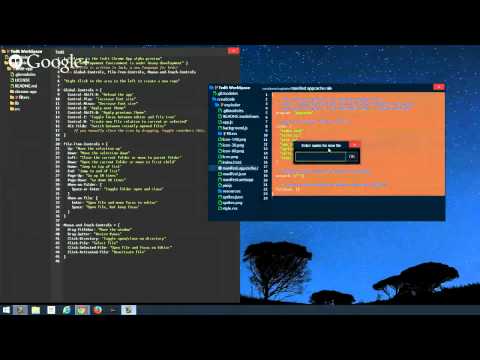
Tedit is a development environment built around the idea of editing git repositories directly as if they were the filesystem. In this new development environment, the programmer never interacts with the file system or command-line. (State is stored locally using chrome storage and IndexedDB.) Tedit is now MIT licensed and will always have a free option for people who can't afford (or aren't willing) to pay for it. Current features include: - Mounting local bare git repos (including repos with packed objects and refs). - Mounting github repositories and editing them directly. - Unified workspace as local git repository in app. - Full virtual filesystem editing including files, symlinks, trees, submodules, executable bit. You can create, delete, rename, move, copy, even between different remote repositories. - Create commits to snapshot the filesystem state and publish when mounted from github. - Live export feature with declarative build system that allows building chrome apps on chromebooks. - Local webserver with same build system for offline web app development. - Full keyboard navigation of tree with typedown filtering. - Quick toggling between recently opened files. Tedit is self-hosting. I use it exclusively to develop and build itself.

Details

  • Version
    0.2.22
  • Updated
    August 27, 2014
  • Size
    1.5MiB
  • Languages
    English (United States)
  • Developer
  • Non-trader
    This developer has not identified itself as a trader. For consumers in the European Union, please note that consumer rights do not apply to contracts between you and this developer.

Privacy

Manage extensions and learn how they're being used in your organization
The developer has not provided any information about the collection or usage of your data.

Support

Related

Stylus

4.5

Redesign the web with Stylus, a user styles manager. Stylus allows you to easily install themes and skins for many popular sites.

Clear Cache

4.5

Powerful, user-friendly browser data management, right from your toolbar.

SEO META in 1 CLICK

4.9

Displays all meta data and main SEO information for the best SEO

ColorPick Eyedropper

4.2

A zoomed eyedropper & color chooser tool that allows you to select color values from webpages and more.

ColorZilla

4.6

Advanced Eyedropper, Color Picker, Gradient Generator and other colorful goodies

Tag Assistant

3.9

The Tag Assistant extension works with Tag Assistant to help troubleshoot installation of gtag.js and Google Tag Manager.

User-Agent Switcher for Chrome

3.9

Spoofs & Mimics User-Agent strings.

Lighthouse

4.4

Lighthouse is an open-source, automated tool for improving the performance, quality, and correctness of your web apps.

Similarweb - Website Traffic, AI Traffic & SEO Checker

4.6

Instant website analysis, AI traffic insights, and SEO metrics at your fingertips.

Web Developer

4.5

Adds a toolbar button with various web developer tools.

Eye Dropper

4.3

Pick colors from any website.

SEOquake

4.5

SEOquake is a free plugin that provides you with key SEO metrics, along with other useful tools such as SEO Audit and many others

Stylus

4.5

Redesign the web with Stylus, a user styles manager. Stylus allows you to easily install themes and skins for many popular sites.

Clear Cache

4.5

Powerful, user-friendly browser data management, right from your toolbar.

SEO META in 1 CLICK

4.9

Displays all meta data and main SEO information for the best SEO

ColorPick Eyedropper

4.2

A zoomed eyedropper & color chooser tool that allows you to select color values from webpages and more.

ColorZilla

4.6

Advanced Eyedropper, Color Picker, Gradient Generator and other colorful goodies

Tag Assistant

3.9

The Tag Assistant extension works with Tag Assistant to help troubleshoot installation of gtag.js and Google Tag Manager.

User-Agent Switcher for Chrome

3.9

Spoofs & Mimics User-Agent strings.

Lighthouse

4.4

Lighthouse is an open-source, automated tool for improving the performance, quality, and correctness of your web apps.

Google apps