


Tổng quan
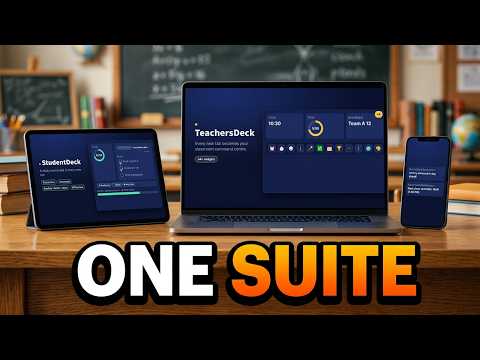
Your classroom dashboard on the new tab page: timers, noise meter, name picker, groups, whiteboard, rewards, attendance and more.
TEACHERSDECK — CHROME WEB STORE LISTING (for build v0.33.1, teachersdeck-v0.33.1-rc3-cws.zip) DESCRIPTION TeachersDeck turns Chrome's new tab page into a classroom dashboard you can put up on the projector or interactive whiteboard. Open only the tools you need and arrange them on screen. Everything lives in three docks, so the screen stays clean until you need something. TIME AND ROUTINES • Clock, timer and stopwatch • Traffic light for working-noise levels • Agenda board and checklist • Instructions display: type the steps once, show them big enough for the back row, with an optional Vietnamese translation CLASSROOM MANAGEMENT • Noise meter with a live graph (the microphone is used only after you switch it on, and sound never leaves your computer) • Name picker and group maker • Attendance tracker and hall pass tracker • Scoreboard, reward points, dice and polls • Exit tickets and progress reports TEACHING TOOLS • DrawDeck: a full-screen whiteboard with pens, shapes, text, mind maps, flowcharts and maths tools (number line, ruler, protractor, fraction bars) • Files viewer for PDFs and Google Docs • QR code generator, text-to-speech reader, soundboard, music and video player • Classroom games, including Classroom Word Wheel and Spelling Bee Showdown MAKE IT YOURS • Light and dark mode, switched from the top bar • Backgrounds and themes • English and Vietnamese • Separate setups for each of your classes PRIVATE BY DESIGN No account needed. Your classes, student names and notes are saved in your browser on this computer and are not sent to us. TeachersDeck replaces your new tab page. To go back, turn off or remove the extension at chrome://extensions. TeachersDeck is free. Every tool is included. PRIVACY PRACTICES TAB Single purpose: Replaces the new tab page with a classroom dashboard of teaching tools that a teacher shows on the class screen. Permission justification, downloads (optional): Asked for only when a teacher opens a Word, PowerPoint or Excel file from the Files widget. Saves the file so it opens in the teacher's own Office app. Permission justification, downloads.open (optional): Part of the same action: opens the file TeachersDeck just downloaded, when the teacher asks. Remote code: No, I am not using remote code. Data usage: Website content (text a teacher chooses to translate in the Instructions widget, sent to the MyMemory translation service): Yes. Everything else: No. Certify: not sold to third parties; not used for purposes unrelated to the item's single purpose; not used for creditworthiness or lending. Privacy policy URL: https://myteachersdeck.com/privacy (publish it first; the draft is in the audit doc) DISTRIBUTION TAB Payments: Free of charge Visibility: Public (or Unlisted for a soft launch) Regions: All regions TEST INSTRUCTIONS (for the reviewer) No account is needed. Open a new tab to see the dashboard. To see the widgets filled with sample data, open Settings and click "Try the demo", or add ?demo=1 to the address. Cloud features (sharing a class with students and parents) aren't available in this version, and the app says so. Every tool is free; no licence key is needed.
0/5Không có lượt xếp hạng nào
Chi tiết
- Phiên bản0.33.1 rc3
- Đã cập nhật27 tháng 10, 2026
- Kích thước408KiB
- Ngôn ngữEnglish (United States)
- Nhà phát triểnTrang web
Email
teachersdeck@gmail.com - Người bán phi thương mạiNhà phát triển này không tự nhận mình là người bán. Đối với người tiêu dùng ở Liên minh Châu Âu, xin lưu ý rằng các quyền của người tiêu dùng không được áp dụng trong hợp đồng giữa bạn và nhà phát triển này.
Quyền riêng tư

TeachersDeck đã công bố thông tin sau đây liên quan đến việc thu thập và sử dụng dữ liệu của bạn. Bạn có thể xem thêm thông tin chi tiết trong privacy policy của nhà phát triển.
TeachersDeck xử lý dữ liệu sau:
Nhà phát triển này tuyên bố rằng dữ liệu của bạn
- Không được bán cho bên thứ ba, ngoài những trường hợp sử dụng đã được phê duyệt
- Không được sử dụng hoặc chuyển nhượng cho các mục đích không liên quan đến chức năng chính của mặt hàng
- Không được sử dụng hoặc chuyển nhượng để xác định khả năng thanh toán nợ hoặc phục vụ mục đích cho vay
Hỗ trợ
Nếu bạn có câu hỏi, ý kiến đề xuất hoặc gặp vấn đề, vui lòng mở trang này bằng trình duyệt dành cho máy tính để được trợ giúp