


Overview
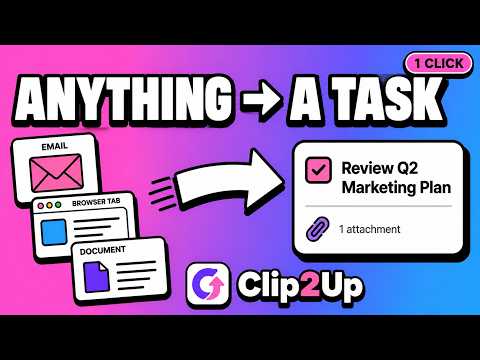
Turn any page or email into a ClickUp task. Screenshots, quick capture, links & files, and built-in time tracking.
🚀 tasks, email & time tracking for clickup turns whatever is in front of you into a task, without switching tabs or losing your place. it is a small companion that sits in your toolbar, so you can save work the moment it shows up and keep every item in one spot. 📋 what this clickup extension does this is an email to task and web capture tool built for the app. send an email to a card from gmail, clip a web page, attach a screenshot, browse your list, and track your hours. it all happens in one small popup. ⚡ how to create a clickup task in seconds 1. install the extension with the add to chrome button 2. open gmail or any web page 3. click the toolbar icon to open the popup 4. pick a list and an assignee 5. hit create and your card is live Here are 🔟 reasons to use tasks, email & time tracking for clickup 1️⃣ turn any email into a card straight from gmail 2️⃣ keep the attachment, it travels with the email to task on its own 3️⃣ capture a web page as a to-do in one click 4️⃣ attach a screenshot of the current tab 5️⃣ browse your clickup tasks in a popup without opening the app 6️⃣ filter my tasks down to the current website 7️⃣ start and stop clickup time tracking on a card 8️⃣ edit an item and save drafts for later 9️⃣ assign work to yourself or a teammate 🔟 runs quietly in the background and barely uses any cpu ✉️ email to task for clickup ➤ forward mail into a card without copy and paste ➤ the email subject becomes the title ➤ files stay attached, so nothing gets lost on the way to clickup ➤ a clean email to task flow for anyone who lives in their inbox 🌐 quick capture from any tab ➤ save a bug, an article, or a page as a to-do on the spot ➤ the page link is added for you, so the card keeps its context ➤ a fast screenshot to task option for visual notes ➤ quick capture keeps you on the page while the item lands in your workspace 📋 my tasks, right in the browser ▸ see the clickup tasks assigned to you inside a popup ▸ filter my tasks to the site you are on ▸ open, search, and check off an item without a full page load ▸ your work stays one click away all day ⏱️ time tracking for clickup ▸ start a timer on a card and watch it count up ▸ stop it and the minutes are logged for you ▸ clickup time tracking without leaving the tab you work in ▸ a simple timer that fits the way you already work 🧩 fits your clickup workflow - pairs with project management, docs, calendar, and dashboard views - a handy companion next to your existing clickup app - works whether you run a clickup workflow solo or with a team - an integration for the browser that respects how you already work 🛡️ built to stay out of your way • it survives chrome updates without breaking • the login does not drop every other day • it barely uses any cpu when idle, so your browser stays fast • your data goes straight to the app instead of sitting on a middle server 💡 who it is for - teams and solo users who live inside clickup all day - support, sales, and product people who turn mail into work - anyone who wants time tracking from the browser - people who want a faster way to add a clickup task than the app on its own ❓ frequently asked questions 📌 what is this clickup extension 💡 it is a browser tool that turns email, web pages, and screenshots into cards and adds time tracking, so you spend less time jumping between tabs and the app. 📌 how do i send an email to a clickup task 💡 open the mail in gmail, click the toolbar icon, pick a list and assignee, then hit create. the subject becomes the title and the attachment comes with it. 📌 does time tracking sync with the app 💡 yes. when you start and stop the timer, the minutes are logged to your card, so your clickup time tracking stays in one place. 📌 can i use it with my current clickup workflow 💡 yes. it sits beside the app and works with project management, docs, and calendar, and it adds email to task and quick capture on top. 📌 do i need to be online 💡 you need account access to create a card, but the popup opens right away and reads your my tasks list without slowing the page down. 📌 is my data safe 💡 the extension talks to clickup directly and keeps your details on your side, so no extra server stores your items. 🎯 add tasks, email & time tracking for clickup to chrome and turn every email, page, and screenshot into a card, with time tracking built in. give the companion a try and keep your whole clickup workflow one click away.
0 out of 5No ratings
Details
- Version0.1.0
- UpdatedOctober 19, 2026
- FeaturesOffers in-app purchases
- Size657KiB
- Languages53 languages
- DeveloperWebsite
Email
info@learnfreecourses.com - Non-traderThis developer has not identified itself as a trader. For consumers in the European Union, please note that consumer rights do not apply to contracts between you and this developer.
Privacy

Tasks, Screenshots & Time Tracking: ClickUp has disclosed the following information regarding the collection and usage of your data. More detailed information can be found in the developer's privacy policy.
Tasks, Screenshots & Time Tracking: ClickUp handles the following:
This developer declares that your data is
- Not being sold to third parties, outside of the approved use cases
- Not being used or transferred for purposes that are unrelated to the item's core functionality
- Not being used or transferred to determine creditworthiness or for lending purposes
Support
For help with questions, suggestions, or problems, visit the developer's support site